How to Create Facebook Image Ads for Art Prints Using Existing Photos and English Copy
For your next creative after a carousel, start with a single image that gives one artwork room to be seen. This guide walks you through choosing artwork, frame, and installation photos, writing English sales copy, and creating three drafts in AdForge.
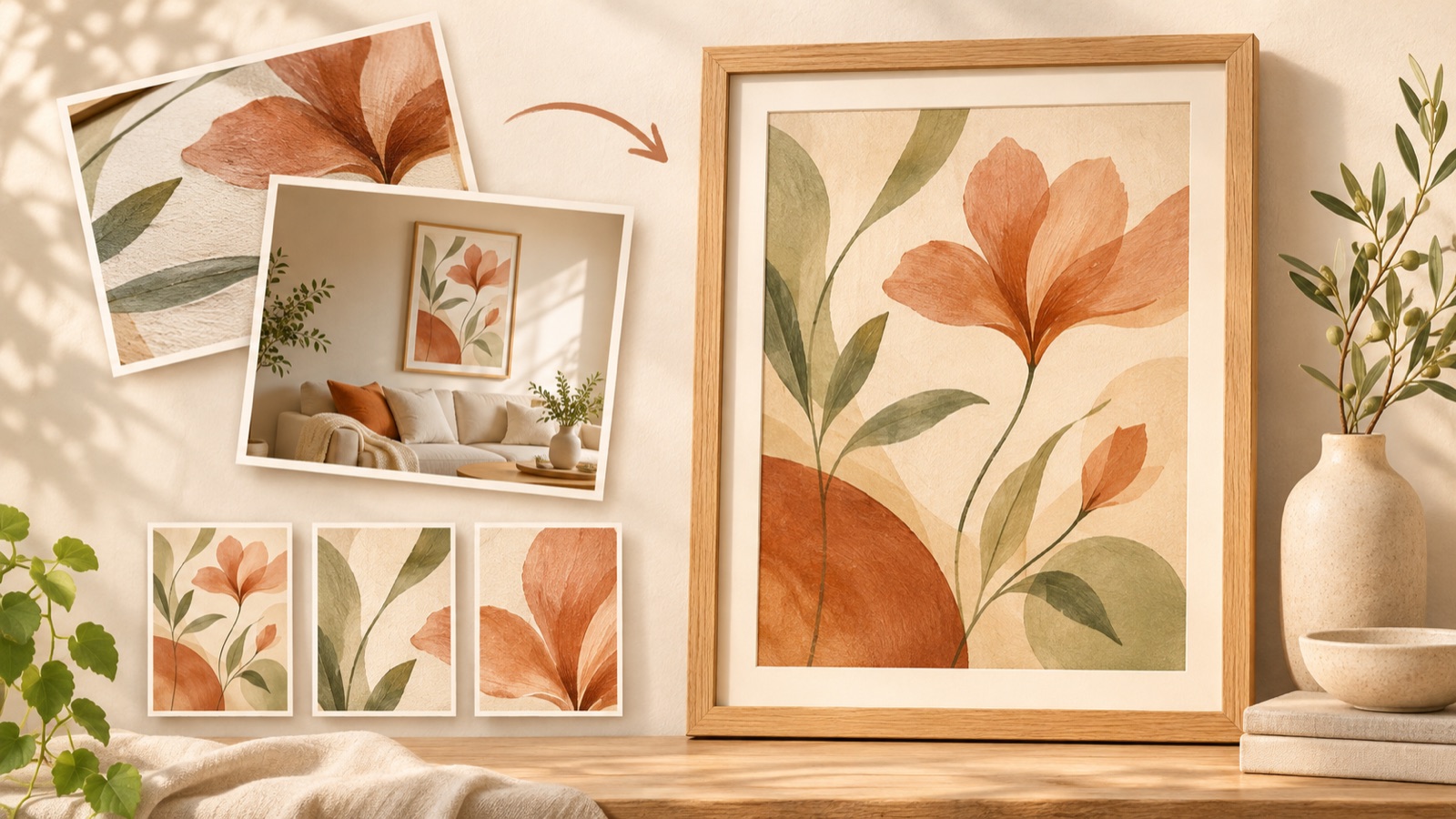
To create Facebook image ads for art prints, start by choosing one artwork from your collection and adding the information shoppers need to buy. Instead of a carousel, make a full artwork photo, a frame detail, or an actual installation photo the focal point. You cannot assume that a single image will sell better. This guide walks you through preparing English copy for existing photos, creating three drafts in AdForge, and checking them against your actual sales terms.
Choose one buying question your carousel left unanswered
If you have been showing several artworks together, use your next ad to answer a question about one piece. An art print seller has asked about formats beyond carousels, but that question alone does not establish which format is better.1 Set the goal of this creative as helping shoppers examine the colors and composition or imagine the piece in their own room, rather than showing more artworks.
Choose the question based on the photos you have. If you have a clear photo of the full artwork, address “What does the artwork look like?” If you have an actual installation photo, address “How does it look in a room?” If you have close-ups of the frame and paper, address “What will I receive?” To keep the composition manageable at first, choose just one question while keeping the artwork and sales terms the same. Use that question as the focus of the message you enter in AdForge.
Pair artwork, frame, and installation photos with the sales terms
Prepare photos for two purposes: showing the artwork itself and showing it in use. For the artwork itself, use a photo that shows every edge and makes colors easy to compare. For the setting, use an actual installation photo showing the print on a wall among furniture. Clear artwork photos and photos of prints displayed in a room are also materials an art print seller has suggested using.2 If you use only an installation photo, check that reflections or perspective do not obscure part of the artwork.
Record the actual size offered, whether a frame is included, and the price alongside each photo. If the photo shows a framed piece but you sell only the print, your copy needs to reflect that. If the artwork shown in the installation photo differs in size from the available purchase options, check that it does not give the impression that they are the same size. Confirm your rights to use the artwork and photos, and organize the sales terms for each photo to give yourself a basis for reviewing AdForge’s output.
- Full artwork photo: Check that the colors, composition, and edges are clearly visible.
- Frame detail photo: Check that the details shown are actually included in the option being advertised.
- Installation photo: Compare the size of the photographed print with the available purchase options.
Plan the English copy and reference ad layout together
Prepare your English copy in this order: a short proposition, product details, and a call to action. As a hypothetical example, if you sell an unframed botanical art print, you could use “A botanical touch for your reading corner” as the proposition, “Art print · 12 × 16 in · Frame not included” for the product details, and “Shop this print” as the call to action. The size is an example, so replace it with your actual product dimensions. If you include a price, use the selling price for that option.
Choose a reference ad by checking whether its layout has room for both the artwork and text. If an installation photo is the focal point, consider a layout with short copy in the empty wall space. If you want to show the full artwork, consider a layout with the information placed outside the photo. The Wall Of Art ad listings include examples that use the same collection copy across different image compositions.3 Take inspiration from the position and size of the information, without borrowing another artwork or brand’s copy.
Choose a reference ad in AdForge and create three image ad drafts
AdForge is our service, and we run this blog. On the ad discovery screen, search for relevant ads from the Meta Ad Library and save an image ad suited to your photos. Review the saved ad’s layout and color analysis, paying attention to the artwork area, description area, and call-to-action placement. On the product information screen, paste your product page address to fill in the information automatically, then check that the size and frame inclusion details are correct.
On the image ad creation screen, add the actual product photo and English message you want to use with your chosen reference. Select a full artwork photo or installation photo based on the buying question you chose earlier. AdForge follows the reference layout to create three drafts at once using your actual product photos. On the results screen, compare the artwork rendering and sales copy with your original materials, then download the version you want to use. The task is to turn your existing sales photos into an ad, rather than have the artwork redrawn.
Review the artwork’s appearance and choose the next creative to compare
When choosing among the three drafts, prioritize the version that shows the artwork and sales terms accurately over the most eye-catching one. Keep the original photo beside you and compare the artwork’s colors, lines, proportions, and any cropping at the edges. Check that the copy does not imply a frame is included with an unframed product, and that the selected size and price are correct. View the ad at its displayed size on a phone and check that the size or frame details have not become too small relative to the artwork title.
Start your next comparison with how you show the same artwork. For example, if your first creative uses a full artwork photo, you could build the next one around an actual installation photo while keeping the English proposition and sales terms the same. You need to upload creatives downloaded from AdForge to your ad account yourself, and use your existing ad management tools to run the ads and check performance. Use the comparison results to decide whether to show more of the artwork itself or more of how it looks in a room, giving your next creative a clearer direction.
Key takeaways
Choose one artwork and one buying question, then pair your actual photos with the size, frame inclusion details, and English copy. Compare the three drafts created in AdForge with your originals, then test whether a full artwork view or an installation scene better helps shoppers make a buying decision.
FAQ
Should I replace all my carousels with single-image ads?
You do not need to replace them all. Prepare both carousels that let shoppers browse several artworks and single images that answer a buying question about one piece. A seller has asked about switching formats, but that cannot be used as evidence that single images perform better.1
Can I use a framed photo even if I do not sell frames?
Use a photo you have the right to use, and clearly communicate that you sell only the print. Use English copy such as “Frame not included,” and make sure it matches the description of what is included on the product page.
Should I start with an installation photo or a full artwork photo?
Start with a full artwork photo to show the colors and composition, or an installation photo to show how the piece fits into a room. Both types can serve as creative materials for art print ads.2 Base your choice on what your current photos can show accurately.
Can I try creating image ads in AdForge for free?
Every account starts with 12 free image ads made using your own product photos. No card is required, and the free allowance does not replenish. Review and download the finished creatives, then upload them to your ad account yourself.
Related reading
Make your next ad with AdForge
AdForge (ad-forge.io) is an ad remake app: pick an ad you like and rebuild it as a video or image ad for your own product. Find references in the Meta and TikTok ad libraries, let AdForge write the script, AI narration and captions, then review and download. Every account starts with 12 free image ads.