How to Create Watch Video Ads: Turn Product and Wrist Photos into an English Ad
A sequence of front-facing watch photos can show the design while leaving the reason to buy unclear. Learn how to connect wrist shots with product details to create an English video ad for Facebook and Instagram.
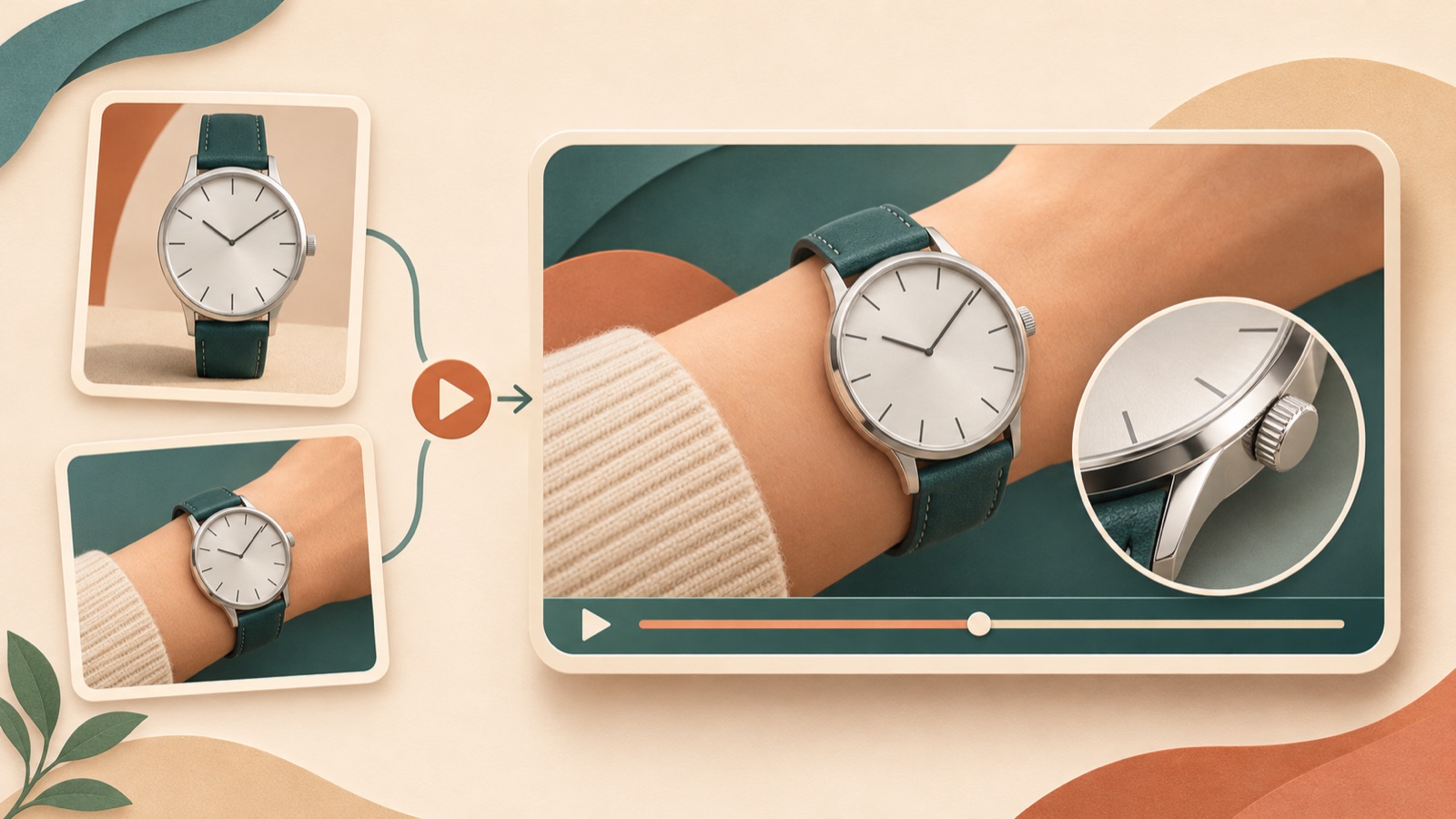
To create a watch video ad, start by showing how the watch fits into someone's wardrobe when worn, before adding movement to product photos. Open with a wrist shot, use product details to explain the reason to buy, and then guide viewers to explore that same model. That gives the video a clear structure. Here is how to organize your existing front-facing photos, dial close-ups, and wrist shots in that order, then use AdForge to create an English script and video.
Choose a pre-purchase question before choosing a video format
If you are deciding whether to start with a product video, a customer-style video, an image, or a carousel, first choose one question for this creative to answer. A watch seller asked which of several formats to use, and commenters shared their experience creating videos of watches being worn. Those anecdotes alone, however, do not establish that one format sells better. For this project, start with a question your existing photos can answer, such as, “Will it suit my wrist and everyday outfits?”1
As a hypothetical example, suppose you are introducing a watch that goes well with a neat shirt. Make the reason to buy concrete by showing it worn with a shirt, rather than using an abstract phrase such as “luxury everyone recognizes.” Show the dial color and strap combination in your actual assets, and avoid making definite claims about thickness or comfort when the wrist photos do not clearly establish them. Using this question as the core of the product message you enter in AdForge also gives you a clear standard for reviewing the script.
Give front-facing photos, detail shots, and wrist shots distinct roles
Use front-facing product photos to identify the model for sale, dial details to show why someone might choose it, and wrist photos to help viewers assess its size in relation to the wrist and how it pairs with clothing. Mixing photos with different strap colors, even for the same model, can make it look as though the product changes during the video. First, group your assets by model and option, then note what each photo should explain. If you have short videos, select segments that let viewers inspect the actual product, such as a wrist turn or a close-up of the dial.
Prioritize wrist photos that show both the wrist and the watch. A tight crop of the watch alone makes it difficult to judge its proportions on the wrist. If differences in lighting and angle make the color look inconsistent across photos, choose a reference photo to check against the product details. Even if an asset features someone who looks like a customer, do not add testimonial copy unless their purchase experience has been verified. Check that you have permission to use the photos and videos you upload to AdForge, and include only verified materials, dimensions, and options in the product information.
- Front-facing photos: Clearly show the model and option featured in the ad.
- Dial photos: Show design elements that viewers can actually verify.
- Wrist shots and footage: Show the watch's proportions on the wrist and how it pairs with clothing.
- Product information: Confirm dimensions and materials that are difficult to determine from photos alone.
Look for how scenes connect in reference ads, beyond their mood
In the Meta Ad Library, you can search for a Page and see the ads it is running. Start with watch brands you know, and note what they show after the opening scene. An ad's presence does not tell you its sales performance, so a practical way to choose references is to ask whether your product photos and wrist assets can support the same structure.3
A watch brand owner also asked how to move beyond product-only creative into other messages and stories. To apply that idea to your own work, give each scene a role instead of simply adding vaguely emotional copy. One hypothetical sequence is “watch worn beneath a shirt cuff → dial detail → front-facing product shot → prompt to explore the model.” When you save a reference ad in AdForge, you can view an analysis of its hook, pacing, cuts, captions, voice, and music. Use the analysis to find a structure that works with your own assets, and avoid taking another brand's copy or distinctive expressions.2
Create and review your English script and scenes in AdForge
Open the ad reference selection screen in AdForge, search the Meta Ad Library for watch ads, and save an ad that fits the assets you have prepared. Review the saved ad's analysis to check its opening scene and progression, then use that ad as the basis for a remake. When adding product information, use the product page address to populate the details automatically, then check the model, color, and dimensions. Next, upload your front-facing photos, dial close-ups, wrist photos, and short videos, and describe the specific reason to buy that this ad should communicate.
Select English as the production language, then review the AI-generated script and storyboard. Hypothetical copy examples are “See it on the wrist.” for the wrist scene, “A closer look at the dial.” for the detail scene, and “Explore this model.” for the final scene. Check that each line is paired with the corresponding product asset, and make edits yourself. The video includes AI narration, word-level synchronized captions, and background music. Check the dial, hands, and strap in the finished video, along with the English pronunciation and captions. If a scene has a problem, regenerate just that scene and review it again.
Upload the finished ad and carry the next question into your next creative
Before downloading, check which model viewers will see in the video and what reason they will have to open its product detail page. Watch with the sound off to see whether the wrist shots and reason to buy still connect, and check that the watch and captions do not obscure each other on a small screen. Make sure the product page you link to matches the product referred to by “this model” in the English copy. AdForge does not automatically launch ads through your ad account, so download the finished creative, upload it yourself in your existing ad management tool, and use that tool to configure the campaign and check performance.
Plan your next creative to answer a different pre-purchase question from the first video. If the first focused on how the watch looks when worn, the follow-up could open with dial details or explain the differences between strap options you actually sell. If you want to compare different opening scenes, change the introduction while keeping the reason to buy and the final prompt the same. Recording what you changed and checking the results in your ad management tool makes it easier to decide which questions and structures to develop when creating new assets in AdForge.
Key takeaways
Build your watch video ad around one pre-purchase question, then answer it through wrist shots and product details. Remake the structure of a reference ad in AdForge using your own assets and English messaging, review the product depiction and captions, then download the video and upload it to your ad account.
FAQ
Can I start with watch photos alone, without any filmed footage?
You can start with front-facing product photos, dial close-ups, and wrist photos. Add the photos and product message to AdForge, create a video ad, and review the result. Be careful not to describe comfort or the watch in operation as though you have actually verified them when your assets do not show them.
Should I create a product video or a customer-style video first?
Start with whichever format you have the assets to support in answering a pre-purchase question. If proportions on the wrist are the key concern, build around wrist assets; if dial design is the focus, prioritize detail shots. Even if you choose a customer-style format, do not invent unverified reviews or accounts of product experience.
What should I include in English ad copy?
Start with short lines about what viewers can see on screen. Use copy that connects to the scene, such as the hypothetical example “See it on the wrist.” When mentioning materials, dimensions, or features, check them against the actual product information. Also confirm that the narration and captions describe the same model.
Can AdForge both create an English video and run the ad?
AdForge can create video ads with English scripts, narration, and captions, and video ads are a paid-plan feature. You need to download the finished video and upload it to your ad account yourself. Campaign setup, ad delivery, and performance checks take place in your existing ad management tool.
Related reading
Make your next ad with AdForge
AdForge (ad-forge.io) is an ad remake app: pick an ad you like and rebuild it as a video or image ad for your own product. Find references in the Meta and TikTok ad libraries, let AdForge write the script, AI narration and captions, then review and download. Every account starts with 12 free image ads.