5 Landscaping Facebook Ad Examples: Retaining Walls, Patios, and Walkways
Five ways to turn retaining wall before-and-after photos, finished patio photos, and walkway installation footage into English-language ads. Choose layouts, scene sequences, headlines, and inquiry prompts that fit the assets you have.
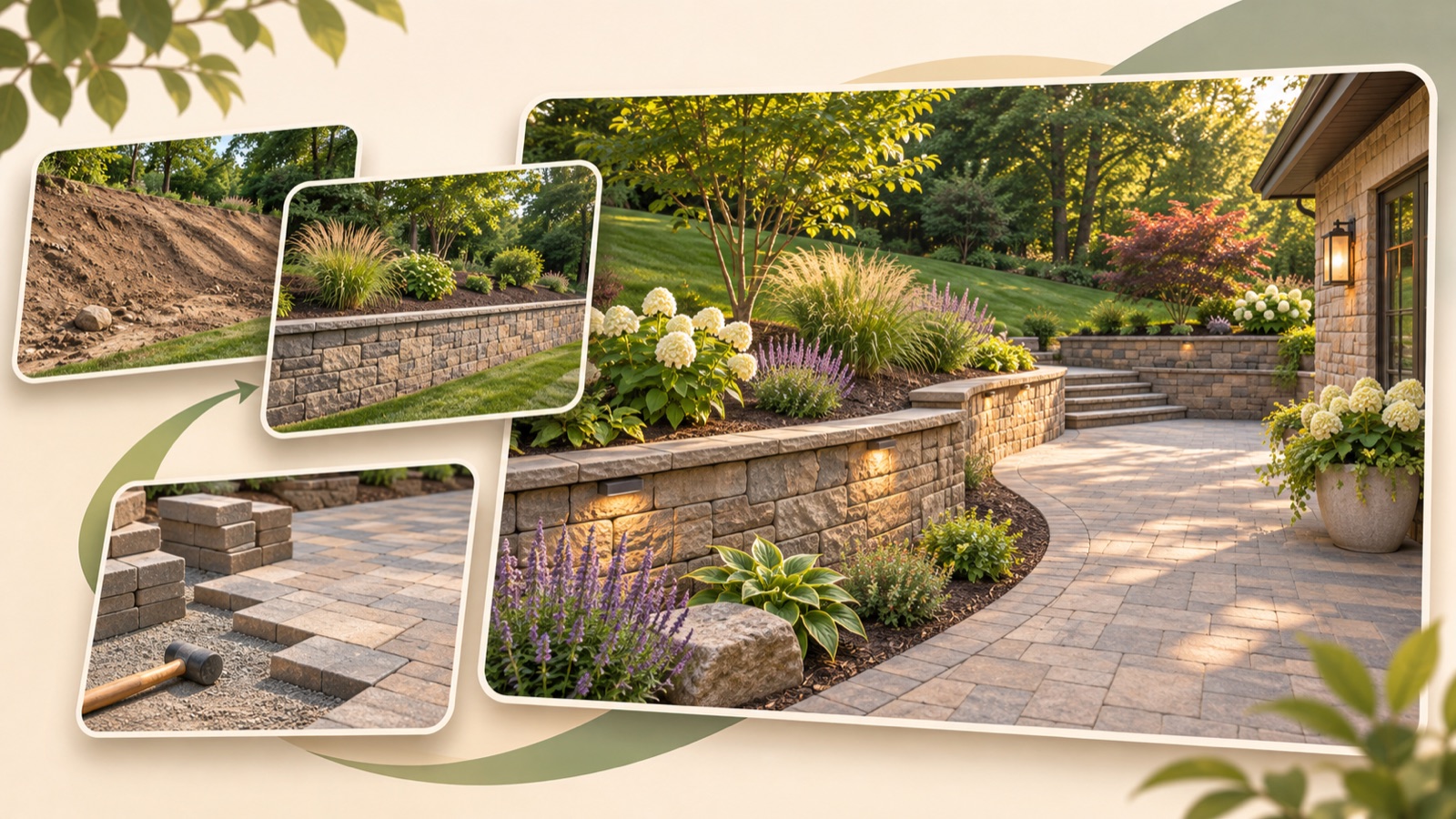
If you’re looking for landscaping Facebook ad examples, start by sorting your photos by what they show. Before-and-after photos from the same site work well for comparing changes, finished project photos for showing how a space is used, and work footage for explaining the installation process. All five examples below are hypothetical. Follow the English copy and production steps for each format to create an ad that clearly presents one service: retaining walls, patios, or walkways.
1. Retaining Wall Before-and-After Comparison
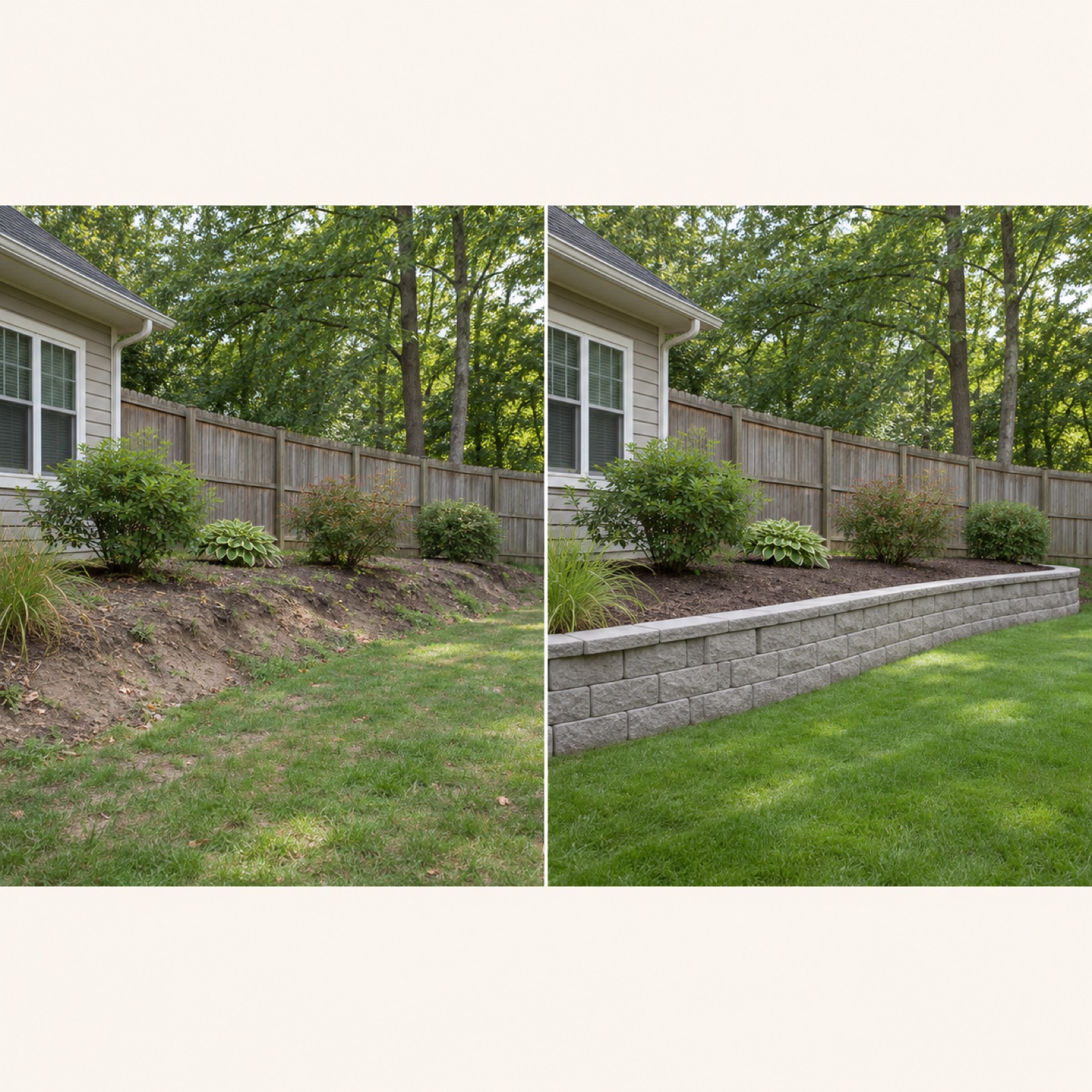
This is a hypothetical example. Place a before photo on the left and a finished project photo taken from the same position on the right. Align the ground level and camera angle in both photos, and keep the divider simple. Add “Retaining Wall Installation” at the top and “Tell Us About Your Yard” at the bottom. A landscaping advertiser also asked for feedback on improving layouts for retaining wall before-and-after images and installation footage.1 This format helps viewers compare what changed in a single frame.
To adapt this for your business, prepare two photos from the same site and details of the retaining wall service you actually offer. Don’t add claims that cracks or drainage problems were resolved based on the photos alone. In AdForge, choose a side-by-side comparison image reference, then add your actual jobsite photos and an English service description to remake it. Check the three generated designs to make sure the before-and-after order, block shapes, and divider match the originals. If the comparison photos were taken from very different angles, the finished-project format below is a better fit.
2. An Image Featuring a Finished Patio
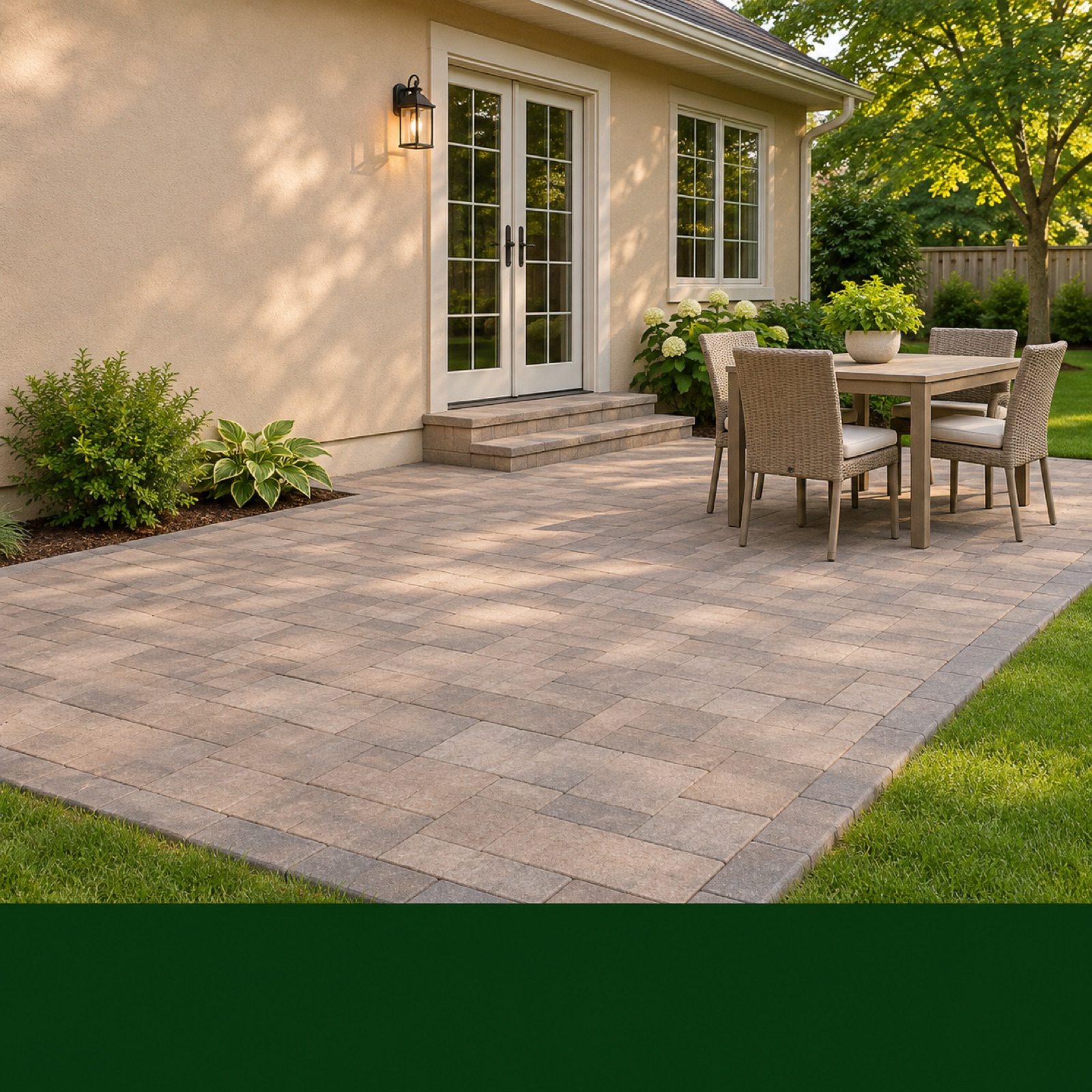
This is a hypothetical example. Let a finished patio photo fill most of the frame, showing both the paved surface and the entrance leading into the house. If furniture is present, keep it only to the extent that it helps explain how the space is used. In an open area of the photo, add “Make Room for Outdoor Living.” In a band along the bottom, add “Patio Installation in [Service Area]” and “Discuss Your Patio Project.” This format presents the finished installation as a living space, and you can get started with just one photo.
The Spring Green example featured by FieldRoutes includes videos that show seasonal context and how spaces are used.2 Here, that perspective is applied to a hypothetical image showing how a patio is used. In AdForge, choose an image reference built around a large photo and short copy, then enter your finished project photo and actual service area. Of the three designs, choose one that leaves the paving pattern visible and makes the service name easy to read. If the output adds furniture or planting that wasn’t on site, review it because viewers could mistake those additions for part of your work.
3. A Video Explaining Walkway Installation
This is a hypothetical example. Open with a shot moving along the completed walkway toward the front door. Then show ground preparation, paving material placement, and finishing work at the same site before returning to the completed walkway. Use “A New Walkway, From Groundwork to Finish” to guide the English narration, and close with “Planning a New Walkway? Talk With Us.” FieldRoutes features a Clay’s Lawn Care ad using work-in-progress photos.2 Work-in-progress assets can help explain service details that are difficult to convey through finished project photos alone.
When using your own assets, connect only the work stages you actually filmed. Don’t include processes missing from your footage or splice different sites together as if they were one project. In AdForge, choose a process-explainer video reference, then add jobsite footage, finished project photos, and English service information. Adjust the scene order in the AI-written script and storyboard, then check the English narration and subtitles. If a scene depicts something differently from the actual work, regenerate that scene alone, and review whether tool sounds or background music interfere with the explanation.
4. A Project Showcase Showing How One Site Connects
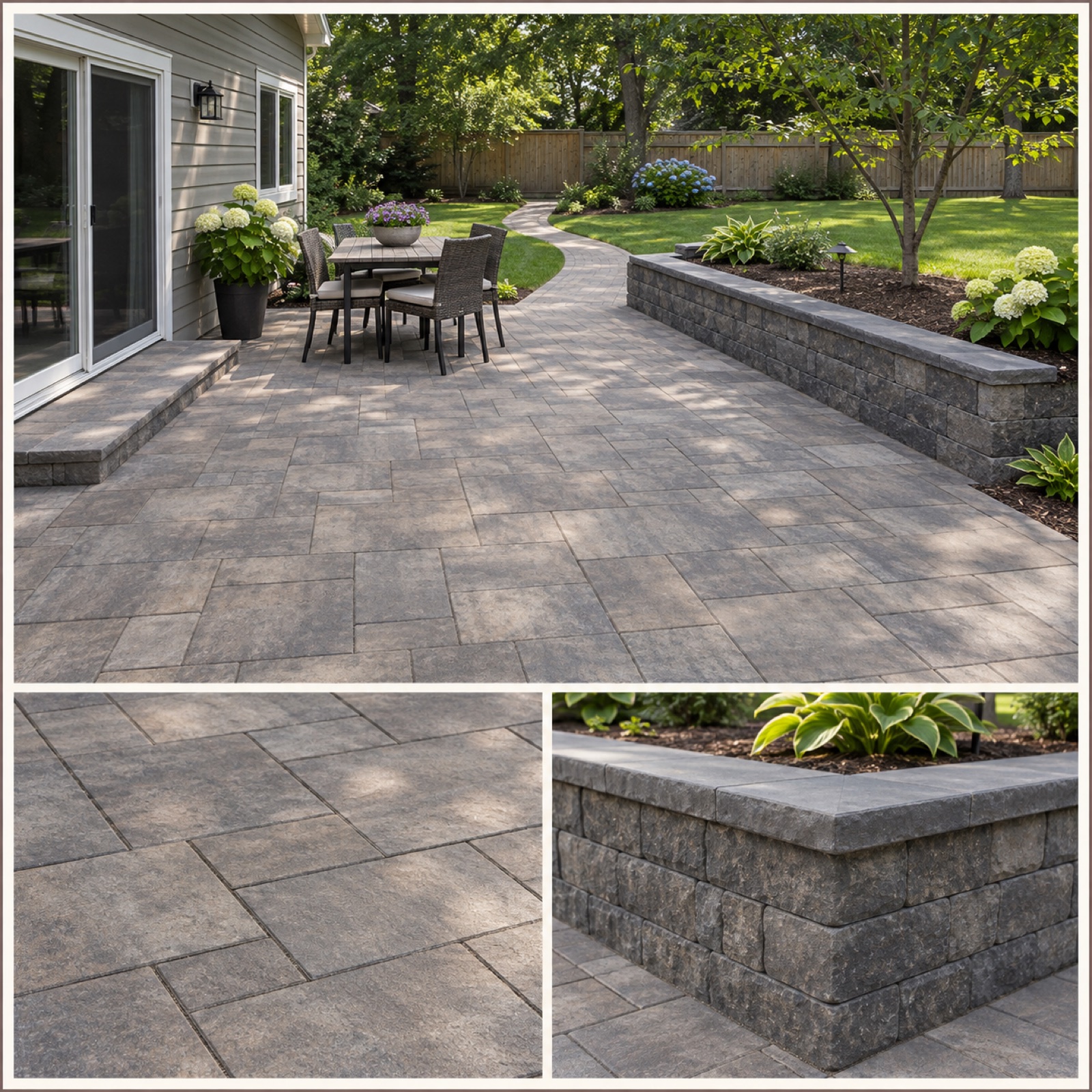
This is a hypothetical example. If you installed the patio, walkway, and retaining wall at one site, use a large overall photo with two detail photos beneath it. The large photo shows how the spaces connect, while the smaller photos show the paving finish and retaining wall corners. Use “One Yard, Connected Spaces” as the headline and “Patio, Walkway & Retaining Wall” as the description. Even when presenting several services, showing how they relate within one project makes it easier to understand where each feature was used.
FieldRoutes features Brian’s Lawn Care image layouts organized by service.2 This example keeps the services distinct while bringing them together within one site. In AdForge, choose a reference that combines a large photo with detail photos, then enter assets from the same project and the actual scope of your work. Check the output for elements that make the photos look as though they came from different sites. If your business installed only the walkway, narrow the headline to “A New Walkway for This Yard.” The key is to avoid implying that you installed every feature visible in the photos.
5. An Ad Connecting a Jobsite Photo to an Inquiry Prompt
This is a hypothetical example. Place a large photo of a completed retaining wall on the left, with “Planning a Retaining Wall?” and “Tell Us Your Location and Project” on the right. At the bottom, add your actual service area and “Ask About Your Project.” Sprites’ retaining wall ad collection includes copy and creative highlighting locations, estimate information, retaining wall repairs, and finished spaces.3 This format guides people who have seen the finished work toward what to include in an inquiry. Mention free estimates only if you actually offer them.
In AdForge, first search for ads, then select and save an ad with separate areas for the photo and inquiry copy on the reference selection screen. Review the saved ad’s layout and color analysis, then enter the actual jobsite photo, service name, service area, and inquiry copy for your remake. Review the three generated image ad designs and download the result whose photo and description match. If you’re making a video, review the English script and storyboard, and check the narration and subtitles as well. Upload the finished creative directly to your ad account, and use your existing ad management tools to run the ad and monitor performance.
Key takeaways
Use before-and-after photos from the same site to show a retaining wall’s transformation, finished project photos to show how a patio is used, and work footage to explain walkway installation. Choose an example that fits your available assets, then add your actual service name and English inquiry copy to establish a direction for your first ad.
FAQ
Which format works well if I don’t have a before photo?
A format featuring a large photo of a finished patio or walkway is a good fit. Use an overall photo to show how the space is used and detail photos to highlight the finish. Don’t use a photo from another site as the before image.
Can I include retaining walls, patios, and walkways in one ad?
A project showcase works if you installed them together at the same site and can show how they connect in an overall photo. If your assets come from different sites, separate ads for each service make it easier to keep the message clear.
What should come first in English ad copy?
Start with a clear service name, such as Retaining Wall Installation. Then connect your actual service area with an action viewers can take to inquire. Include free estimates, project timelines, and warranties only when your business actually offers them and can verify the details.
Which format should I test first?
Start with the format your available assets support most accurately. If you have before-and-after photos from the same site, start with a comparison. If you have only finished project photos, start with a space-focused format. For follow-up creative, keep the service and inquiry copy the same, and compare results by changing either the photo layout or the opening scene.
Make your next ad with AdForge
AdForge (ad-forge.io) is an ad remake app: pick an ad you like and rebuild it as a video or image ad for your own product. Find references in the Meta and TikTok ad libraries, let AdForge write the script, AI narration and captions, then review and download. Every account starts with 12 free image ads.