How to Create Video Ads for Kids’ Online English Classes Without Filming
A step-by-step guide to creating short ads for parents using existing class footage and textbook images, from choosing a class feature to reviewing Korean scripts, narration, and subtitles in AdForge.
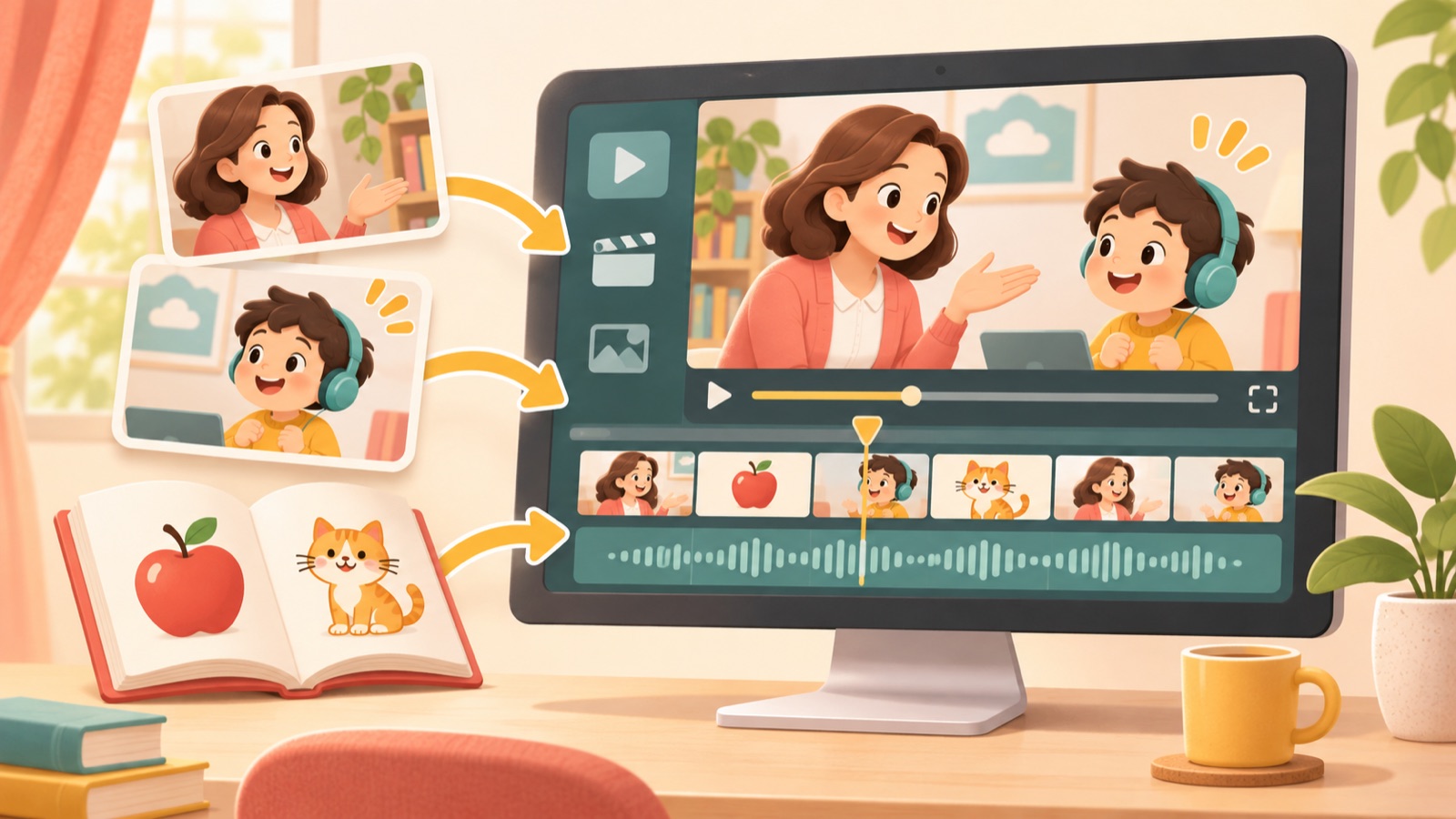
You can start creating video ads for kids’ online English classes without a new shoot or casting models. Gather class footage, textbook images, and service information that you have confirmed you have permission to use, then structure the ad around a parent’s question → how the classes work → trial or consultation details. In AdForge, you can choose a reference ad, add your materials and message, create a video with a Korean script, narration, and subtitles, then review and download it. This article focuses on producing short ads that communicate one class feature, rather than longer service introduction videos.
Choose one class feature for parents to evaluate
First, write down the question this ad will answer in a single sentence. An actual public buyer request also calls for Instagram and YouTube ads aimed at parents, produced without on-location filming or casting models.1 Under these constraints, a practical starting point is to choose a feature you can show with the materials you already have. If your class footage captures a teacher asking questions and a child responding, plan around how the conversation works. If you only have textbooks, focus on learning topics and how the activities are structured.
One approach you can use as a planning framework is to turn service features into customer-focused messages and vary how you structure them.2 For example, try turning the feature “uses illustrated textbooks” into a question parents might ask: “What topics will my child talk about?” This is a hypothetical planning example. Use it only if the actual textbook includes activities where children look at pictures and answer questions. Do not add claims about outcomes your materials cannot substantiate, such as improved pronunciation or changes in confidence.
Prepare class footage, textbook images, and sign-up details for each scene
Give each asset a role instead of trying to include as much material as possible. Use class footage as evidence of interaction and textbook images as supporting material to explain conversation topics. From your service introduction materials, select only confirmed information, such as the target age range, class format, and trial or consultation terms. If actual class recordings include children’s or teachers’ faces, names, or account information, check permission for advertising use and the scope of permitted public disclosure, then remove or conceal information that must not appear before uploading.
If you cannot use faces, restructure the ad around textbook materials and service screens you have permission to use. However, textbook images alone cannot substantiate the atmosphere of an actual class or a child’s reactions. In that case, narrow the message to what the materials show, such as “Explore the topics covered in class.” Label each asset you plan to add to AdForge with its intended role, such as “opening question,” “class explanation,” or “sign-up details,” to make it easier to check whether the materials match the explanation in the generated storyboard.
- Class materials: Videos and images with confirmed permission for advertising use
- Textbook materials: Pages showing the activity featured in this ad
- Service information: Final wording for the target age range, class format, and sign-up terms
- Closing instruction: One trial or consultation action that viewers can actually take
Use a reference ad to shape the question and scene order
Start by checking whether you can recreate the structure of a reference ad with your own materials. An ad that moves from a question to service screens and sign-up details is easier to use for this task than one built around a person giving a long explanation. In AdForge, you can search active ads in the Meta and TikTok ad libraries and see how many days each ad has been running. For saved videos, it analyzes the hook, pacing, cuts, subtitles, voice, and music. Do not assume an ad has proven performance based solely on how long it has been running.
As a hypothetical example, imagine a brand whose actual classes include activities where children look at pictures and answer questions. The first scene pairs a textbook illustration with “What will we talk about in English?” Next, show actual class footage using that illustration, with the explanation “Classes where children look at pictures and answer questions.” Finish with details of a trial or consultation that is currently available. When applying this to your own product, replace the question, activity explanation, and sign-up copy with your actual service details. Do not borrow testimonials or performance claims from other ads.
Add your materials to AdForge and create a Korean-language video
Enter your service information on AdForge’s product information screen. You can paste a product page address to populate the information automatically, so check that the imported content matches your current service terms. On the ad discovery screen, choose and save a reference ad that fits the structure you have planned, then review the analysis. During the video remake process, add your prepared class videos, textbook images, and key message, and select Korean as the language. Follow this sequence of tasks rather than relying on specific screen or button names.
In the AI-generated script and storyboard, compare what each scene shows with what it says. If a scene introducing a picture-based activity uses a different textbook, or if trial terms are missing, revise the script and structure. AdForge creates videos with AI narration, word-level synchronized subtitles, and background music, and it also lets you regenerate individual scenes. Check that the actual class materials are used in the intended context in the generated result, correct any scenes that do not fit, then download the video.
Check whether parents can follow the ad, then try a different opening question
Watch the finished video with the sound off first. Check whether the opening question, class activity, and sign-up action connect clearly through subtitles and visuals alone. Then turn the sound on and check the pronunciation of the brand and textbook names, whether the narration matches the subtitles, and whether the background music obscures the explanation. In particular, make sure a classroom question-and-answer scene has not been cut out of context in a way that changes its meaning. If you promote a trial, the actual sign-up screen should show the same terms.
For your first follow-up creative, try changing the opening question while keeping the class explanation and sign-up details. In the earlier hypothetical example, you could compare “What will we talk about in English?” with “Start by exploring the topics your child will learn.” First, determine whether your actual materials can address both lines. Download the revised creative from AdForge, then upload it directly to your ad account. Use your existing ad management tools for campaign setup, delivery, and performance tracking, and read incoming inquiries as well to choose the question your next ad will answer.
Key takeaways
Choose one feature you can explain with your existing class materials, then connect a parent’s question → class footage → sign-up details. Review the Korean script and storyboard in AdForge and create the video, then confirm that it accurately reflects the actual classes and offer terms before uploading it directly to your ad account.
FAQ
Can I create an ad without class footage?
You can start with textbook images and service introduction materials you have permission to use. Avoid a structure that presents actual classroom reactions, and plan an ad that explains textbook activities or class topics.
Do I need to create Korean narration and subtitles separately?
AdForge can generate Korean scripts, AI narration, and word-level subtitles. After generation, check the pronunciation of brand names, the subtitle wording, and whether the explanation matches the activity shown on screen.
Can I also create a service introduction video up to 3–4 minutes long?
The information provided does not confirm whether videos of that length can be created. The process in this article is intended for short ad creatives that communicate one class feature.
Will the finished video automatically run as an ad on Instagram or YouTube?
AdForge does not yet have a feature that automatically runs ads through ad accounts. Download the finished video and upload it directly to your ad account, then use your existing ad management tools to run the ad and track performance.
Related reading
Make your next ad with AdForge
AdForge (ad-forge.io) is an ad remake app: pick an ad you like and rebuild it as a video or image ad for your own product. Find references in the Meta and TikTok ad libraries, let AdForge write the script, AI narration and captions, then review and download. Every account starts with 12 free image ads.