5 Rotary Cheese Grater Facebook Ad Examples: Using Food Photos, Demos, and Kitchen Scenes
Show the finished dish and the product in use before focusing on blade count. Explore five ways to create English image and video ads using the product photos and demo footage you already have.
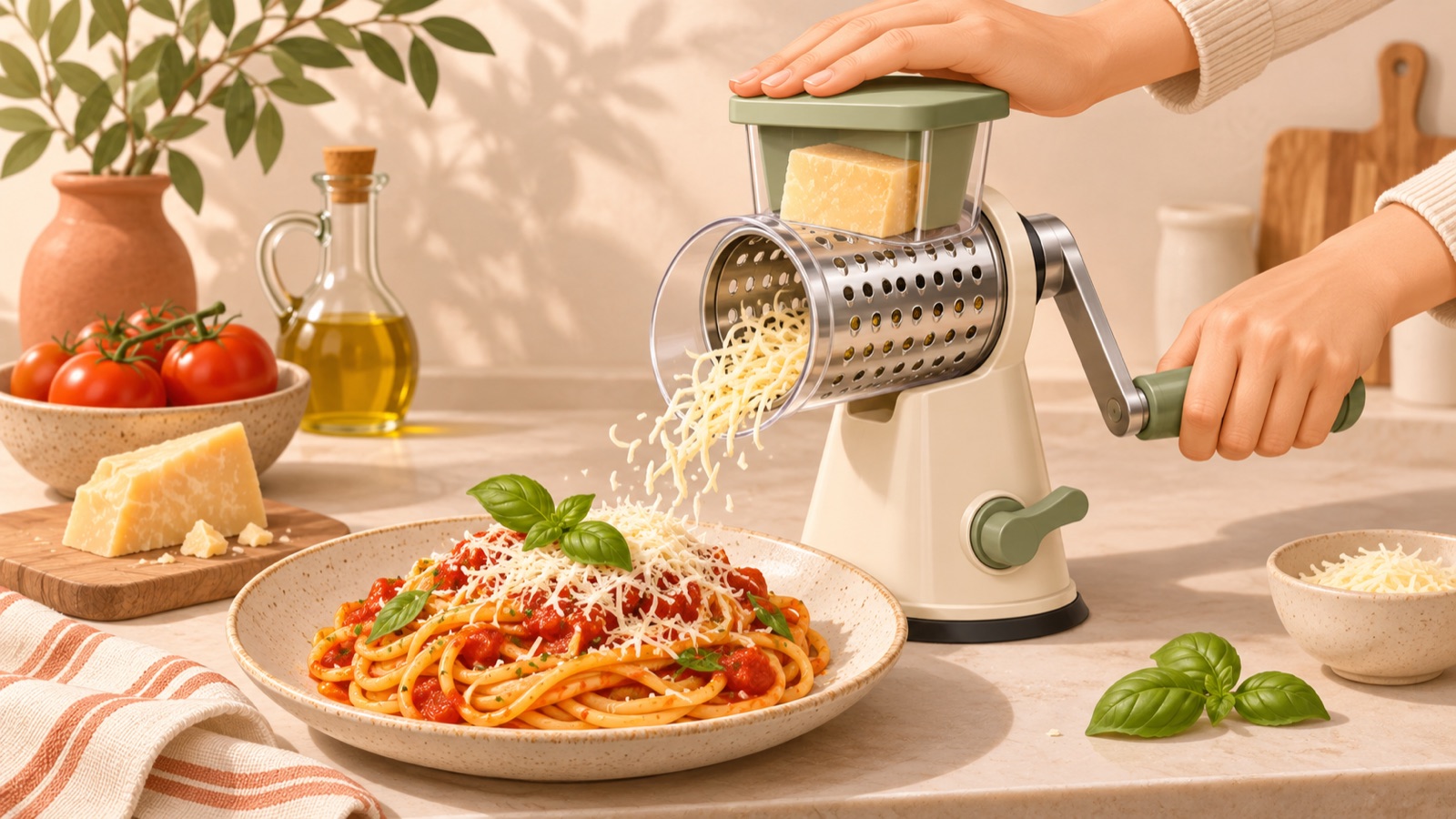
If you’re looking for rotary cheese grater Facebook ad examples, try shifting the opening frame from blade specifications to what people can make with the product. Start with a finished-dish concept if you have a pasta photo, or a demo concept if you have footage of the grater in action. A discussion offering creative feedback to a grater seller also suggested showing more of the results, finished dishes, and product demonstrations.1 The five concepts below are hypothetical examples, not brand campaigns with proven performance. Choose a format that fits your existing assets, then follow the steps to turn it into an English ad in AdForge.
1. A Pasta Ad That Leads with the Finished Dish
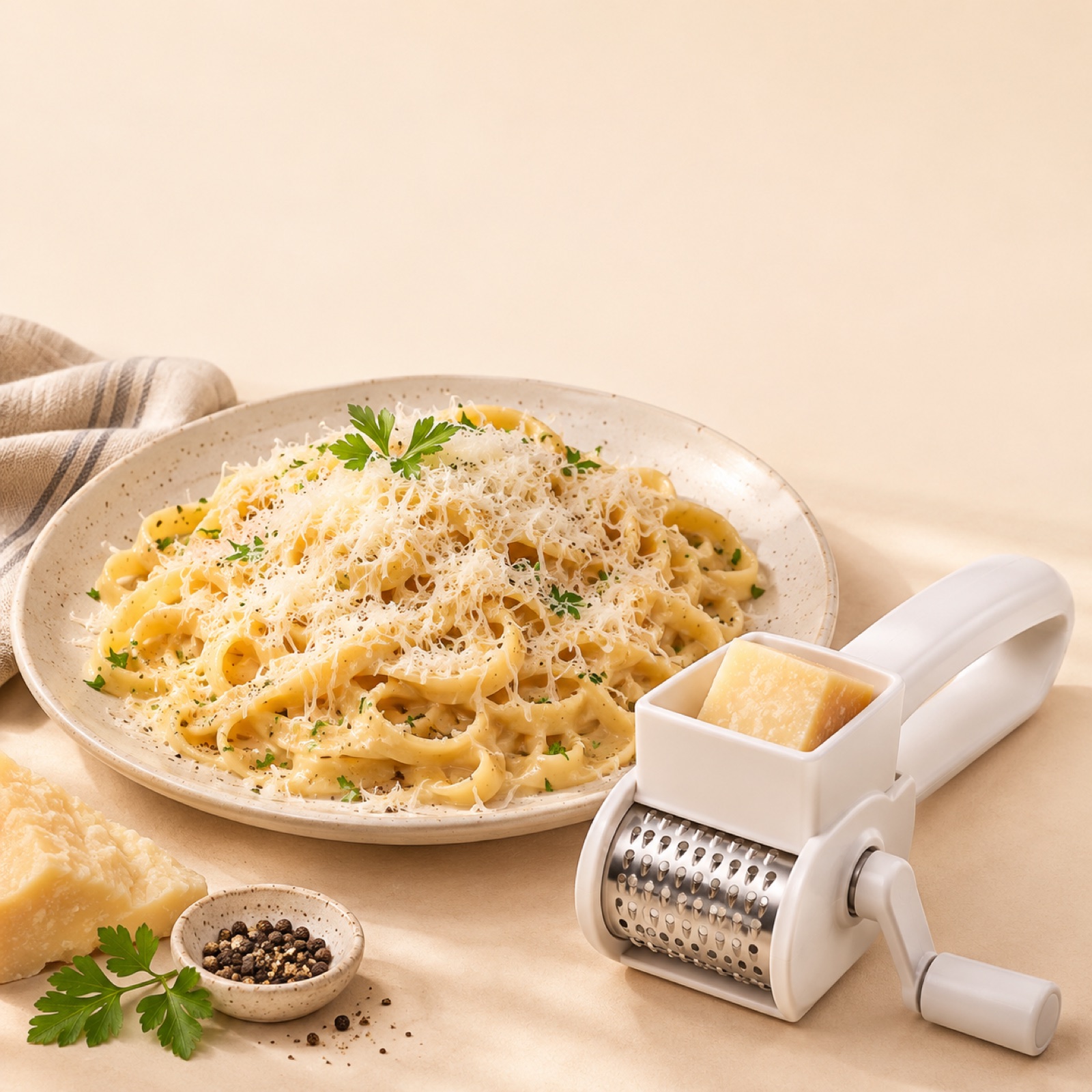
This is a hypothetical example. Place a large image of cheese-topped pasta in the center, with a photo of the actual rotary grater in the lower right. Use a warm cream background with the line “Finish your pasta with freshly grated cheese.” and the call to action “See it in action”. Showing the finished dish alongside the tool helps viewers immediately understand what the grater is for. Shopify’s ad examples also offer ideas for incorporating product-use scenes and photos into a video.3
To create this ad for your own product, prepare photos of cheese grated with your actual grater and the finished dish. Open the ad search screen in AdForge and choose an image reference with a prominent food photo and the product in a supporting position. On the product information screen, populate the details using your product page address or enter your selling points, then upload a photo of the actual product. In the message, include the pasta-finishing use case and the English copy. Generate three image concepts following the reference layout, then check the product’s shape, the food depiction, and the text on the results screen before downloading.
2. A Demo Ad That Follows the Handle Turn to the Grated Cheese
This is a hypothetical example. Open with actual footage of cheese falling into a bowl as the handle turns. Follow with shots of loading the ingredient, turning the handle, and adding the grated cheese to a dish. Start with the short English hook “See how it grates.” The purpose of this format is to let viewers see how it works instead of simply claiming it is convenient. It directly addresses the lack of demonstrations raised in feedback on grater ads.1
Adapt the hand position, the ingredient being loaded, and the actual coarseness of the grated cheese to your product. In AdForge, choose a video reference with a clear demonstration sequence and upload your existing usage footage, then write the sequence of actions to show in the message. Select English as the production language and edit the generated script and storyboard to match the actual footage. Also check that the narration and subtitles do not make claims about features before the visuals establish them. Review the key operating scenes against the demo assets you uploaded.
3. A Components Ad That Shows What Each Part Does
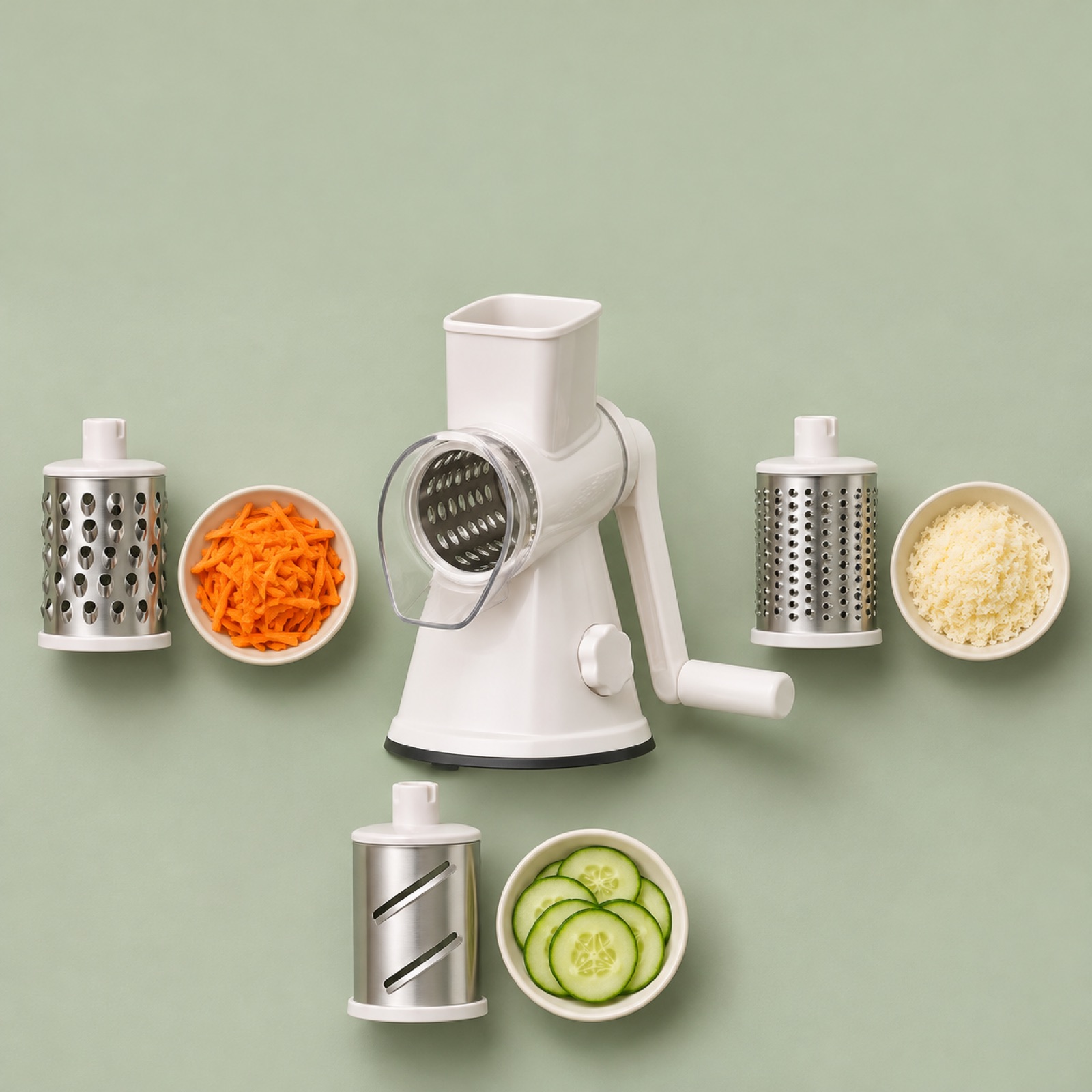
This is a hypothetical example. If your product actually includes multiple drums, place the main unit in the center and surround it with each drum paired with a photo of the ingredient it has processed. Use the headline “Choose the cut for your dish.” This layout shows the results each part produces rather than simply emphasizing the number of parts. Reviewing product photos alongside usage and storage explanations, as on OXO’s product page, can help you translate features into use cases. However, do not attribute another manufacturer’s features to your own product.2
To create this ad for your own product, photograph only the parts included in the package you sell and verify the actual results each part produces. Upload photos of the main unit and components to AdForge, and specify each part’s purpose and whether it is included in the message. Choose an image reference with a layout that makes the connection between each part and its result easy to understand. From the three generated concepts, select the one with the correct number and shape of parts and accurate pairings with the results. This ad suits products that need an explanation of their components more than a demonstration; if the image becomes cluttered, keep only the main uses.
4. A Kitchen Ad Set During Dinner Prep
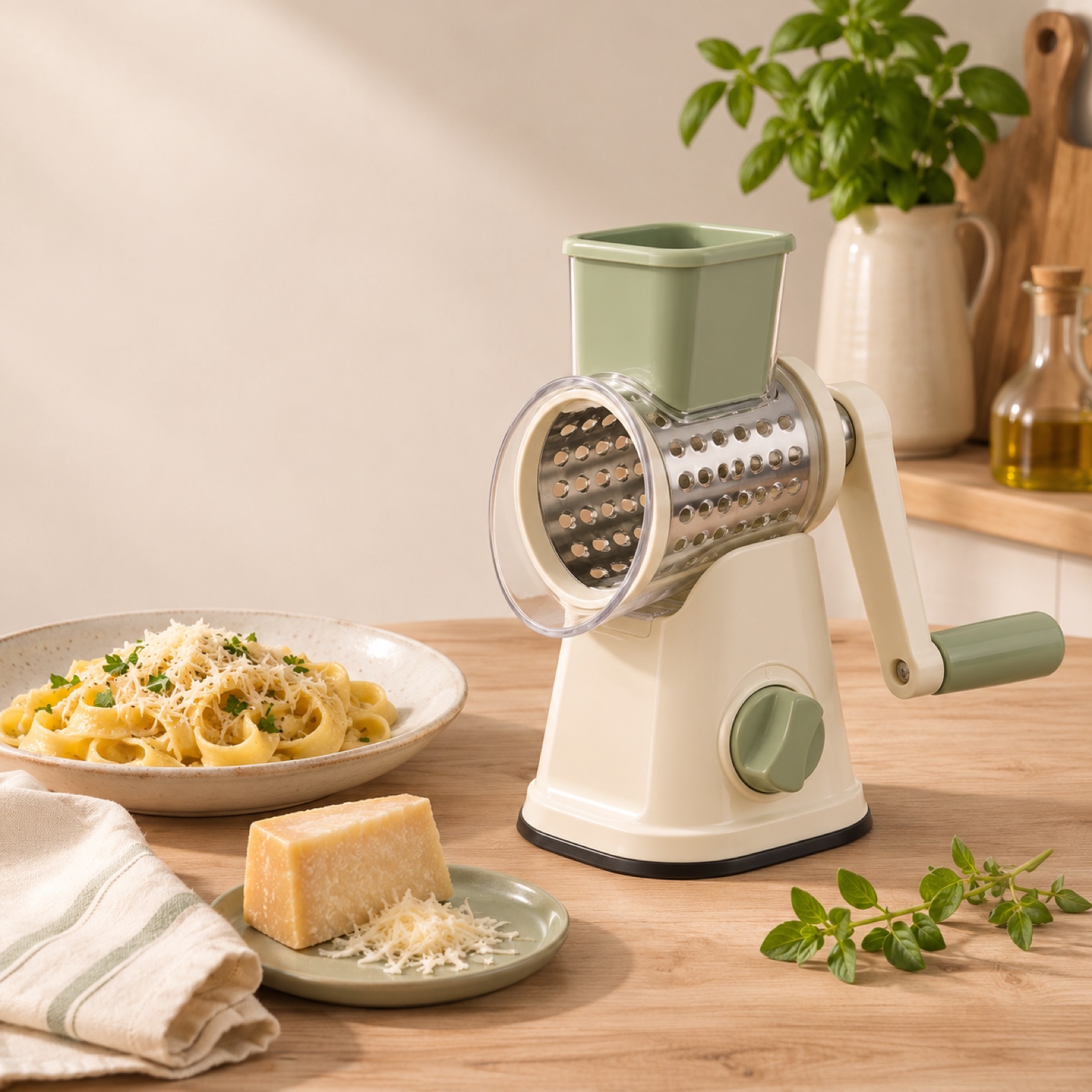
This is a hypothetical example. Arrange a rotary grater, cheese, and a plate of pasta on a light wood countertop, with signs of dinner preparation in the background. Keep the palette to ivory and pale green, and place “Freshly grated, ready for dinner.” in the empty space at the top. This composition conveys the context of meal preparation, unlike a product-only photo on a white background. However, the kitchen setting alone does not explain how to use the product, so choose a photo that leaves the feed opening and handle visible.
For your own product, prioritize kitchen photos that show its actual size and color. Do not composite it into a tight space without evidence that it is compact, or add unverified claims about easy storage. In AdForge, choose an image reference centered on a living space, then add your actual product photo and a message about dinner preparation to generate concepts. When reviewing them, check whether the product gets lost in the background or looks out of proportion to the plate. To compare this with the finished-dish concept, keep the English copy and call to action the same and start by changing the photo composition.
5. An Ad That Connects a Real Customer Quote to a Demo
This is a hypothetical example. On the left, place a short excerpt from a real customer review after confirming permission to use it and how much you may quote. On the right, place a product photo relevant to that statement. For video, follow the review quote with the corresponding usage scene. For example, if the customer mentions using the product in cooking, follow it with footage or photos of the finished dish. Shopify’s examples offer ideas for using customer reviews in ad creative.3 Do not invent reviews, star ratings, or customer names for this concept.
To create this ad for your own product, first prepare the original review and the identifying details you are allowed to display. Excerpt English reviews without changing their meaning, and do not make praise stronger when translating reviews from other languages. In AdForge, choose a reference that keeps the review and product photo separate, then enter the quote you want to use in the message and generate the ad. Check the result to ensure the quote has not changed. If you do not have a review you can use, put this concept on hold and start with a demo. Download the finished creative and upload it directly to your ad account, then use your existing ad management tools to run the campaign and review performance.
Key takeaways
Depending on the assets you have, a rotary grater ad can feature a finished dish, an actual demonstration, the uses of individual parts, a kitchen scene, or a real customer review. Choose one reason to buy that you can show clearly, connect it to English copy, and create your first ad in AdForge using a reference and actual product assets.
FAQ
Can I create an English rotary grater ad with only product photos?
Yes. You can start with finished-dish, components, or kitchen-setting images. AdForge creates three concepts using actual product photos and an image reference. However, to show how the product works or the results it produces, you need actual assets that verify those details.
Which reason to buy should I lead with in the English copy?
Start with a reason viewers can verify in the photo or video. Connect a pasta photo to finishing a dish, operating footage to the usage process, and component photos to their uses. If you have not verified time savings or ease of cleaning, leave those claims out.
Which of the five concepts should I test first?
Start with the concept for which you have the clearest assets. If you have good demo footage, use the usage-process concept; if you have a good finished-dish photo, use the pasta concept. When comparing ads, change either the core message or the opening scene first, then check the results in your existing ad management tools.
How closely can I follow a reference ad?
Use its underlying structure, such as the opening hook, sequence, and layout, as a reference, then rebuild the content using your own product information and assets. You also need to review AdForge’s output yourself and confirm that you have permission to use the photos, videos, and reviews you upload.
Related reading
Make your next ad with AdForge
AdForge (ad-forge.io) is an ad remake app: pick an ad you like and rebuild it as a video or image ad for your own product. Find references in the Meta and TikTok ad libraries, let AdForge write the script, AI narration and captions, then review and download. Every account starts with 12 free image ads.