How to Make Video Ads from Your Crafting Process: Create an English Ad with Real Workshop Footage
Arrange your existing process footage and finished-product photos into a sequence of work in progress, handmade details, and purchase information. Learn how to write an English script and create and review your ad in AdForge without filming anyone on camera.
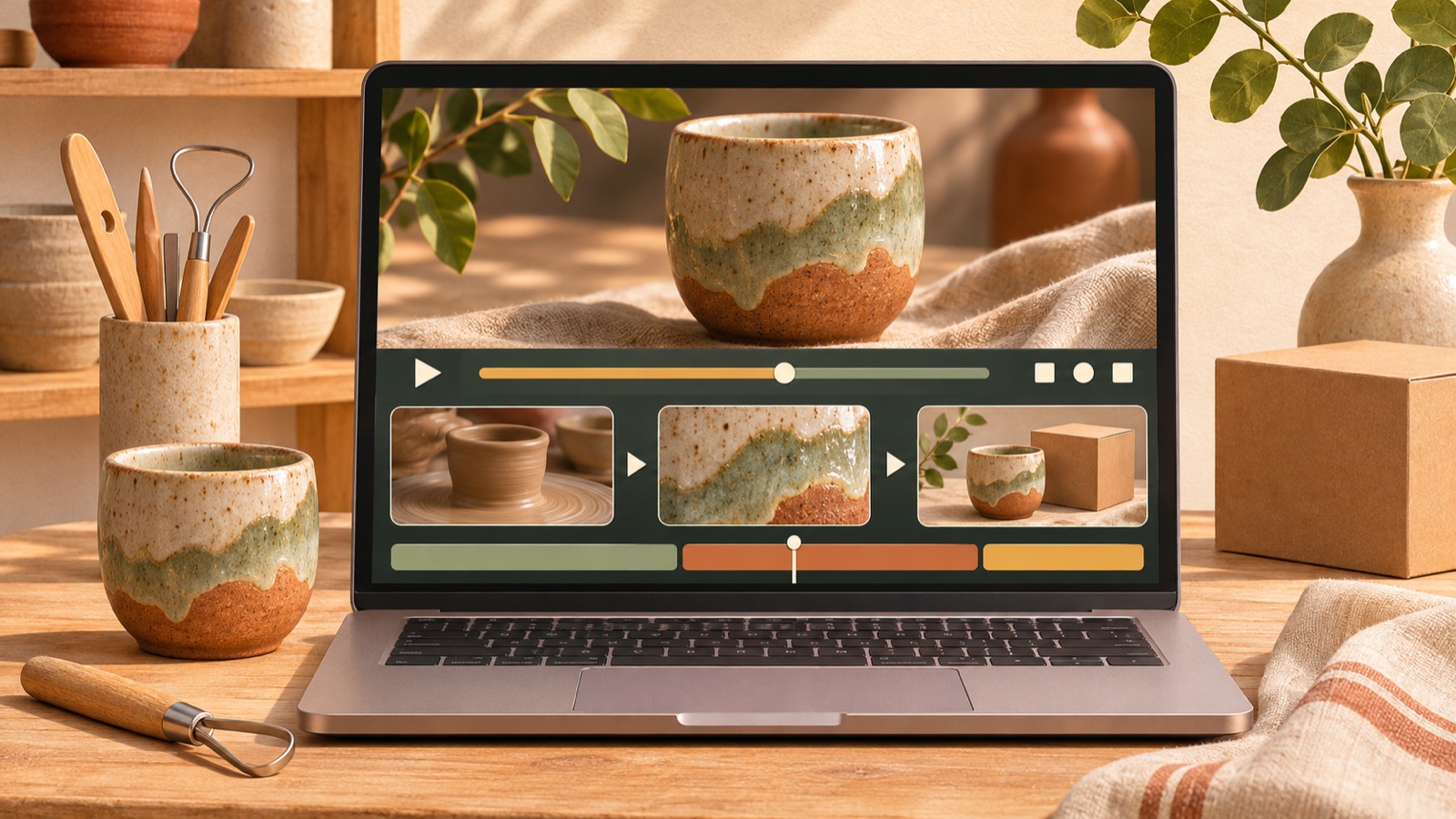
To make a video ad from your crafting process, open with real hands-on work, then connect it to the product details that work creates and information on how to buy. There is no need to add a scene with an AI presenter introducing the product. Build your first ad by choosing usable material from your existing workshop footage and finished-product photos, writing English copy, and following the production steps in AdForge.
Choose a matching set of process footage, details, and finished-product images
Start by choosing one product to advertise and gathering footage of how it is made along with photos of the finished item. What matters in a process shot is whether viewers can tell what you are doing, beyond simply seeing your hands move. Choose moments that show both the object and the action, such as a needle passing through leather or thread being pulled to tighten a knot. In a public discussion about how to communicate the authenticity of handmade goods, participants also asked to see the production process, workspace, and product details.2
Next, add close-up photos that show the results of the work and photos of the whole product. Consistent colors and shapes between the item being made and the finished piece make it easier to recognize them as stages of the same product. As a hypothetical example, if you are advertising a leather cardholder, prepare a set consisting of stitching footage, a photo of the stitching, and a photo of the finished cardholder with cards inside. Leave out footage of other products or material where the color differs from the finished item.
Connect one handmade detail to a reason to buy
For your first ad, choose just one feature to highlight. It is easier to build the ad around a specific description of work viewers can see than a statement such as “Made with care.” Choose something you can show with your actual material, whether that is selecting materials yourself, stitching by hand, or finishing a surface. A discussion about video ideas for craft shops also suggested using the production process, materials, and frequently asked questions as content topics.3
For the hypothetical hand-stitched cardholder, you could pair the process footage with “Hand-stitched, one stitch at a time.” Follow it with photos of the stitching and the whole product. Do not claim that hand stitching alone makes the product more durable or longer-lasting. Base the reason to buy on verified product information. If the card capacity is confirmed, explain it; otherwise, invite viewers to explore the colors and design.
Write an English script from the opening process shot to the finished product
Try arranging the scenes in this order: an opening action from the making process, a specific handmade detail, and the finished product with purchase information. You do not need to show every step in chronological order. Keep only the scenes needed to understand the feature you chose earlier. TikTok’s official guide recommends structuring ads with a hook, body, and close, and using captions and voiceover. You can map that structure to a process shot, an explanation of the feature, and a prompt to view the product.4
For a hypothetical English script, you could use “See how this wallet is stitched by hand.” over the stitching footage, “A closer look at the stitching.” over the stitching photo, and “Explore the available colors.” over the finished-product photo. Use the final line only when shoppers can actually select colors on the sales page. Limit each sentence to what viewers can verify in the corresponding shot, and communicate actions and product information briefly instead of translating emotional Korean wording at length.
Create your ad in AdForge using references and your own material
Search for and save reference ads in AdForge’s Meta and TikTok ad libraries. Review the analysis of each saved video’s hook, pacing, cuts, captions, voice, and music, then choose a structure to apply to your craft footage. Start by considering ads that move from close-up process shots to a view of the whole product. You can also see how many days an ad has run, but do not judge its performance from that number alone. Focus on the underlying structure, such as the opening shot and how the ad unfolds.
On the product information screen, populate the fields using the product page address, check the materials, production method, and available options, and upload your process footage and finished-product photos. In video ad creation, select your reference and English, then review the generated script and storyboard. Check where your actual process footage and product photos will appear, and revise the copy using the English lines you prepared earlier. After viewing the result with AI voiceover, captions, and background music, you can regenerate an individual scene that feels awkward. Video ad creation is available on paid plans.
Check the product and English copy, then try a different opening shot
First, check that the needle, tools, and hand movements, as well as the product’s color, shape, and stitching, match your source material in the finished ad. Public feedback on a workshop ad that combined an AI presenter with real product footage included reactions that the artificial presenter made viewers question the product’s authenticity as well. These are qualitative opinions from some viewers, not findings that apply to every ad. For this ad, use whether the real production material is clearly shown and matches the explanation as your review criteria.1
Next, check the vertical video on a phone. Make sure captions do not cover the area where the work is happening and that purchase information is not crowded against the edges of the screen. TikTok’s official guide recommends vertical video, high-resolution assets, and safe zones that account for the UI.4 Download the reviewed creative and upload it directly to your ad account. For follow-up creatives, compare versions that change only the opening shot, such as the start of stitching versus a shot of thread being pulled. Use your existing ad management tools for campaign setup and performance tracking.
Key takeaways
Connect process footage, detail shots, and finished-product images of the same item, and use English to explain one handmade feature viewers can see on screen. Create your ad in AdForge using a reference structure and your existing material, review the product’s appearance and the copy, then develop follow-up creatives with different opening shots.
FAQ
Can I make an ad for a handmade product without showing the maker’s face?
Yes. You can build it around the work being done, details that show the results, and the finished product. Start by choosing material that flows naturally as the making process of the same product, rather than adding footage of someone’s face.
What if I have only a little process footage but plenty of finished-product photos?
Use a short clip that clearly shows the work as your opening shot, then continue the explanation with detail shots and finished-product photos. Focus on one feature you can actually show, without going into lengthy explanations of steps missing from your material.
Can I use English AI voiceover as if it were the maker or a customer speaking?
Use it to read product descriptions. Avoid invented customer testimonials from people without actual experience or lines framed as if the maker personally said them. Instead of “I made this,” you can use wording that describes a verified production method.
Will an ad created in AdForge run automatically?
No. You need to review and download the result, then upload it directly to your ad account. Also check that you have permission to use the material you upload. Use your existing ad management tools to set up and run campaigns and track performance.
Related reading
Make your next ad with AdForge
AdForge (ad-forge.io) is an ad remake app: pick an ad you like and rebuild it as a video or image ad for your own product. Find references in the Meta and TikTok ad libraries, let AdForge write the script, AI narration and captions, then review and download. Every account starts with 12 free image ads.