5 Designer Brand Ad Creative Examples: Reasons to Buy Beyond the Lookbook
Show fabric, silhouette, styling occasions, reviews, and design intent while preserving the lookbook’s mood. This guide also walks through creating Korean-language ad drafts with your existing on-model and detail photos.
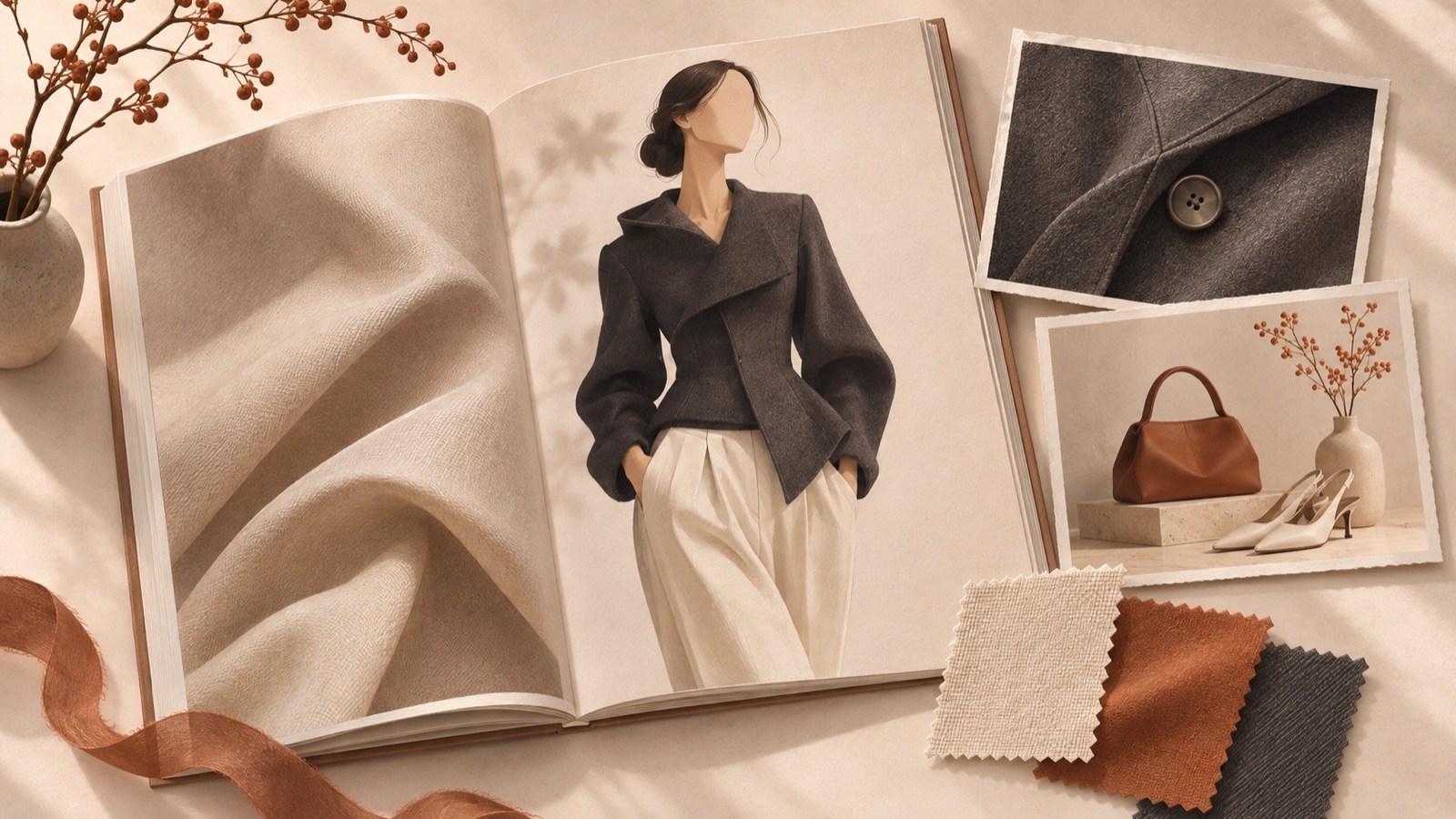
If you’re looking for designer brand ad creative examples, group your existing photos around five reasons to buy: fabric and finishing, silhouette, wearing occasions, real reviews, and design intent. Questions from higher-priced designer brands about creative beyond the lookbook can also be found.1 All examples below are hypothetical. Each is structured to help you decide what each photo should show and what copy to pair with it, then turn that plan into an image or video draft in AdForge.
1. Close-ups that show evidence of fabric and finishing
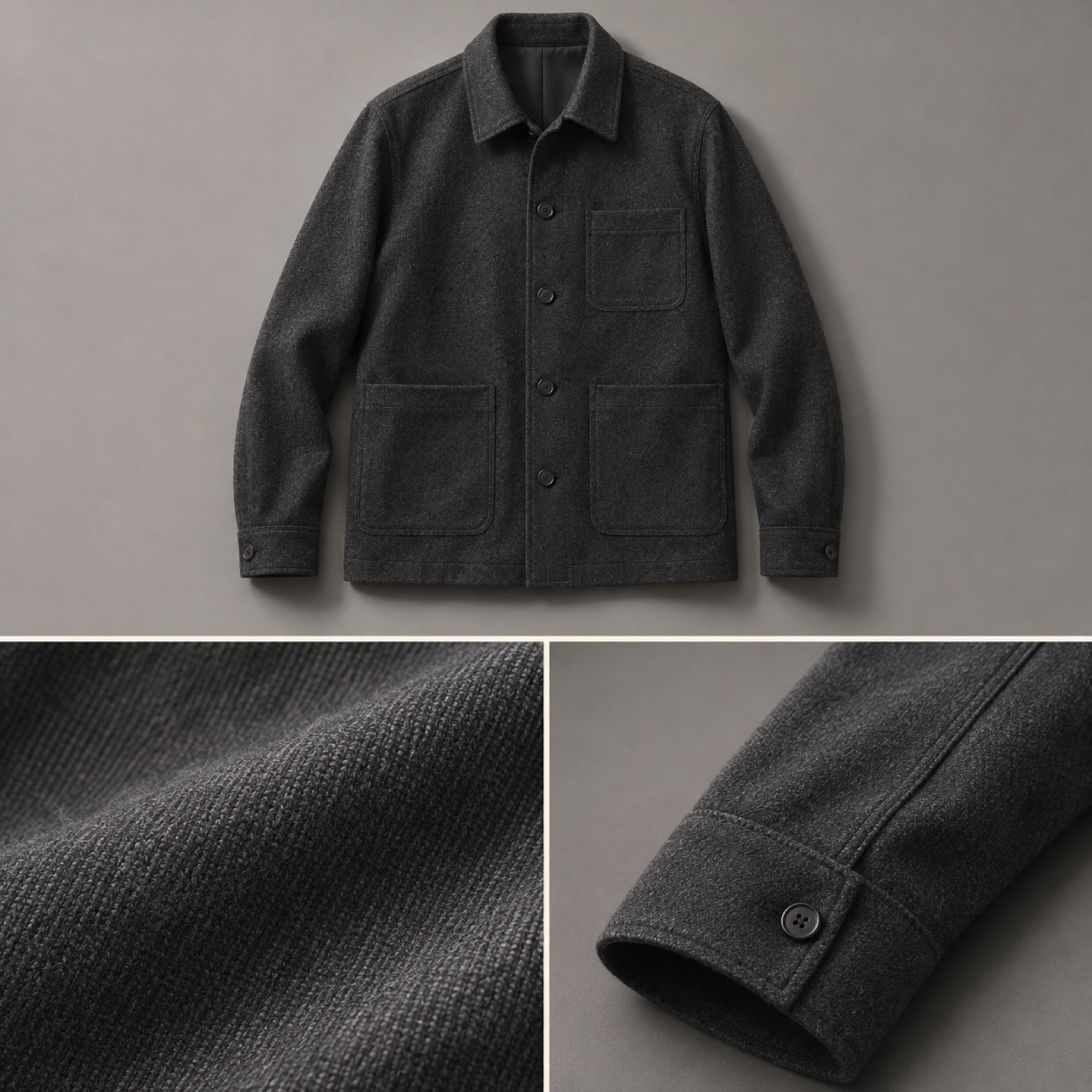
For this hypothetical example, imagine advertising a charcoal wool jacket. Place a full-garment photo at the top, with photos of the fabric weave and sleeve finishing side by side below. Keep the gray background used in the lookbook, and open with the line “A fabric texture revealed up close.” Include only verified product information about fiber composition and stitching. This layout turns a vague impression of luxury into features people can examine in photos. For knitwear, substitute visible details such as the knit structure and neckline finishing.
In AdForge’s reference selection screen, look for an image ad that combines close-ups with a full-garment photo. Review the layout and color analysis of saved ads to choose a composition to reference. At the product information step, paste the product page address and check the populated description. Upload the actual jacket and detail photos, then enter the features to highlight and the Korean copy. Review the three image ad concepts, check the fabric color, seam lines, product proportions, and usage rights for the uploaded materials, then download.
2. Silhouettes that connect front, side, and back views
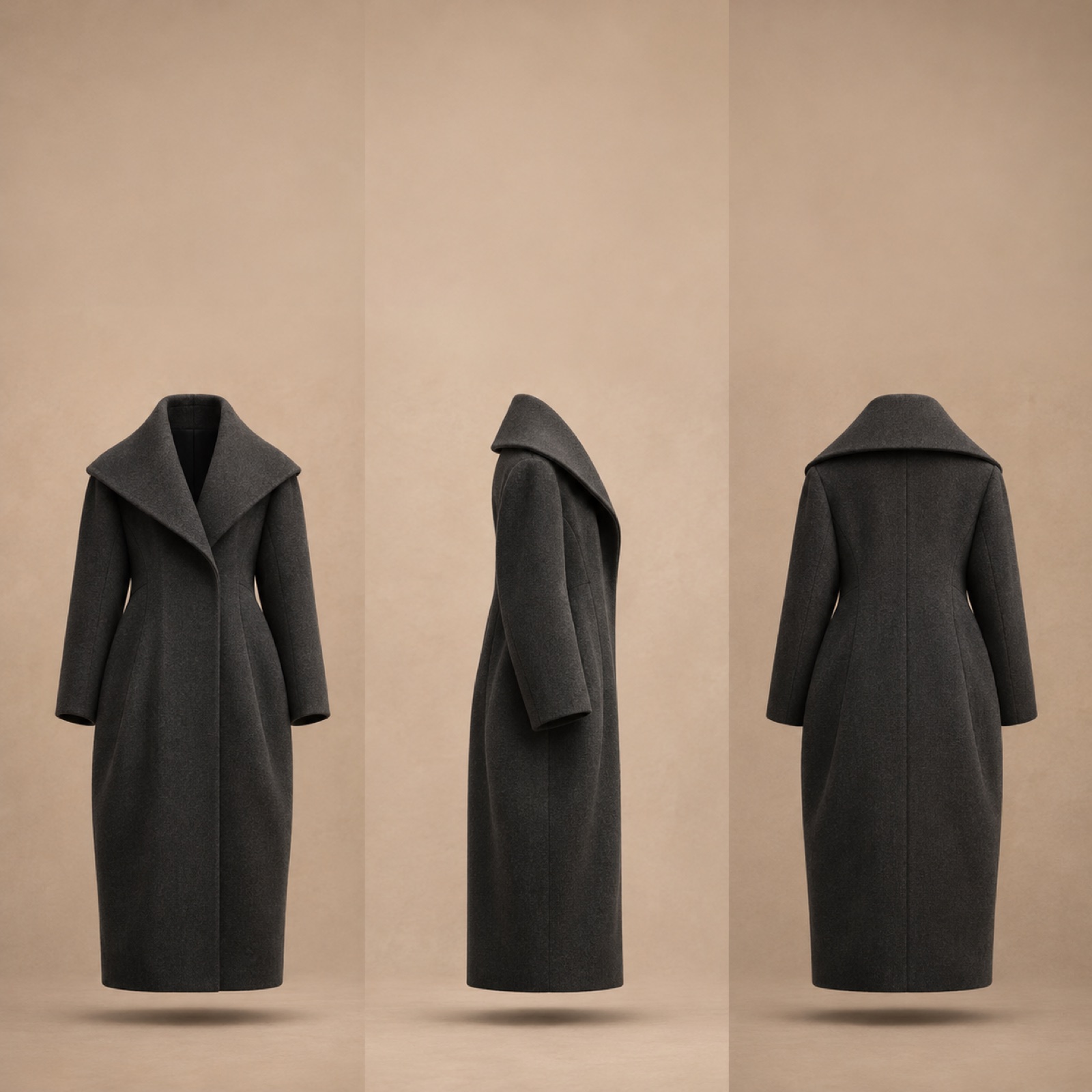
This hypothetical example features a long coat with a distinctive waistline and hem. Open with an on-model side view and the line “The lines of this coat, seen from the side.” Next, use the front view to show the proportions of the shoulders and waist, and the back view to show the shape of the back panel and hem. Finish with a full-product photo and “Explore the silhouette.” Signature designs and collection video lookbooks are creative approaches also featured in official TikTok materials.3 Here, we narrow the focus to one design feature that shoppers can evaluate when deciding whether to buy.
This example goes one step beyond “Is it a beautiful garment?” to answer “What shape does it have from each angle?” For your own product, choose a feature that photos can demonstrate, such as the width of a trouser leg or the shoulder line of a shirt instead of a coat’s waistline. In AdForge, select a video reference with a suitable opening and sequence, then add front, side, and back photos of the same product along with descriptions. Edit the generated script and storyboard so that each photo has a matching explanation. Check the length and shape in the result, and regenerate only the scenes that are off.
3. Styling shown through two everyday occasions
This hypothetical example shows an ivory shirt styled for work and the weekend. Place a photo styled with tailored trousers on the left and one styled with denim on the right. Match the photo sizes and background tones, and place “Same shirt, different day” in the space above. Below, add a small view of the collar or hem visible in both outfits. Showing different styling options is one of the creative approaches presented in TikTok’s fashion materials.2 This example uses only two outfits you actually have photos of.
The intent of this layout is to help people imagine when they would wear the garment after buying it. It suggests the combinations shown in the photos instead of making a broad claim that it “goes with everything.” To adapt it to your product, choose two occasions relevant to your customers’ lives and actual outfit photos. In AdForge, select an image reference with a split layout for two photos, then enter the product photos, occasion descriptions, and Korean copy. Choose the layout among the three concepts that shows the garment at a sufficiently large size, and check that the same garment’s color has not been rendered differently between the photos.
4. Support one sentence from a real review with photos
This hypothetical example is a review-based ad explaining the fit of a pair of trousers. Fill most of the frame with an on-model side view, and place one sentence about fit from a real customer in the space beside it. Add small photos of the same product’s waist and hem below. Featuring actual customers wearing products is an approach also found in TikTok’s official fashion materials.2 For this draft, however, temporarily label the review space “Insert real review.” Do not invent a customer statement and include it in the finished ad.
Connecting a review with photos makes it clear which part of the garment should be considered alongside the customer’s subjective impression. Do not extend it into a claim that everyone will get the same fit. For your own product, select one review whose original context and usage rights you have checked, and prepare relevant on-model photos. Add an image reference, product materials, and the actual sentence you will use to AdForge to create a draft. Compare the result against the original to check that the quote has not changed and no unsupported assessments have been added. If you have no review you can use, build the same photos into a product explanation ad.
5. A short story connecting design intent with a detail
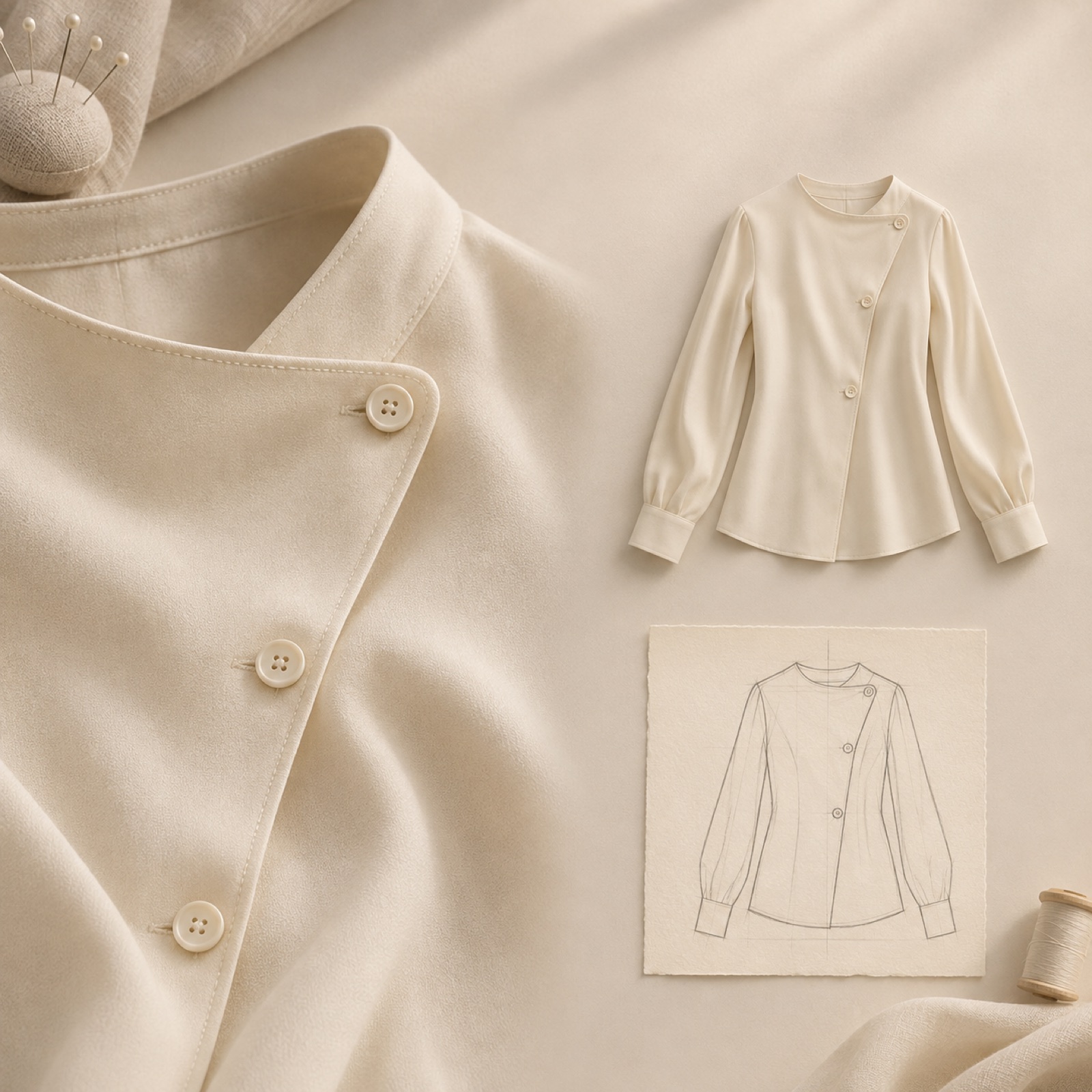
This hypothetical example features a blouse with an asymmetric closure. Open with a close-up of the closure and the question “Why is it off-center?” Next, explain the design intent actually confirmed by the brand alongside a full on-model photo. Finish by returning to the detail photo with “Explore the design.” Official TikTok materials offer references for the designer’s perspective and a hook, body, and closing structure.2 This sequence is being adapted as a creative concept for Meta ads and does not imply superior or inferior performance.
The purpose of this layout is to connect abstract brand philosophy with a visible design choice. For your product, choose one detail you have a basis for explaining: button placement, pocket angle, or a seam line. If you cannot verify the reason behind it, describe the visible shape without inventing a story. Add a video reference for the sequence, product photos, and the verified design explanation to AdForge. Review the AI-written script and storyboard, and check that the Korean narration and captions accurately convey the intent. Download the finished version, upload it directly to your Meta ad account, and check performance in your existing ad management tool.
Key takeaways
Start by choosing a reason to buy that your existing photos can show. Explain fabric through close-ups, silhouette through multiple angles, and versatility through actual outfits. Turn one of these layouts into a draft in AdForge to preserve the lookbook’s mood while giving people another reason to examine the product.
FAQ
Which example should I start with if I have only a few photos?
If you have a full-product photo and detail photos, start with fabric and finishing. Multiple angles of the same product suit the silhouette approach, while different outfits suit the occasion-based approach. First, choose a reason to buy that your existing photos can substantiate.
How can I add more explanation while maintaining the brand’s mood?
Carry over the lookbook’s background color and spacing, and choose just one feature to explain per creative. Point to what people can see in the photo instead of using lengthy descriptive language. If the copy covers a key garment detail, change the photo or layout.
How should I test the five types of creative?
First, choose different reasons to buy the same product. Create drafts with distinct creative intentions, such as fabric-focused and silhouette-focused versions, then test them in your existing ad management tool. Record the other conditions as well. If a difference emerges, change either the first photo or the copy in the next round of production and examine the result.
Can I create both image and video ads for free in AdForge?
Every account starts with 12 free image ads made from your own product photos, with no card required. The free allocation does not replenish, and video ads are available on paid plans.
Related reading
Make your next ad with AdForge
AdForge (ad-forge.io) is an ad remake app: pick an ad you like and rebuild it as a video or image ad for your own product. Find references in the Meta and TikTok ad libraries, let AdForge write the script, AI narration and captions, then review and download. Every account starts with 12 free image ads.