Creating Yogurt Ad Creatives: Layouts for Your Existing Photos and Videos, Plus Follow-Up Copy Tests
Front-facing product photos, spoon footage, and table photos each communicate different information. Learn how to choose image and video layouts that fit your existing yogurt assets and decide what to compare in follow-up copy.
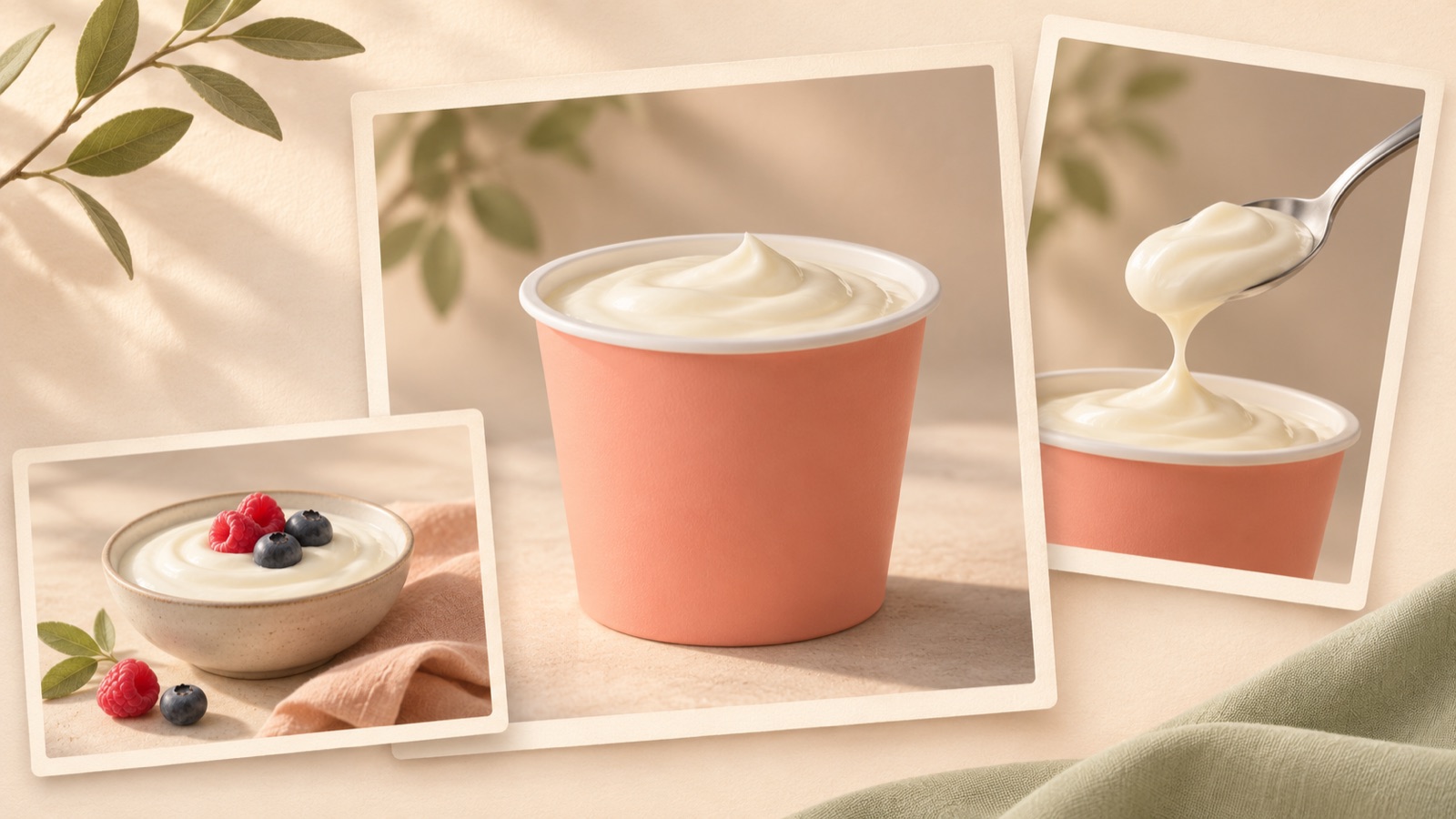
To create yogurt ad creatives, start by identifying the reasons to buy that your existing assets can show. Use packaging photos for product recognition, spoon footage for visible texture, and table photos to show an eating occasion. Actual production requests also show demand for image and video production alongside copy variations, with a creative brief supplied.1 Assuming your brief is ready, this article covers how to choose layouts for each type of asset, the production sequence in AdForge, and the differences to compare in follow-up creatives.
Start by separating what your photos and videos actually show
Rather than sorting files only by format, write down what consumers can see in each one. A front-facing product photo shows the product name and packaging, while a photo with the lid open shows what is inside. A video of yogurt being scooped shows how it looks as it is lifted. That scene alone, however, cannot explain its taste or nutritional content. Match each selling point in your brief with an asset that shows it.
As a hypothetical example, if your only plain yogurt assets are a front-facing cup photo and spoon footage, you can prepare a product introduction image and a video that opens with a texture shot. If you also have an actual table photo featuring fruit, develop a separate breakfast direction. Conversely, if you have no family scenes or footage of the product being carried, give those concepts lower priority. At this stage, also check that you have permission to use the assets you will upload and that they match the packaging currently on sale.
Choose whether the opening should establish product recognition, texture, or an eating occasion
Instead of putting every selling point into the opening, choose one question for this creative to answer. To introduce the appearance of a new product, choose a layout centered on the cup and product name. For viewers curious about what is inside, open with the spoon footage. To help people picture when they would eat it, lead with your existing table scene. A request from someone preparing to launch a yogurt product also shows demand for Reels topics, thumbnails, hooks, and ad creative design, but it is not evidence that any particular layout performs better.2
In a hypothetical example, Image A places a large product cup in the center of a bright background with the line “Introducing our new plain yogurt.” Image B places “A cup beside your fruit tomorrow morning” in the empty space of an actual table photo. A focuses on product recognition, while B focuses on an eating occasion. Because both the photo and the wording change, interpret the results as a difference between the overall concepts. When finding reference ads in AdForge, select product-centered layouts and lifestyle scene layouts separately as well.
Create images and Korean-language videos in AdForge using each type of asset
In AdForge, search for active ads in the Meta and TikTok ad libraries and save references that fit the composition of your existing photos. Analyze the layout and colors of saved image ads, and the hook, pacing, shots, captions, voice, and music of video ads. On the product information screen, enter the product name, selling points, and required wording extracted from your brief. If you used a product page address to fill in the information automatically, read through it to check that it matches the actual sales information.
When creating an image ad, select a product-centered reference and an actual cup photo, then add your message. For a hypothetical example, you could specify: “Make the cup and product name easy to recognize, and include the wording ‘See the new product lineup.’” AdForge follows the reference layout to generate three design options at once using your actual product photo. On the results screen, check the cup shape and label, the accuracy of the wording, and any overlap between the product and text before choosing your baseline design.
For video, select a reference that opens with a spoon scene, add your product photos, existing footage, and message, then create it in Korean. In the AI-written script and storyboard, check that the sequence “yogurt being scooped → product cup → lineup information” fits your existing assets, and make edits yourself. Play the result with its AI narration, word-level captions, and background music to check the pronunciation of the product name and whether the narration matches the visuals. You can also regenerate a single scene, then download the finished version after reviewing it.
Separate follow-up copy tests into reasons to buy and ways to phrase the message
Before creating follow-up creatives, write down what you want to learn. “Which direction should we explore further: introducing the new product or suggesting it for breakfast?” compares reasons to buy. By contrast, putting “A cup beside your fruit tomorrow morning” and “Breakfast served with fruit” on the same table photo compares two ways of expressing the same message. Use the first question to choose your next production direction and the second to choose headline wording. Combining both questions in one test makes it difficult to decide what to change based on the results.
For the hypothetical spoon video, you could prepare “What you see when you scoop a spoonful” and “Open the cup and take a spoonful” as opening-line options. Both describe actions viewers can see in your existing footage. Do not expand them into claims that need separate evidence, such as “A healthier breakfast.” In AdForge, create follow-up creatives by adding a new message to the same assets and reference, but also check the other scenes and layouts in the generated output. Three image design options do not necessarily mean three different copy versions.
Attach a question to each finished file to guide the next production decision
When handing files to the person running the ads, include a one-line question or description of what each creative is intended to examine. For example: “Front-facing product concept: leads with recognition of the new product” or “Table concept: leads with a breakfast occasion.” If you are comparing only headlines within the same table concept, also record that you intended to keep the photo and purchase information consistent, along with what actually changed. If the layout or scenes changed during generation, it is more accurate not to classify the creative as a copy-only comparison.
AdForge does not automatically run ads through your ad account, so upload the downloaded creatives yourself and use your existing ad management tools for campaign setup, delivery, and performance review. Then use the results to make your next production request more specific. For example, if you decide to explore the table concept further, prepare different headlines for the same eating occasion. If the product was not clearly visible, create a layout with a larger cup. This turns follow-up production into work that answers the next question, rather than simply adding more creatives.
Key takeaways
Start by choosing whether your yogurt ad will introduce the product with a front-facing photo, show its appearance with spoon footage, or suggest an eating occasion with a table photo. After creating a baseline creative in AdForge, prepare follow-up versions that distinguish between reasons to buy and copy wording so you can make more specific decisions about what to produce next.
FAQ
Can I create yogurt ad creatives with only a front-facing product photo?
You can start with a focus on product recognition. Use your actual product photo, a reference, and a message to create an image ad in AdForge. Do not describe product characteristics based on textures or eating scenes that are not shown in the photo.
What copy works well with spoon footage?
Start with what viewers can see, such as how the yogurt looks when scooped or the action of opening the cup. Choose wording about taste, ingredients, or benefits based on verified product information and approved wording, rather than judging from the video alone.
Can I test copy-only variations alongside creatives with different layouts?
Prepare them with a clear distinction between the questions each is intended to answer. If the photos and opening scenes also differ, you are comparing the overall concepts. To compare copy wording, keep the other elements as consistent as possible and check the differences in the finished versions.
Will entering the brief as it is produce a finished Korean-language video?
Have the person responsible extract and enter the product information, selling points, and required wording from the brief. You can edit the Korean script and storyboard created by AdForge yourself, and you also need to review the result with narration and captions.
Related reading
Make your next ad with AdForge
AdForge (ad-forge.io) is an ad remake app: pick an ad you like and rebuild it as a video or image ad for your own product. Find references in the Meta and TikTok ad libraries, let AdForge write the script, AI narration and captions, then review and download. Every account starts with 12 free image ads.