How to Make Roofing Video Ads: Turn Jobsite Photos into English Ads That Generate Inquiries
You can build an English-language ad from damage photos, work-in-progress footage, and completed-project images without filming anything new. This guide covers everything from sequencing scenes that explain the actual work to creating the ad in AdForge and reviewing the call to action.
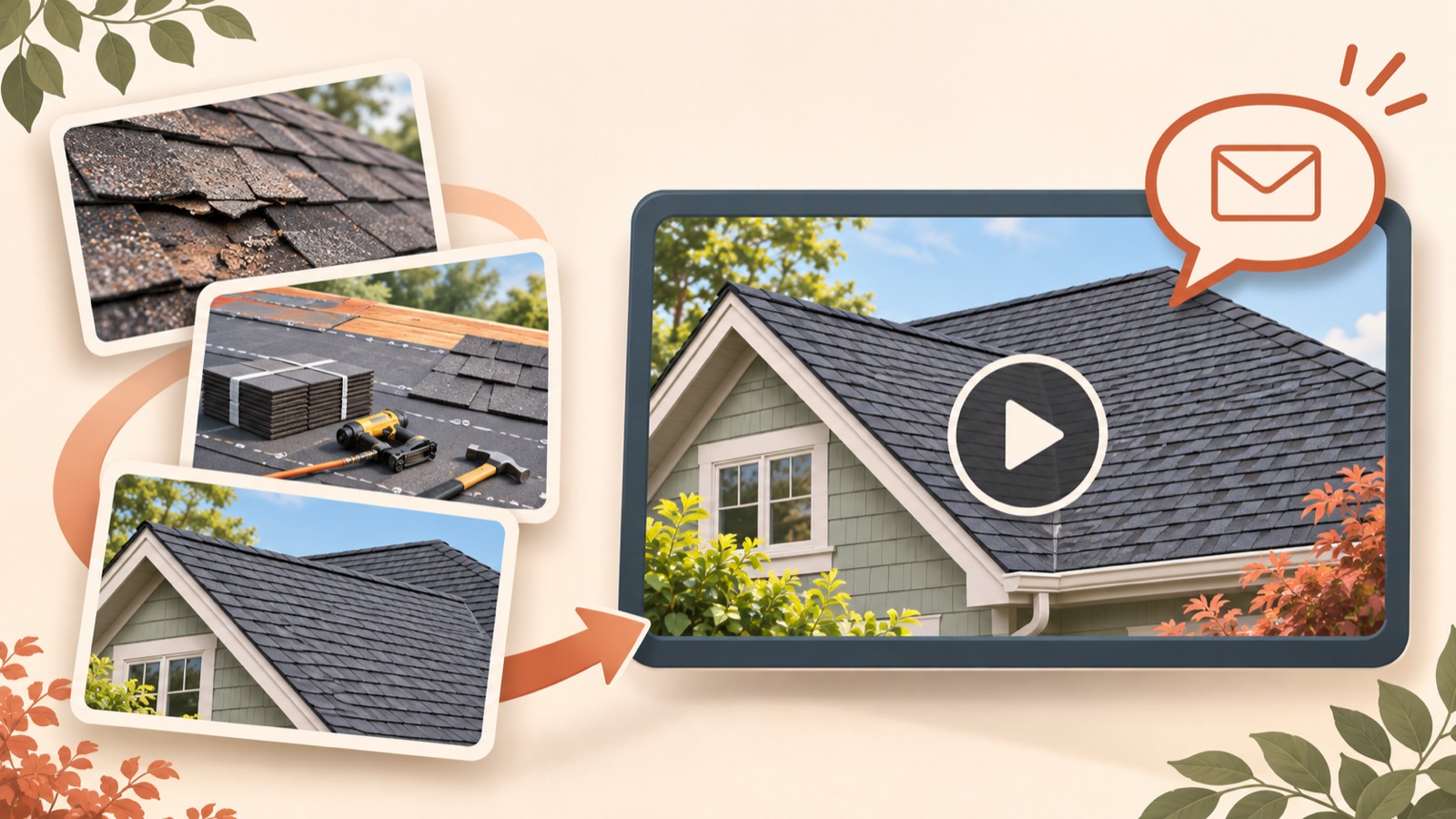
To start making a roofing video ad, arrange the materials your client has sent into a sequence: show the damage, explain the work, present the completed result, and invite inquiries. This structure shows what the company does without requiring the owner to appear on camera or any additional filming. Organize the materials in the order below, then enter the service information and English messaging in AdForge to create an ad that clearly presents the actual work and service area.
Group jobsite materials by project and choose the service to advertise
First, decide whether this ad should generate roof repair inquiries or roof replacement inquiries. Choosing one type of work you can explain with the materials on hand makes the ad easier to structure than listing both services. Agencies working with roofing companies have also identified the burden of jobsite filming and the difficulty of getting footage from clients as real production challenges. This article focuses on making one ad from materials you have already received.1
Organize photos and videos so you can distinguish the client, jobsite, and stage of work. First, check whether you have damage photos and completed-project photos from the same jobsite. If you do not, avoid connecting images of different homes as though they show the before and after of a single project. Add a short note to each asset describing what it can demonstrate, such as lifted shingles, removal of existing roofing materials, or installation of new roofing materials. Also confirm with the client that the materials can be used in advertising and which details about the home can be shown.
- The service to advertise and the actual service area
- Damage, work-in-progress, and completed-project materials for each jobsite
- The work shown in the photos and videos
- Usage rights and the client-approved contact channel
Look at the explanatory sequence in reference ads, beyond the roof overview shots
Search AdForge’s ad library for active ads on Meta and TikTok, using English terms that match the service, such as roofing, roof replacement, and roof repair. Save an ad you like, then review the analysis of its hook, pacing, cuts, and captions. You can also see how many days each ad has been running, but do not assume that a long-running ad performs well. Here, use references to choose a structure you can recreate with your own materials.
Check whether the opening scene makes the roofing service clear, whether the middle explains the actual work, and whether the ending leaves viewers with an action to take. Feedback on an individual roofing ad suggested reducing repeated, similar overview shots of the finished roof and adding more installation details and explanation. Use this as an editing consideration to avoid stringing together the same roof overview repeatedly, rather than treating it as a universal rule for ad performance.2
Give damage, installation, and completion one sentence each
The following is a hypothetical example for a roof replacement service. Add “Missing shingles on your roof?” to a damage photo to introduce a visible problem. Follow it with “Old roofing removed.” over demolition footage and “New shingles installed.” over an installation photo. Finish by showing a completed-project photo from the same jobsite. The purpose of this structure is to give each scene a role. Do not include lines that draw conclusions about the cause of a leak or structural safety from photos alone.
If the opening scene is only a close-up of the damaged area, viewers may not know what service the ad is promoting. In this hypothetical example, also display “Roof Replacement in [Service Area]” to identify the service and location. Feedback on an actual roofing ad also noted that the service was not identifiable early on. Replace the location placeholder with a city or area where the client actually works, and if the ad is for repairs, revise the entire script to match the repair service.3
Add the actual materials to AdForge and create an English-language video
When registering product information in AdForge, enter the service name, actual service area, work offered, and inquiry message so you can distinguish each client. You can populate the information automatically from a product page URL, so use the relevant service page if one is available, then check the populated details against the client’s materials. Agencies can register unlimited products and manage them by brand. If you work with several companies, prepare each client’s materials separately to keep jobsite assets and service information from getting mixed up.
Select the reference you saved in the ad library and upload the actual photos and short clips to use in the video remake. In the product information and selling points, clearly state the service being advertised, the area, the work description, and the action viewers should take, then select English as the language. Use the reference as a framework for the opening scene, progression, screen layout, and call to action. Build the content anew from the information and materials the client provided, and avoid borrowing another company’s work or promises.
In the AI-generated script and storyboard, check that the damage, work-in-progress, and completed-project assets appear in the intended order, and make edits yourself. Review the result with its English narration, word-level captions, and background music to check for descriptions that do not match the actual work. If a particular scene does not fit, you can regenerate just that scene. Video ads are a paid-plan feature. Review the finished video before downloading it.
Close by connecting the reason to inquire with the next step
Leave viewers with the company name, actual service area, and one contact action in the final scene. If you use the hypothetical line “Serving [Service Area]. Contact us about roof replacement.”, replace the area with the actual location and make sure the destination page can also accept roof replacement inquiries. Google’s YouTube ad creation guidance also recommends presenting the key message early, reinforcing it through audio and on-screen text, and including a clear call to action. Use this here as a structural principle.4
Watch the downloaded video on a phone with the sound on and off. Check the English pronunciation of place names, the time available to read captions, and whether any text covers the damaged area, then have the client confirm the final content. AdForge does not automatically launch ads through ad accounts, so you need to upload the creative yourself. Set up campaigns and review performance in your existing ad management tools. For follow-up creatives, try changing the opening damage scene or inquiry message while keeping the work explanation.
Key takeaways
Build roofing ads by connecting actual jobsite materials into a sequence that presents the problem, explains the work, shows completion, and invites inquiries. Create an English-language video in AdForge using a reference and the client’s materials, review the service area and work descriptions, then download it and upload it directly to the ad account.
FAQ
Can I make a video ad if the client only sends photos?
Yes. You can create a video ad in AdForge using actual photos and service information. Assign each photo a role, such as showing damage, the work process, or the completed result. If you do not have work-in-progress materials, build the script around verifiable photos and explanations instead of depicting stages you have no materials for.
Can I use damage photos and completed-project photos from different jobsites?
You can feature multiple projects, but do not connect them in a way that makes them look like the before and after of a single jobsite. If you do not have enough materials from the same jobsite, drop the before-and-after comparison of work stages and switch to a sequence that introduces the company’s services and actual project examples.
Can I mention free estimates or insurance assistance in the English script?
Only include what the client actually offers and has approved. Do not add free estimates, insurance assistance, or warranty periods as standard claims. If no benefits have been confirmed, you can close with wording that explains the service and area and invites viewers to get in touch.
Do I need to request jobsite materials again every time I make a new ad?
You can create a new structure using existing materials as long as the usage rights and service information remain valid. First, decide whether to change the damage scene, work explanation, or inquiry message. If you want to advertise a service that the existing materials cannot show, you need to obtain additional materials for that work.
Related reading
Make your next ad with AdForge
AdForge (ad-forge.io) is an ad remake app: pick an ad you like and rebuild it as a video or image ad for your own product. Find references in the Meta and TikTok ad libraries, let AdForge write the script, AI narration and captions, then review and download. Every account starts with 12 free image ads.