How to Create Lighting Product Video Ads: Make an English Ad with Product and Lit-Room Photos
You can build an English ad with full-product shots, photos of the light in use, and detail shots, even without video footage. Here is how to choose a setting and a reason to buy, then create and review your ad in AdForge.
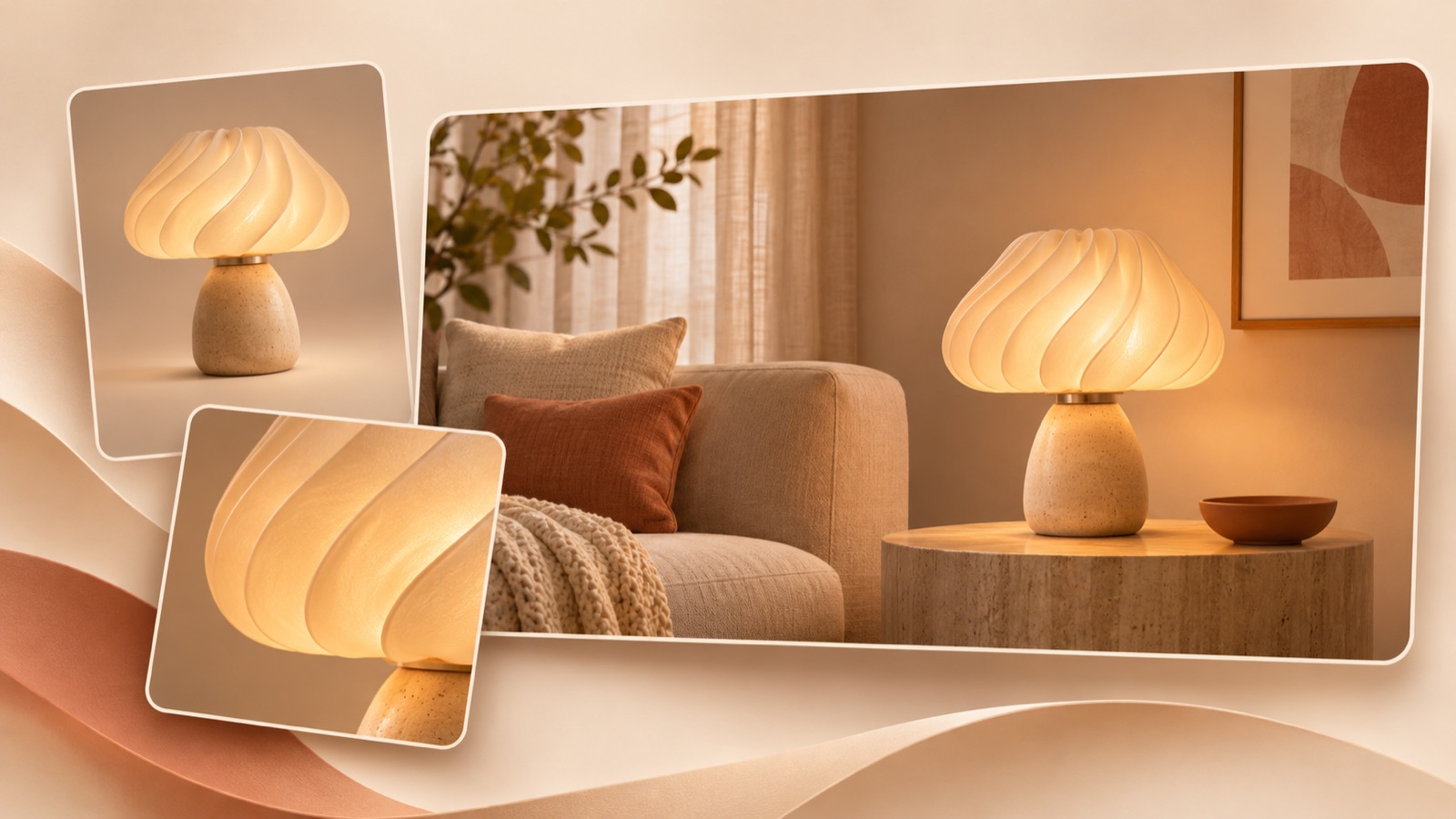
To start creating a lighting product video ad, connect full-product shots, photos of a space with the light switched on, and detail shots around one reason to buy. Show where the product will be used in the opening scene, why it suits that space in the middle, and a purchase action at the end. A seller offering lamps and decorative lighting in the US has also raised the challenge of having only still images and slideshows.1 Follow the steps below to create an English video ad from your existing photos without a new shoot, then review how the light and product are represented.
Decide which question each product photo should answer
First, organize your photos by what they need to explain, rather than by how attractive they look. Use full-product shots to show the shape and base configuration, interior photos with the light switched on to show where it is used, and detail shots to show the switch, shade, and surface texture. Simply stringing together photos of the same product from different angles still leaves the setting unexplained. Choose one location, such as a bedside, desk, or shelf, that your existing photos show most clearly.
For photos with the light switched on, note the ambient lighting and product settings at the time of the shoot. Prepare the originals and product specifications as well, so you do not judge actual brightness or color temperature from edited photos alone. To explain size, obtain measured dimensions instead of writing size claims based only on how the product looks next to furniture in a photo. If you plan to emphasize ease of installation, check the connection method and required parts too. Leave features that are difficult to substantiate with photos out of the focus of this ad.
Choose either ambiance or ease of installation
One reason to buy is enough for your first ad. If you have strong interior photos with the light switched on, focus on ambiance. If you have enough material showing the connections and included components, focus on ease of installation. Trying to cover assembly, materials, and discounts while also discussing ambiance blurs the role of each scene. Apply the hook, body, and CTA structure outlined in TikTok’s official guidance to draft an ad that captures attention in the opening scene, shows the reason to buy in the middle, and directs viewers to act at the end.3
As a hypothetical example, for a decorative bedside lamp, you could place “A little glow for your bedside.” over an actual photo of the lamp switched on atop a nightstand. Follow with a full-product shot to show its shape, use a detail shot to explain the shade’s texture, and finish with “Shop the lamp.” This is a hypothetical script built around ambiance. When adapting it to your product, check that you actually have a bedroom photo, and replace any descriptions of the light source or materials with verified product information.
Look at what each scene does in a reference ad, beyond the lighting effects
In AdForge, you can search active ads from the Meta and TikTok ad libraries and see how many days each ad has been running. Search for lamp or decorative lighting ads, and choose references whose explanatory flow you can recreate with your existing still photos. If an ad relies on a hands-on demonstration of assembly or pressing a switch, it is difficult to explain the same thing with photos alone. Assess whether a sequence that starts with a space lit by the product, then moves to the product and its details, is a better fit for your material.
You can analyze the hook, pacing, cuts, captions, voice, and music in saved ads. What matters here is the question the opening scene raises and how the next scene answers it, more than a competing product’s wording or distinctive design. Avoid judging ad performance by days running alone; look at whether the reason to buy carries through when you place your own photos into each scene. If the reference shows an entire room becoming bright but your actual photo shows only a small area being lit, note that difference in your production instructions.
Add your material to AdForge and create an English video
Open the reference selection screen in AdForge and choose an ad that fits the structure you have prepared. When entering product information, paste your Shopify product page address to fill in the information automatically, then check the product name, dimensions, and descriptions of the light source against the original. Next, upload full-product shots, actual photos with the light switched on, and detail shots, and enter one selling point. In your message, specify the setting, the role of each photo, and verified features. For example, you could write, “Start with a bedside use scene, and do not make the light look stronger than it does in the actual photo.”
Set the video language to English, then review the AI-generated script and storyboard. Check whether the opening scene uses an actual photo with the light switched on and whether the explanation in the middle matches the specifications you entered, then make edits yourself. AdForge can add AI narration, word-synced captions, and background music, so also check that the English sentences and visuals communicate the same thing. The aim is to bring this stage of the work into one flow, addressing the time spent assembling clips and creating narration that practitioners have described.2 Video creation is available on paid plans.
Check the light, size, and English wording, then export your first ad
View the finished video alongside the original photos with the light switched on. Check whether the glow has become excessive, whether the shade’s color or base shape has changed, and whether the lamp looks disproportionately large next to the furniture. In particular, if the photos with the light off and on were taken under different conditions, it is best not to connect them as a brightness comparison. If an issue affects only one scene, you can regenerate that scene in AdForge. Also check your rights to use the uploaded material, and listen for any claims in the English narration about dimming or installation features the product does not actually offer.
For a TikTok version, refer to the official guidance on vertical 9:16 video and margins that account for the UI, and check that narration and text work together to communicate the message.3 After checking that viewers can understand the setting and reason to buy with the sound off, download the finished creative. Uploading it to your ad account, setting up campaigns, running ads, and checking performance are tasks you handle directly in your existing ad management tools. For the next creative, keep the middle explanation and CTA, and change only the opening photo to a full-product shot. This gives your next production a specific difference to explore: whether to show the space or the product first.
Key takeaways
Use actual photos of a space with the light switched on to show how the product is used, then carry the reason to buy through full-product and detail shots. Create the English script and scenes in AdForge, check the light, size, and specifications, then download the video and upload it directly to your ad account.
FAQ
Can I start with only full-product shots and no photos of the light switched on?
You can start with a structure that explains the shape and design. However, it is difficult to substantiate how bright a room will be or how far the light spreads. If ambiance is the main reason to buy, it is best to obtain actual photos with the light switched on first.
Do I have to include brightness and color temperature in the English copy?
Include them when they are needed to support this ad’s reason to buy. Use verified product specifications for numbers, and do not present impressions from photos as measured values. If the focus is ambiance, you can also build the ad around short sentences describing the setting and design.
Can I create a scene of someone pressing the switch by uploading photos?
Your existing photos alone are unlikely to substantiate how the product is actually operated. If a demonstration is essential to the purchase decision, prepare actual supporting material. One approach for the first ad is to focus on what you can already verify, such as the product’s shape and a space with the light switched on.
Can I make video ads for free with AdForge?
Video ads are available on paid plans. The free starter allowance provided to every account is 12 image ads made with your own product photos. No card is required, and the allowance does not replenish.
Related reading
Make your next ad with AdForge
AdForge (ad-forge.io) is an ad remake app: pick an ad you like and rebuild it as a video or image ad for your own product. Find references in the Meta and TikTok ad libraries, let AdForge write the script, AI narration and captions, then review and download. Every account starts with 12 free image ads.