5 Board Game Kickstarter Ad Examples: Using Component Photos and Gameplay Videos
Start by choosing whether to showcase your components or a decisive move. Here are five English-language ad concepts that use your existing photos and gameplay footage to drive launch notification signups.
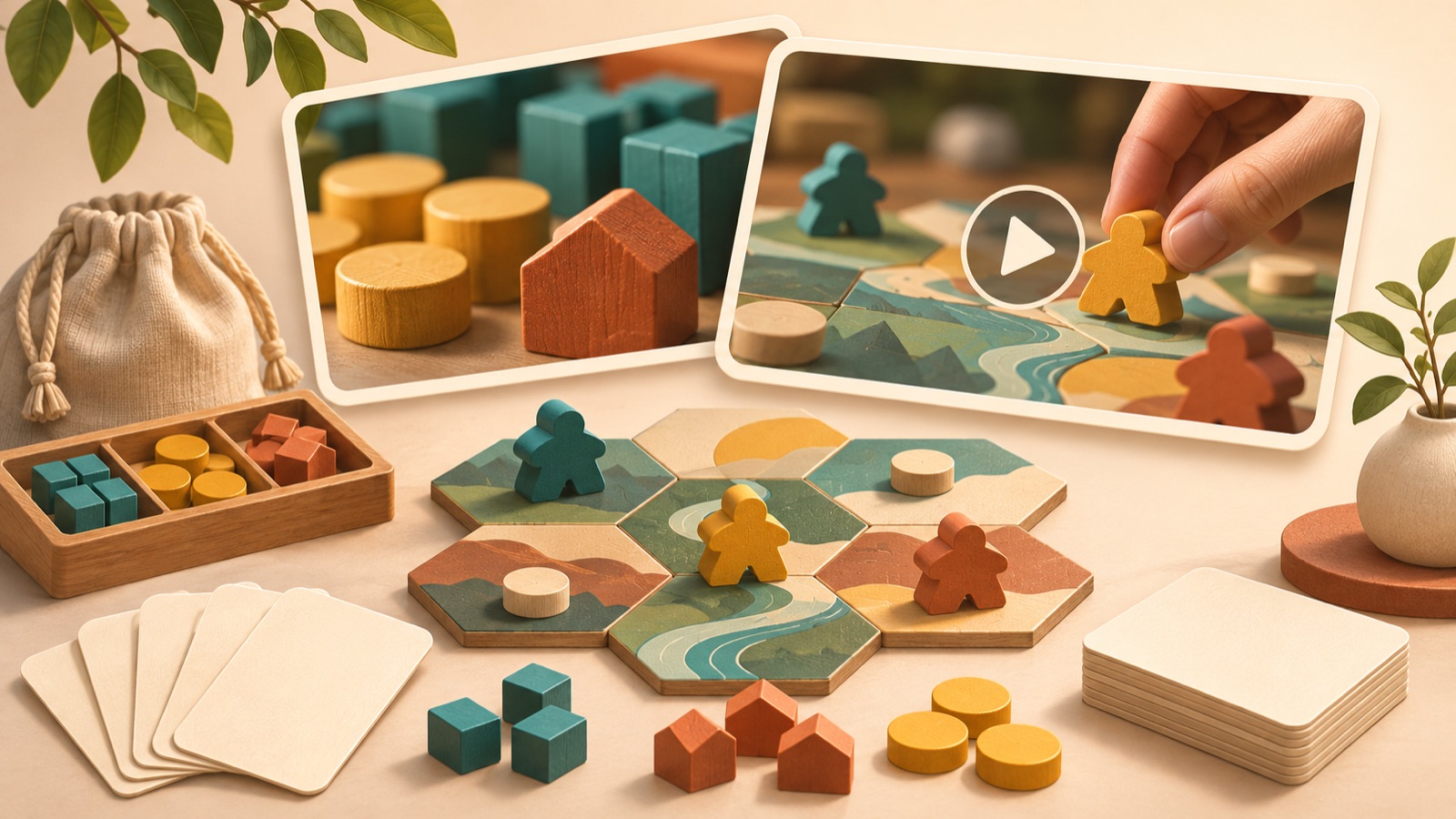
If you’re looking for board game Kickstarter ad examples, use component photos to show your game’s identity and gameplay footage to show choices and outcomes. Answering “What kind of fun can players expect?” makes an ad easier to plan than trying to explain every rule. Creators also ask about pre-launch ad hooks and how to make gameplay clear.1 All examples below are hypothetical. Choose a concept that fits your existing assets, create an English-language draft, and match your call to action to a landing page where people can actually sign up for notifications.
1. Component spread: What world comes out of the box?
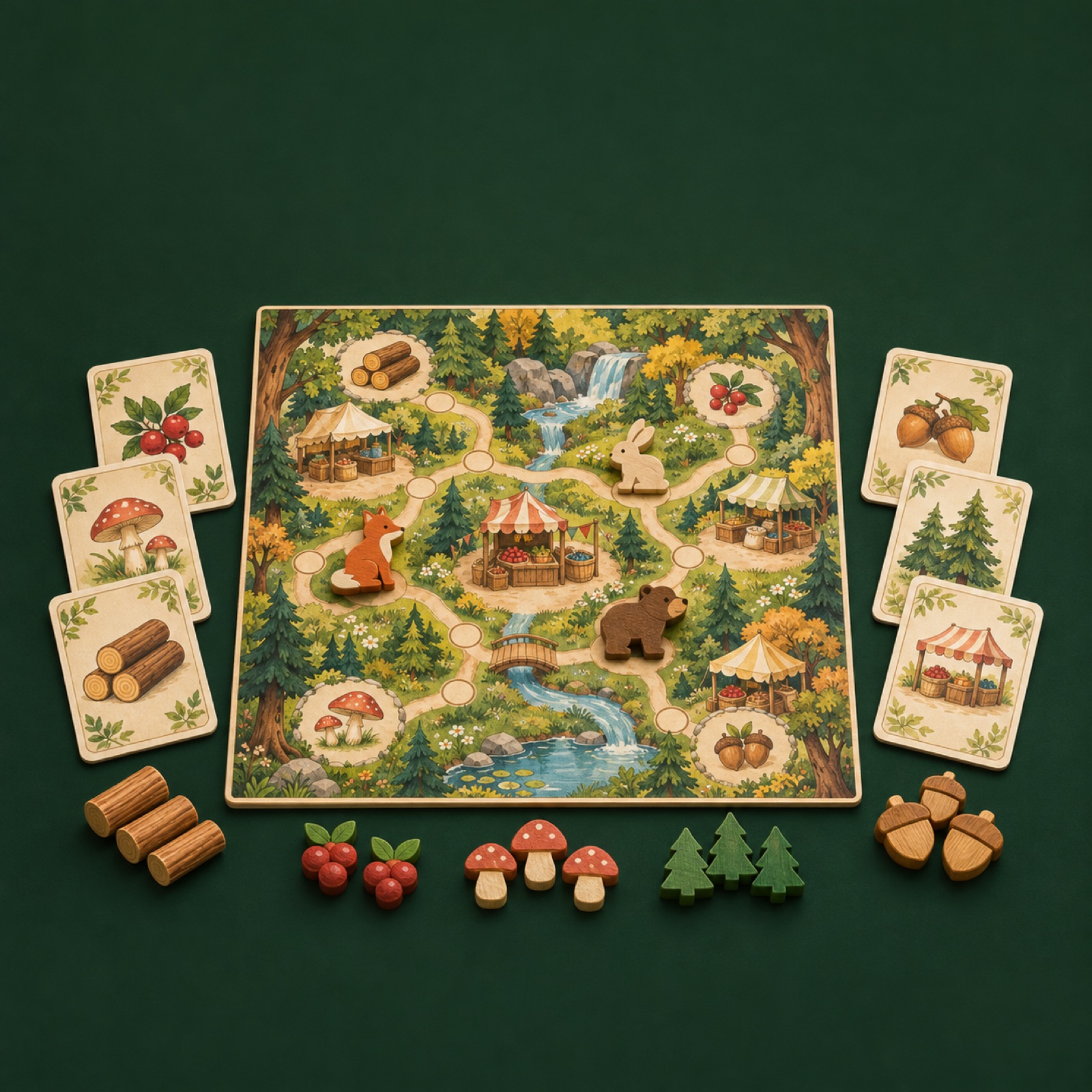
This is a hypothetical example. Spread out the board, cards, and wooden tokens from a woodland trading game against a dark green background. Place a large view of the board in an actual gameplay state in the center, with only the key components around the edges. Add “Build your woodland trading empire” at the top and “Get launch updates” at the bottom. This works when you have plenty of component photos but limited gameplay footage. The layout combines visual appeal with the game’s objective, though components alone will struggle to explain the rules.
In AdForge, find and save an image reference in the ad library with components grouped in the center, then review its layout and color analysis. Select that reference in image ad creation, then add photos of your game that you have permission to use, a game description, and your English message. Check the three generated drafts to make sure the card artwork, token counts, and board layout match the actual product, then download them. When applying this to your product, choose a draft that gives more space to the components that distinguish your game than to decorative props.
2. Choice and outcome: The moment one move changes the game
This is a hypothetical example. Open with a scene from a space exploration game in which a player must decide whether to spend their remaining energy on movement or defense. Follow the question “Explore or protect your crew?” with actual footage of the player choosing to move and earning a reward in a new area. Product demonstrations are an established approach among board game video ad types.3 This concept explains the game by showing the outcome immediately after the choice. Use it when you have actual footage with a clear cause-and-effect sequence.
For your game, isolate one decision a player makes during a turn and its outcome. In AdForge, choose a video reference that opens with a question, then add the relevant gameplay footage and an accurate explanation of the rules. Check the generated English script and storyboard for the sequence of choice, action, and outcome, and edit as needed. Also review whether the AI narration and subtitles change the meaning of the actual move. Build the sequence so that the key shots explaining gameplay use your uploaded footage, and fix any edit that makes it look as though an outcome from another turn followed the move.
3. Character face-off: Which side are you on?
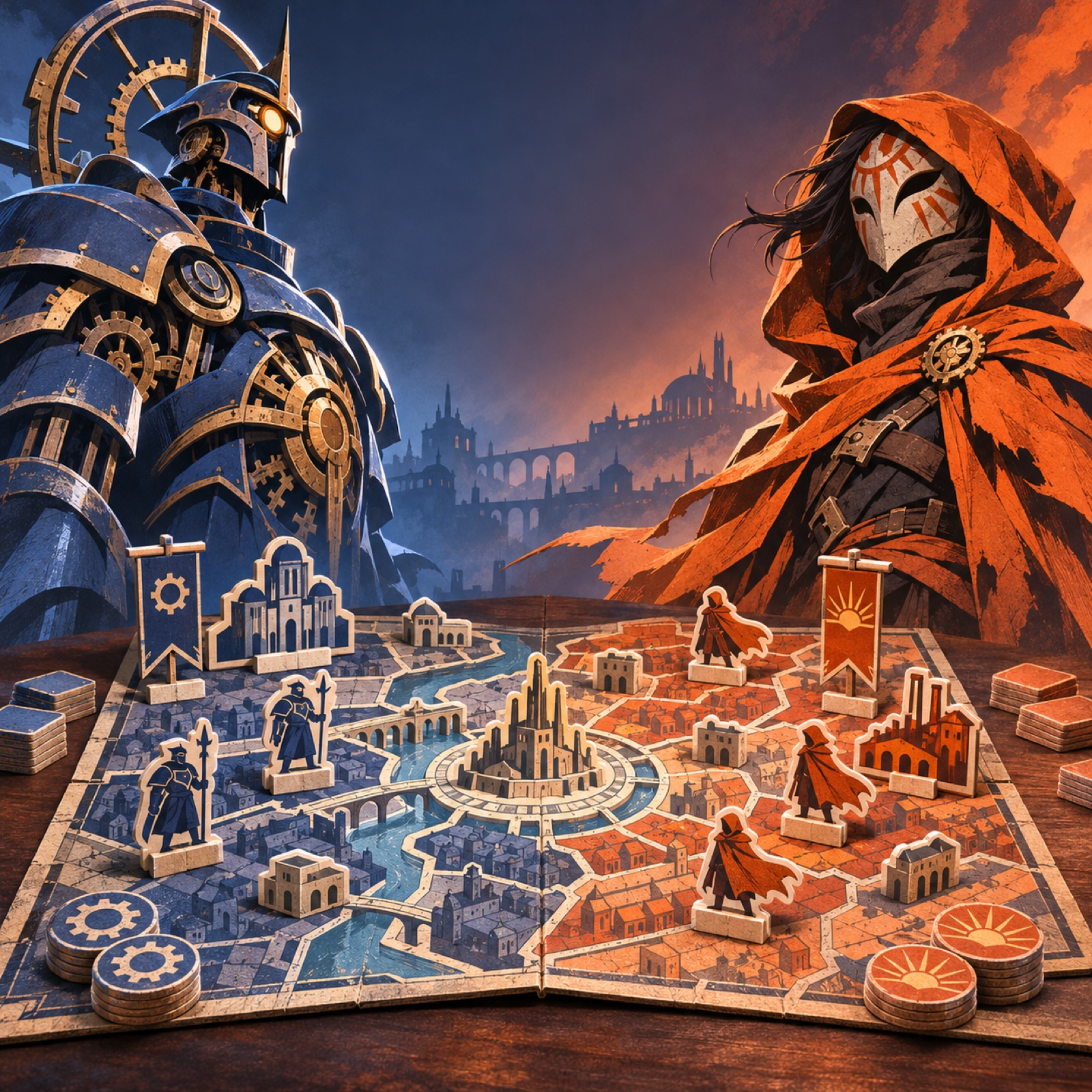
This is a hypothetical example. Place large pieces of artwork for two factions from an asymmetric strategy game on either side of the frame, with a smaller photo of the actual game board in the middle. Use “Control the city” on the left and “Break the system” on the right to show their different objectives. Character-led layouts and explanations of a game’s theme also appear in real board game ad examples.2 This concept suits games where the factions genuinely have different roles. Show the board and components alongside the characters, since characters alone could make it look like a digital game.
When adapting this to your game, look for a pairing with contrasting gameplay objectives instead of simply choosing two popular characters. In AdForge, select an image reference with a clear left-right contrast, then add character artwork and product photos you have permission to use, along with descriptions of each faction. Check all three drafts to make sure the characters’ gazes and copy are positioned on the correct sides. If the copy introduces abilities or conflicts that do not exist in the actual rules, correct it and generate the drafts again. One useful review criterion is whether the layout communicates “What role will I play?” before the logo draws attention.
4. Table reactions: Show why everyone is laughing
This is a hypothetical example. Open with players looking at one another as a card is revealed in a cooperative deduction game. Immediately show the revealed card and the clues on the table, adding “One clue changes everyone's theory.” Lifestyle concepts are also among the video types used in board game advertising.3 This example pairs people’s reactions with what caused them. A sequence of smiling faces alone makes it hard to tell what the game is, so place the actual gameplay moment that prompted the reaction close to it.
Choose a stretch of gameplay footage that includes both the reveal and the reactions, and confirm that you have permission to use the participants’ footage in advertising. In AdForge, select a video reference that follows people’s reactions with a product shot, then add the relevant assets and an explanation of the situation. Keep only the fun that the actual footage can substantiate in the English script, and check whether subtitles obscure the card’s key clue. If a particular scene feels awkward, you can regenerate just that scene. Also check that endorsements or testimonials the participants never gave have not been inserted as dialogue.
5. Before and after play: From an empty map to a completed kingdom
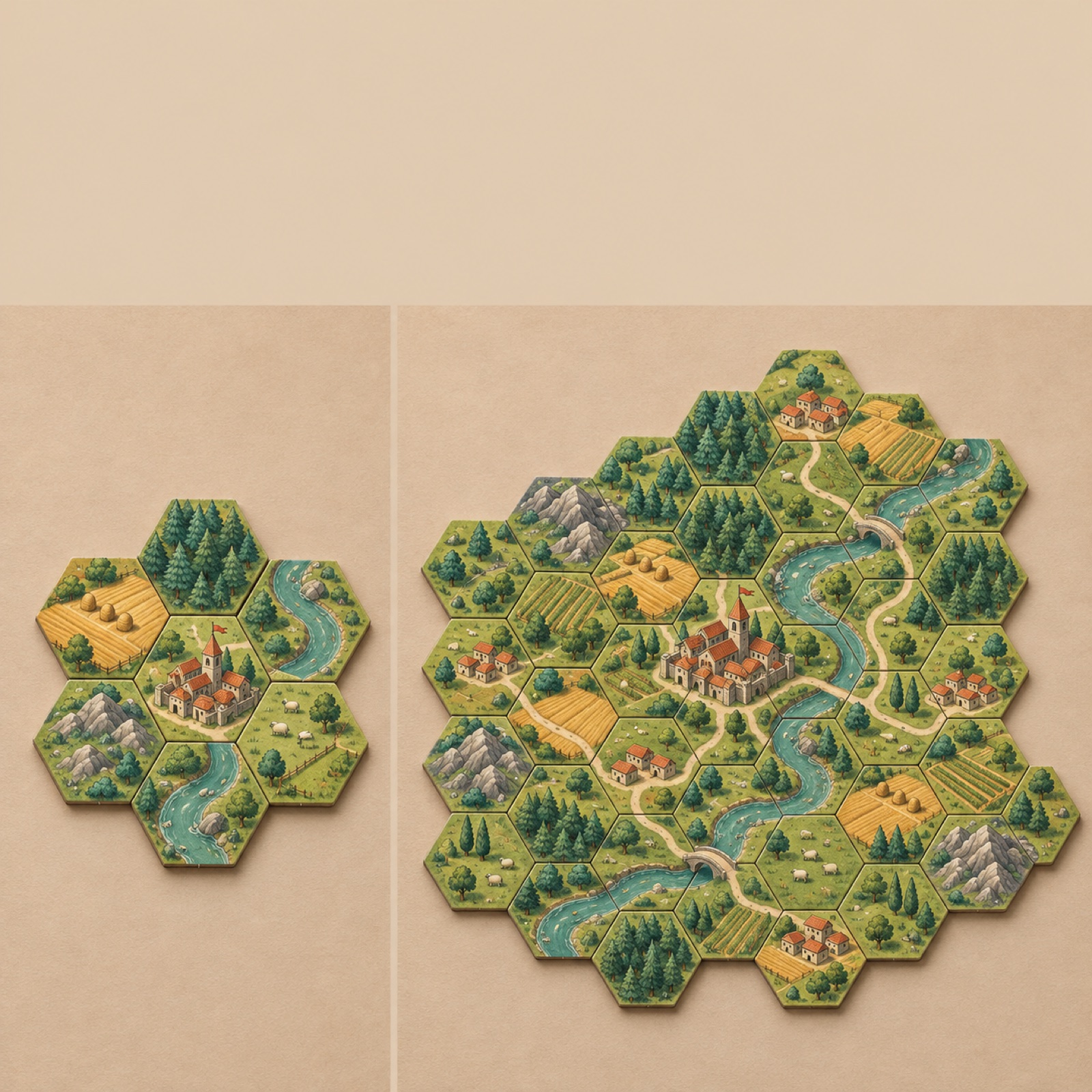
This is a hypothetical example. Photograph the starting and ending states of a tile-placement game from the same angle and place them side by side. Show only a small starting tile on the left and a completed board of connected rivers and cities on the right, with “What will your kingdom become?” The transformation itself explains the game’s objective and outcome, making this suitable for games whose finished boards look visibly different from their starting states. The final photo must show an arrangement possible under the actual rules. Do not present a staged photo using extra components as a typical gameplay result.
For your game, prepare starting and ending photos shot against the same background with the same composition, and write one sentence describing the actions that connect the two states. In AdForge, choose an image reference with a clear before-and-after contrast, then add both photos and your English message to create drafts. Check that the terrain and tile connections in the actual photos have been preserved, then download the drafts. In your first test, you can compare this image with a choice-and-outcome video using the same launch notification objective. Uploading the assets, running the ads, and checking performance are tasks you handle directly in your existing ad management tools.
Key takeaways
If component photos are your main assets, use a component spread or character face-off to show your game’s identity. If you have gameplay footage, connect choices with outcomes and reactions with their causes. Build an English-language ad around the single scene that is easiest to explain, then see whether it leads to launch notification signups.
FAQ
Can I create pre-launch ads with component photos alone?
Yes. You can start with a component spread or character face-off. Pair actual product photos with a short sentence explaining the game’s objective. Avoid trying to show gameplay processes that are difficult to explain through photos alone.
How many rules should I include in a short video?
The examples in this article use one choice and one outcome as the baseline. Keep only the rules viewers need to understand what was chosen and what changed. The landing page can handle the full rules explanation.
What English CTA works for a pre-launch ad?
Match it to the action available on the landing page. If the page lets people sign up for launch news, you could use “Get launch updates.” Avoid wording that could confuse notification signups with paid pledges, and check the actual signup process yourself.
Does AdForge automatically run the ads it creates?
No. You need to download the finished assets and upload them to your ad account yourself. Campaign setup, ad delivery, and performance monitoring take place in your existing ad management tools.
Related reading
Make your next ad with AdForge
AdForge (ad-forge.io) is an ad remake app: pick an ad you like and rebuild it as a video or image ad for your own product. Find references in the Meta and TikTok ad libraries, let AdForge write the script, AI narration and captions, then review and download. Every account starts with 12 free image ads.