5 Backpack Facebook Ad Examples: English Creative Using Commuting, Travel, and Storage Photos
Product photos alone can show how a backpack is used and why someone would buy it. Explore five hypothetical examples covering commuting, storage, and travel, with English copy and steps for creating them in AdForge.
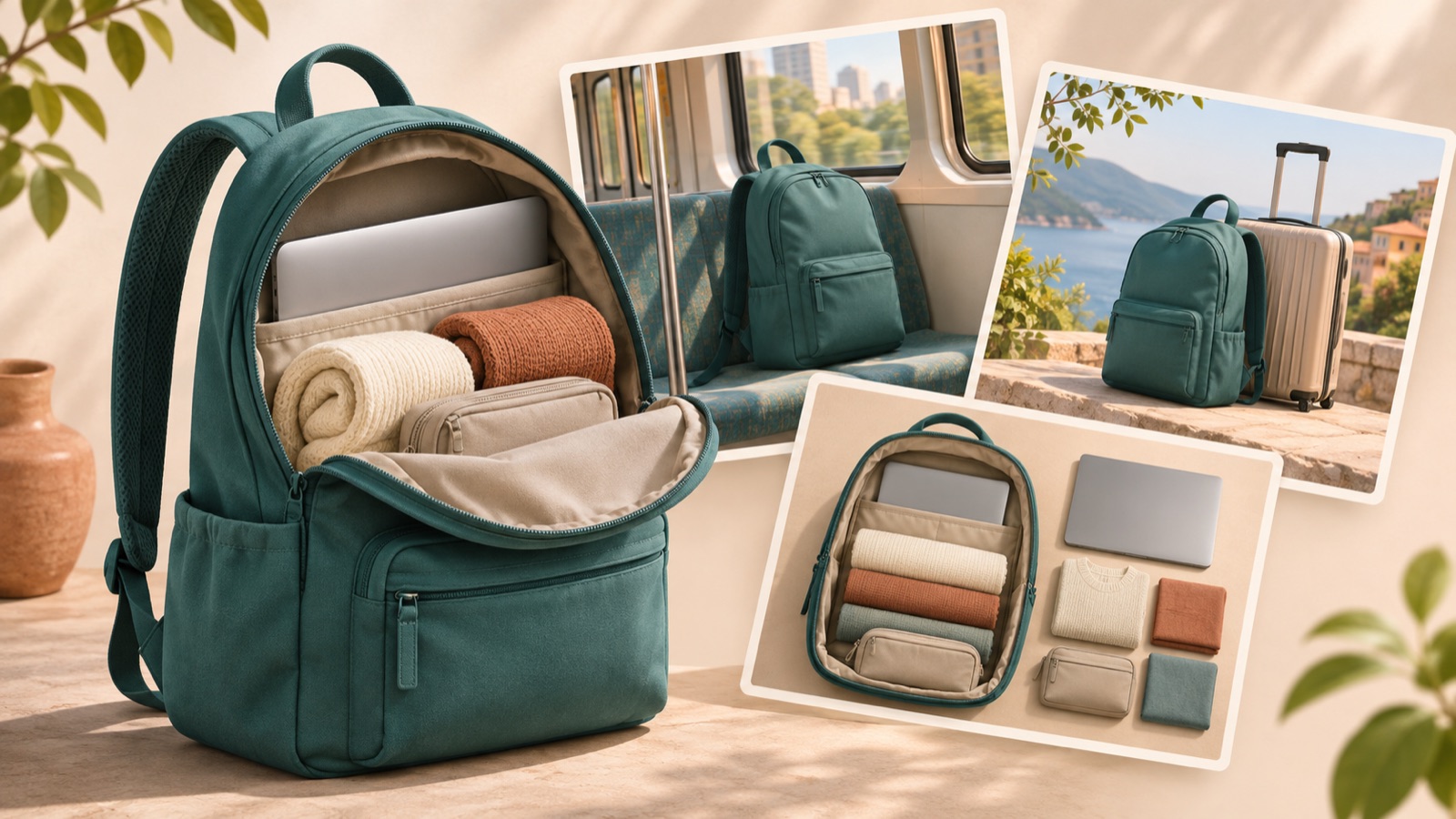
If you’re looking for backpack Facebook ad examples, start with the photos you already have. Use photos of someone wearing the backpack for commuting scenarios, interior photos to explain storage, and pocket photos to show where users reach for their belongings. In one real case, someone who had launched a backpack brand asked for advice on Facebook ad creative.1 All five examples below are hypothetical. Follow the English copy, photo layouts, and AdForge workflow for each concept to prepare your first image ad.
1. A Commuting Concept That Captures the Workday Essentials in One Image
This is a hypothetical example. Place a large photo of someone wearing the backpack on their commute on the right, with “Your workday, packed.” on the left. Add smaller photos below of a laptop and water bottle that actually fit inside, and use “Meet your daily carry” to encourage product exploration. This layout shows both the bag’s shape and how it is used. When targeting commuters, prioritize how large it looks on someone’s back and how it works with their outfit over an impressive street backdrop.
In AdForge, search the Meta Ad Library for “commuter backpack,” then choose and save a reference that pairs a photo of someone wearing the bag with short copy. Review the saved ad’s layout and color analysis, then use that composition as a reference in the image ad creation workflow and add your own product photos, photos of the bag being worn, and English message. You can also populate the information using your product page address. Check the bag’s shape and the copy in the three generated drafts, then download your chosen result. The sequence connects the reference layout with your own product information.
2. A Storage Concept That Lays Out What Fits Inside
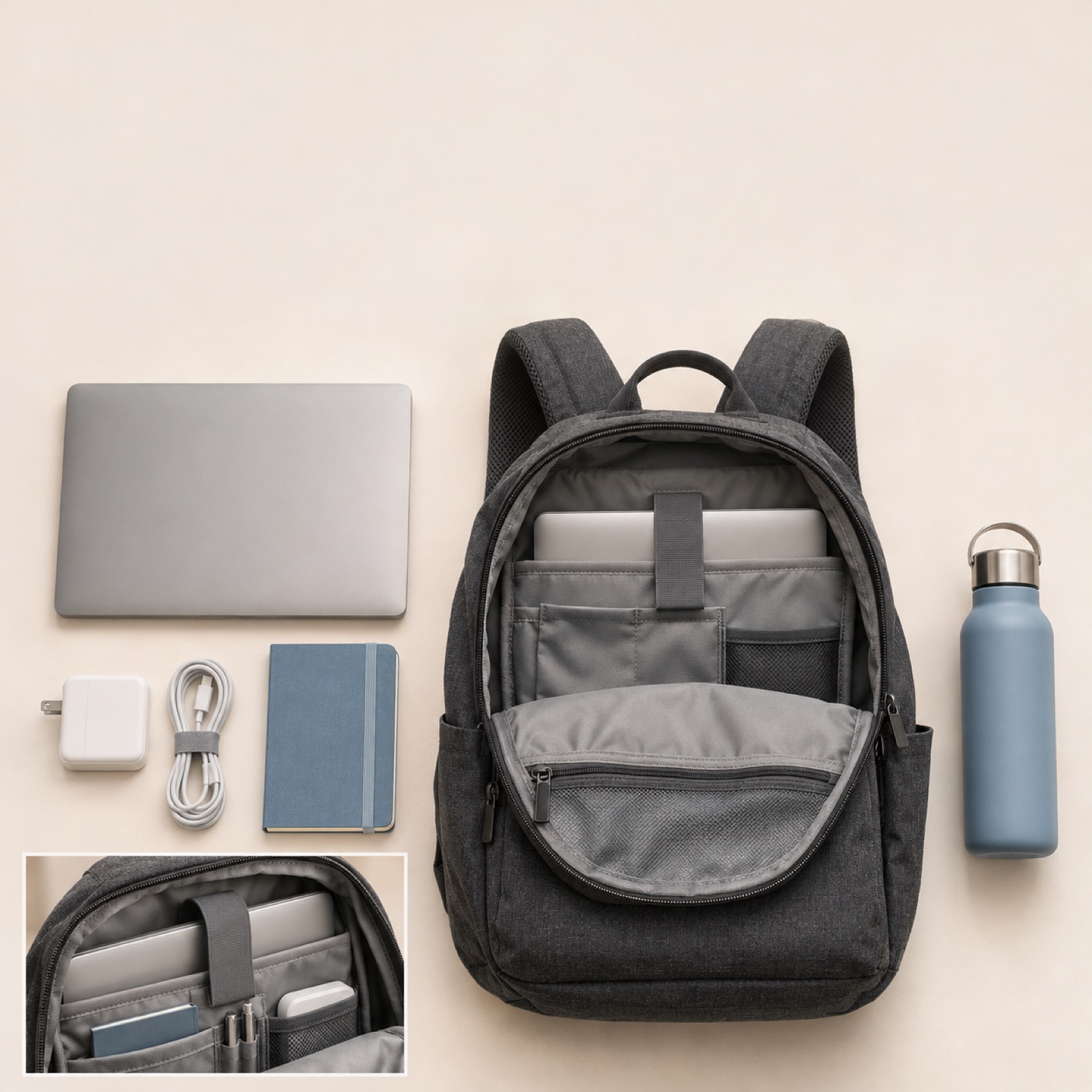
This is a hypothetical example. Place an open backpack on a light-colored floor and arrange a laptop, charger, notebook, and water bottle around it, using items that actually fit inside. Put “A place for your daily essentials.” at the top and add an interior photo alongside it. The key is to show which items go in which compartments, rather than simply laying out lots of things. This works for products whose storage layout is a reason to buy, letting shoppers see differences that exterior photos alone struggle to explain.
When applying this to your own product, distinguish between items included in the purchase and props used to demonstrate storage. Only state laptop sizes or storage capacity that you have actually verified. In AdForge, choose a reference with items laid out, upload actual product and interior photos, and highlight one storage space in your English message. Of the three results, choose a draft that accurately shows the interior structure and does not make the props look like included accessories. If you change the copy while using the same photos, focusing on one question—how much it holds or how easily it keeps things organized—makes comparison easier.
3. An Easy-Access Concept Showing Frequently Used Travel Items
This is a hypothetical example. Place a photo of the backpack with its front pocket open in the center, and use small supporting photos to show an earbud case and travel notebook that fit in that pocket. Keep the copy short: “Small essentials. Within reach.” This layout answers where frequently used items go, rather than simply setting a travel mood. It suits products with separate compartments, but photos alone cannot prove how quickly items can be retrieved, so avoid claims such as “the fastest access.”
In AdForge, choose a reference that combines full-product and detail photos, then add a full photo of your backpack, an open-pocket photo, and an English message to create image drafts. If your product’s pocket is small, replace the passport with something that actually fits. When expanding the concept into video, add material showing the pocket being opened and review the AI-written script and storyboard. Select English as the language, check that the transition from the full view to the pocket matches the product’s structure, then download.
4. An Outdoor Concept That Brings Together the Essentials for a Weekend Walk
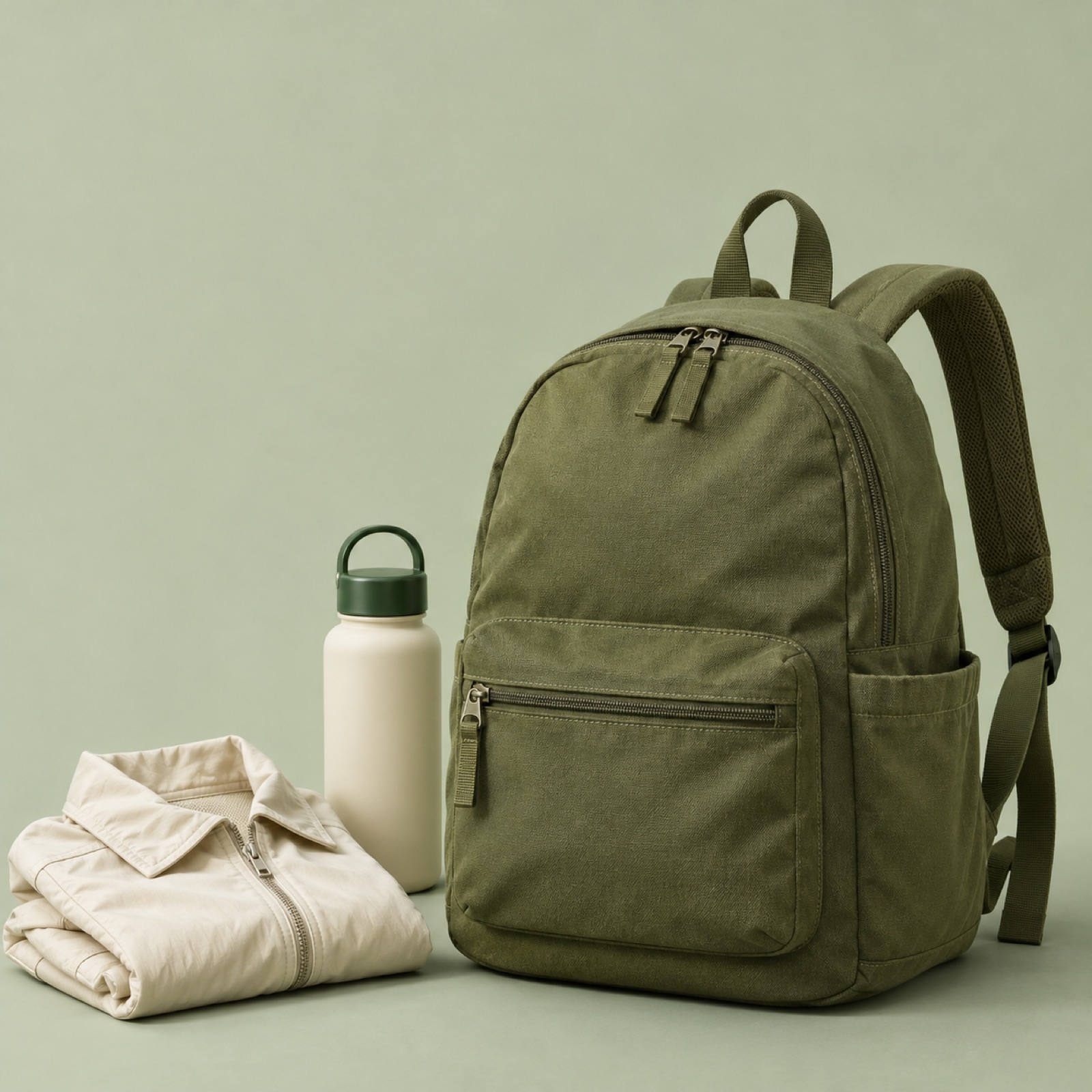
This is a hypothetical example. Place a large backpack image against a muted green background, with a folded outer layer and water bottle beside it. If you have an actual photo of someone wearing it outdoors, add it as a small supporting image and use “Pack for a day outside.” This concept suggests a nearby park visit or short outing rather than technical hiking performance. It suits products intended for both everyday use and light outdoor activities, with the pictured essentials helping customers imagine their day.
When adapting the concept to another product, distinguish outdoor atmosphere from performance claims. A forest backdrop or water bottle photo alone cannot support claims about waterproofing, durability, or comfort over long periods. In AdForge, choose a product-focused reference with open space, then add actual backpack photos, verified selling points, and the English copy above to generate three drafts. Check that the colors and the shapes of the straps and buckles match the actual product. If you have no outdoor photos, the product and essentials alone can still communicate the use case.
5. A Detail Concept That Shows Why Someone Would Choose the Design
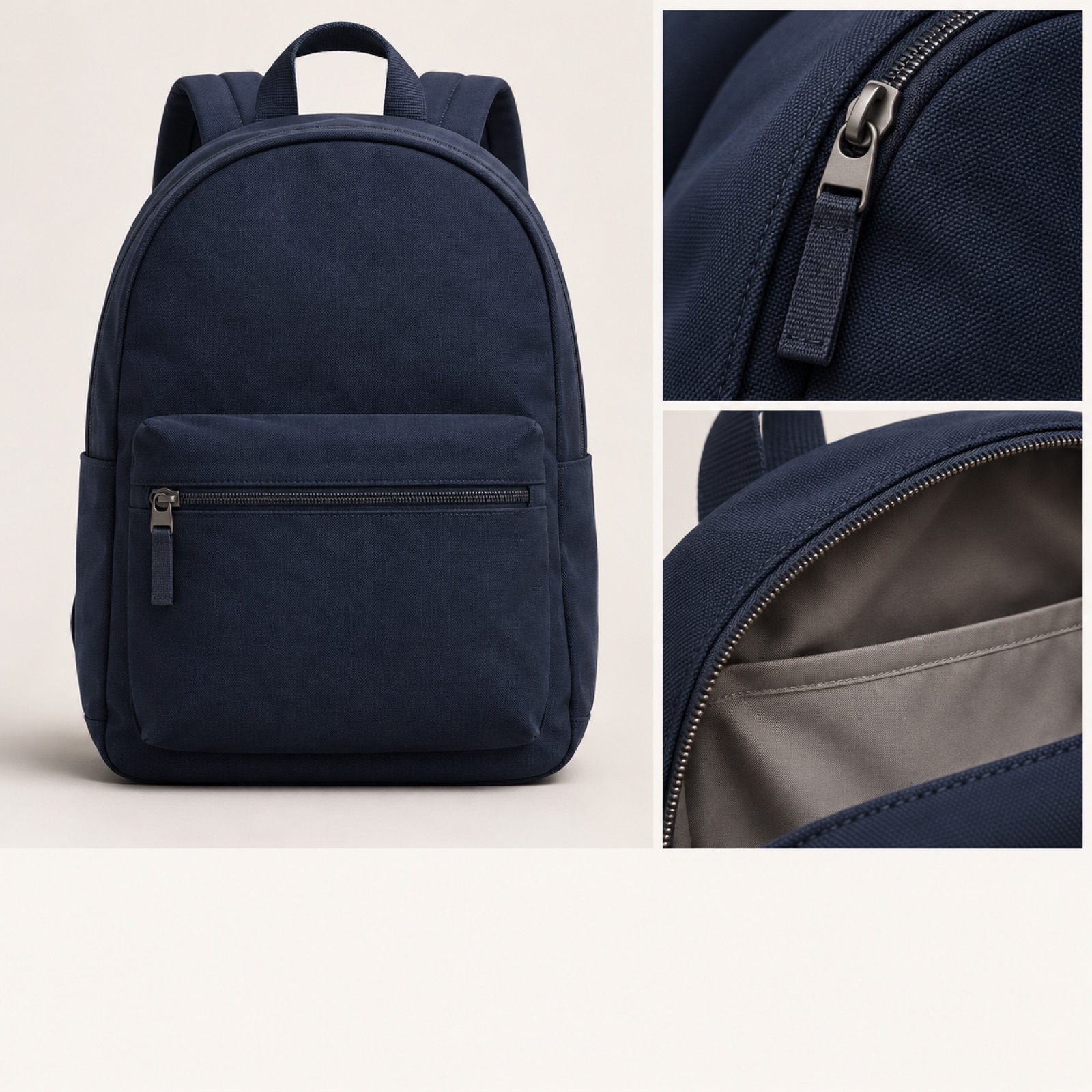
This is a hypothetical example. Place a large front-view photo of the backpack on the left, with photos of the zipper pull and lining stacked on the right. Use “Take a closer look.” as the copy and “Explore the details” as the call to action at the bottom. Showing the whole product alongside its details suits customers who want a closer look at the design. Reddit’s official creative guidance also advises clearly communicating the product, reasons to buy, and brand name. This is Reddit’s guidance and is used here only as a reference when assessing the composition.2
In AdForge, choose a reference that combines a large product photo with smaller detail photos, then add front-view, zipper, and lining photos of your own product along with an English message to create drafts. Go beyond saying the details look good: enlarge the elements that give customers a reason to choose the product. For example, if you want to show the lining color, use a photo that reveals its actual color. Before downloading the finished creative, check the product, copy, and usage rights for the uploaded materials. For the first campaign, compare this concept with creative that offers a different reason to buy, such as the commuting concept, and check results in your existing ad management tools.
Key takeaways
Start your backpack ad with a reason to buy that your available photos can communicate. Photos of the bag being worn can show commuting, interior photos can explain storage, and pocket photos can demonstrate convenient access. Choose the clearest concept, add actual product photos and an English message in AdForge, and select the one of the three image drafts that best answers your customer’s question as your first creative.
FAQ
Can I create an ad if I only have product photos and none of someone wearing the backpack?
You can start with a storage or detail concept. Add actual interior and pocket photos to a full-product photo. Replace points that your available photos cannot demonstrate, such as size when worn or comfort, with another reason to buy.
What should I put first in the English ad copy?
First choose either who uses it and when, or what it holds. For commuting, focus on everyday essentials; for travel, focus on items people frequently take out. Only include verified information about capacity, compatible sizes, and material performance.
Can I simply use a long-running backpack ad as a reference?
Run time alone does not establish that an ad performs well. AdForge lets you see how many days an ad has been running, but first consider whether its composition can be supported by your own photos. Use the opening scene and layout as references, then create new copy, product information, and photo arrangements for your product.
Do drafts created in AdForge run on Facebook immediately?
You need to download the finished creative and upload it to your ad account yourself. Campaign setup, delivery, and performance tracking take place in your existing ad management tools. For image ads, you can use actual product photos to create three drafts at once.
Related reading
Make your next ad with AdForge
AdForge (ad-forge.io) is an ad remake app: pick an ad you like and rebuild it as a video or image ad for your own product. Find references in the Meta and TikTok ad libraries, let AdForge write the script, AI narration and captions, then review and download. Every account starts with 12 free image ads.