How to Create Online Yoga Video Ads: Build Your Opening Scene and English Script from Class Footage
If your yoga ad feels like a slow photo slideshow, start by giving each scene a clear role. Learn how to use existing class footage and instructor photos to build your opening scene, English voiceover, and sign-up instructions.
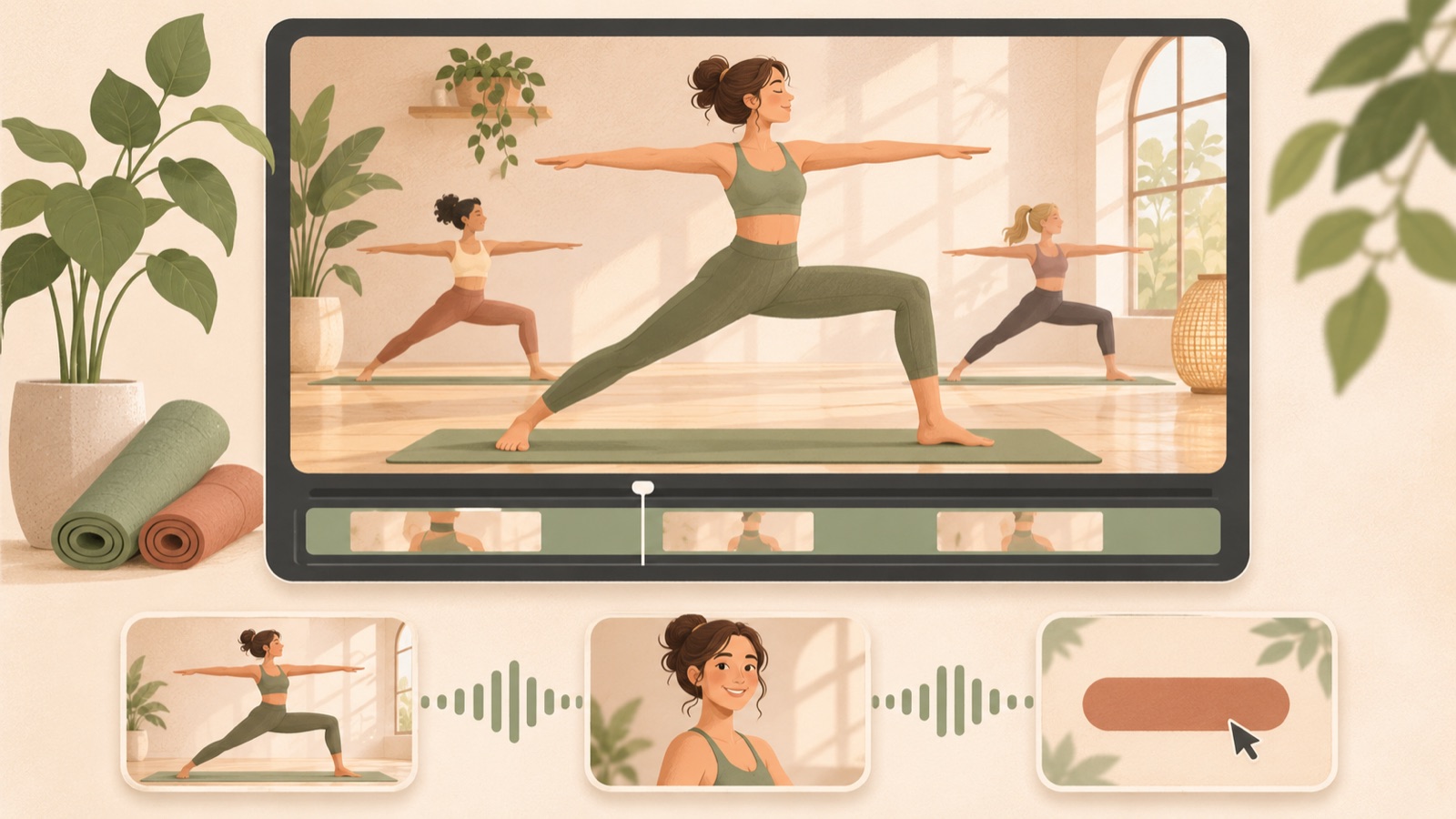
To make an online yoga video ad feel less like a photo slideshow, show real movement first, then explain one reason to join the class in English. Use instructor photos for introductions and class footage to show how you teach. Follow the steps below to select your materials, build your script, and produce the ad in AdForge, then review how much information appears in the opening frame and how much reading time each scene allows.
Choose one class benefit and gather materials that show it
First, choose one benefit you want viewers to remember about your class. It might be the convenience of joining from home, explanations that beginners can follow, or sessions with an instructor at a set time. Keep only what you actually offer, and find a segment of class footage that demonstrates that benefit. If the class is for beginners, a scene where the instructor breaks down a movement fits this message better than a shot of a completed advanced pose.
Give videos and photos different roles. From your class footage, select moments that show poses beginning and changing, the instructor explaining movements, and the screen participants will see. Use instructor photos to introduce who teaches the class. Concerns about online yoga ads feeling like slideshows also appear in a public question posted by an advertising practitioner. This article uses that question only as a starting point for the production problem.1
Keep the opening scene to movement and a short question
If you put the instructor’s background, class times, price, and sign-up instructions on the opening screen, viewers may not know where to look first. Start with a real class segment that makes them want to try the movement, and narrow the copy to one sentence that helps them understand the scene. TikTok’s official creative guidance recommends a hook, body, and close structure. Here, that means giving the opening scene the job of sparking interest and the next scene the job of explaining the class.2
As a hypothetical example, for an online beginner class, you could place “New to yoga?” over a scene of the instructor slowly raising their arms on a mat. Answer the question in the next scene by showing the instructor actually explaining a movement. Before adapting this to your class, check that it is intended for beginners. You can create one opening with real movement and another with an instructor photo, then compare which communicates the class more clearly.
Write English voiceover that answers the questions raised by the class footage
Don’t shorten every shot just because the ad feels slow. A pose transition needs enough time for viewers to recognize the movement, and an instructor introduction photo needs enough time for them to read the name and role. First, assign one question to each scene: What kind of class is it? How do participants follow along? Where do they sign up? Read the English script aloud as you move through the scenes. If a scene changes before its explanation ends, shorten the sentence or hold the scene longer.
The following is a hypothetical script for a live online class aimed at beginners. Pair the first movement with “New to yoga?”, the instruction scene with “Follow clear guidance, one movement at a time.”, the actual class screen with “Join a live online class from home.”, and the ending with “View the class schedule.” If the class is not live, change that sentence. TikTok’s official guidance also supports using on-screen text and voiceover and making the final action clear.2
Choose a reference ad in AdForge and remake it for your class
Search for and save reference ads in AdForge’s Meta and TikTok ad library. Choose based on whether they start with real movement and how the explanations connect with the scenes, as well as whether they advertise yoga. Review the saved ad’s analysis of its hook, pacing, cuts, captions, voice, and music, then decide which structure to apply to your class. In the product information for the remake, include the intended participants, class format, a reason to join, and sign-up instructions. Upload class footage and instructor photos you have permission to use.
When creating the video, select English and review the AI-generated script and storyboard. Check that the opening uses movement footage, the explanation scenes show instruction, and the introduction uses an instructor photo, then make edits yourself. Review the result with its English voiceover, word-aligned captions, and background music, then regenerate only the scenes that feel awkward. App scenes use screenshots and screen recordings uploaded by the user, so prepare any class screens you need yourself. Video ad creation is a paid feature.
- Save a reference ad and review its opening scene and progression.
- Enter your class information and selling points, then upload videos and photos after checking usage rights.
- Edit the English script and storyboard, then review the result.
Check readability on mobile and finish your opening-scene variants
Watch the finished ad on a phone with sound on and off. With sound on, check whether captions or scenes disappear before the English voiceover finishes. With sound off, check whether viewers can understand the class format and the action needed to sign up. For TikTok creative, also check how the movements and copy look in a full-screen vertical format. Full-screen vertical video and content that feels natural on the platform are approaches recommended in TikTok’s official materials.3
Create the next comparison variant by changing only the opening scene. For example, for the same hypothetical class, prepare one version with “New to yoga?” and another with “Practice yoga from home.”, keeping the subsequent class explanation and sign-up instructions the same. Judge which wording works better from actual campaign results. Download the finished creative you reviewed in AdForge and upload it directly to your ad account. Use your existing ad management tools to set up and run campaigns and check performance, then use the results to guide your next opening scene.
Key takeaways
Start your online yoga ad with real movement, then use instruction scenes to explain one reason to join. Match the English script to the time available on screen, remake the ad in AdForge, and download the creative after reviewing it on mobile to use in your campaigns.
FAQ
Can I create an online yoga video ad using only instructor photos?
AdForge can create a new video ad from uploaded materials and class information. However, photos alone make it difficult to show actual instruction and movement. If you have class footage, include segments that show explanations or pose transitions.
How do I decide on shot lengths for English voiceover?
Read the script at a natural pace while reviewing the scenes. If the relevant visual disappears before a sentence ends, shorten the sentence or hold the scene longer. Allow time both to understand the movement and to read the captions.
Should the English captions differ from the voiceover?
AdForge adds captions aligned to the voiceover word by word. If you plan separate text for emphasis, keep only essential information, such as the opening question or the sign-up action. If the screen feels cluttered, start by shortening the script itself.
Can I use the exact wording and scenes from a reference ad?
For a remake, use structures such as the opening scene and progression as references, then create new content using your own class information and uploaded materials. If class footage includes participants or music, also check that you have permission to use them in advertising.
Make your next ad with AdForge
AdForge (ad-forge.io) is an ad remake app: pick an ad you like and rebuild it as a video or image ad for your own product. Find references in the Meta and TikTok ad libraries, let AdForge write the script, AI narration and captions, then review and download. Every account starts with 12 free image ads.