How to Create Handmade Soap Video Ads: Turn Product Photos and Cutting Footage into an English Ad
You can start creating English ads with product photos and short production clips, even without editing experience. Choose one reason to buy—scent, ingredients, or handmade texture—and follow the process from planning scenes to creating and reviewing your ad in AdForge.
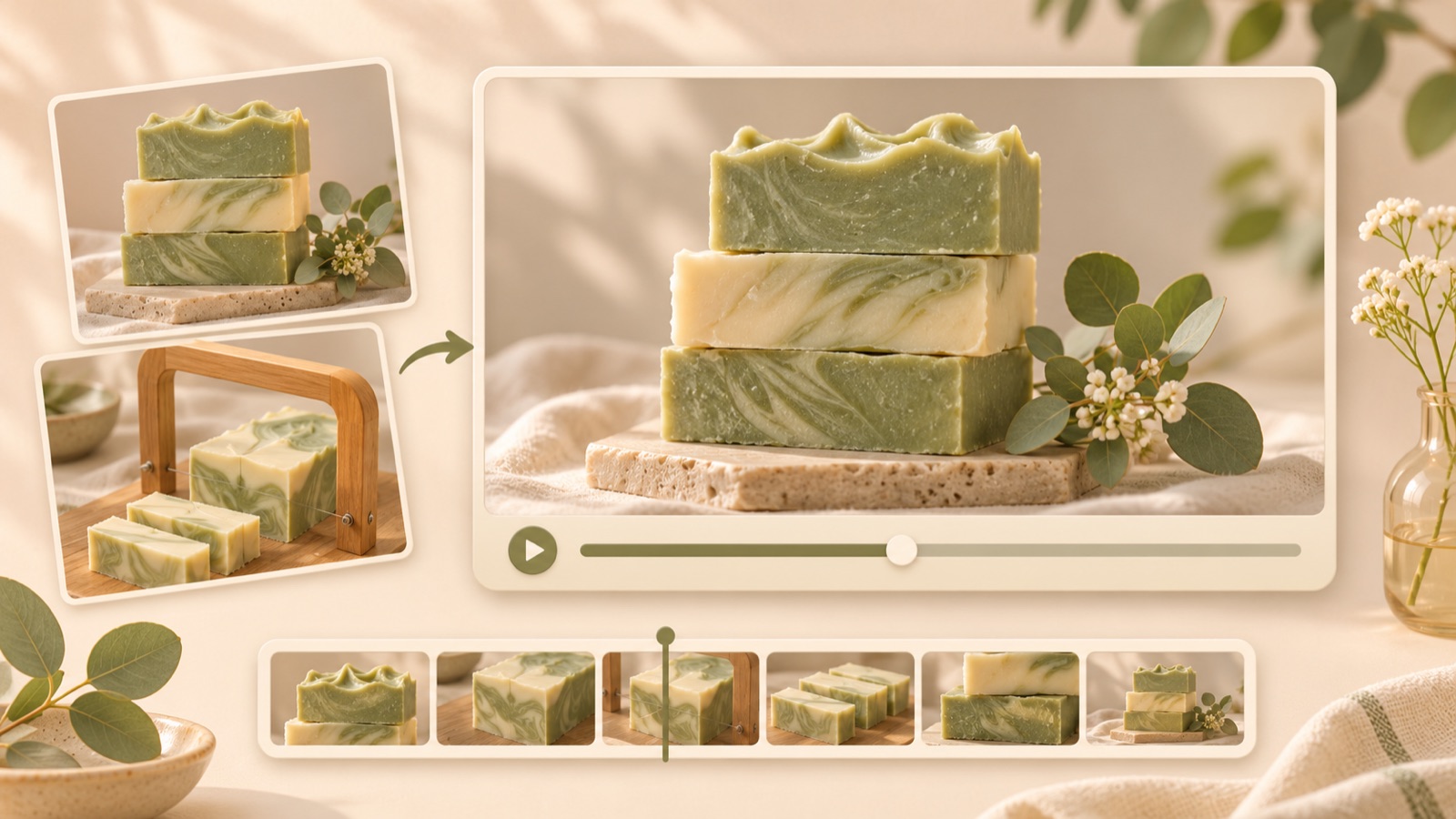
To create a handmade soap video ad, start with your existing product photos and production or cutting footage. Choose one reason to buy—scent, ingredients, or handmade texture—and connect scenes that show it. Add a reference ad and your product materials to AdForge to create an English script, storyboard, voiceover, and captions. Follow the steps below to produce your first ad without editing it yourself, then check that it accurately represents the product you sell.
Organize photos and production footage by the buyer questions they answer
First, choose one soap product to advertise and gather your materials. Use full-bar photos to show shape and size, cross-section photos to show color and patterns, and cutting footage to show the handmade process. Keep any lather or packaging footage in separate groups. In a discussion about handmade soap product videos, participants also said they wanted to see lather, the product’s actual appearance, ingredients, and production and packaging scenes. These comments can help you choose scenes; they are not evidence of ad performance.2
For each asset, write one sentence explaining what viewers can verify from it. For example, label a cross-section photo “the actual pattern of the product for sale” and a cutting clip “the process of cutting a block into individual bars.” Exclude photos of other scents or older packaging from this set of materials. Adobe’s guide to creating promotional materials for a soap business also offers a useful reference for showing ingredients, the production process, and product colors and textures through photos and video. Here, we use that approach as a basis for organizing assets.3
Choose scent, ingredients, or handmade texture as your opening message
Choose just one thing to communicate in your first ad. If scent is the focus, prepare an accurate scent description and a usage occasion. If ingredients are the focus, prepare verified ingredient information and photos of that product. If handmade texture is the focus, lead with cross-section and cutting scenes. The deciding question is, “Can I show this with the materials I already have?” Since scent cannot be conveyed directly on screen, support it with an English description that fits the product. Define the scope of your message so that ingredient photos alone do not become claims about skin benefits.
As a hypothetical example, suppose you are advertising a handmade soap with an actual lavender scent description. You could place “A closer look at your next soap bar.” over the opening cross-section shot, “Cut by hand.” over the cutting scene, and “Explore the lavender bar.” over the final product photo. Use the cutting claim only if the product is actually cut by hand. To put more emphasis on scent, prepare a follow-up version by changing the opening line to “Meet your next lavender soap.” while keeping the scenes.
Find where your cutting footage fits in the reference ad
Choose a reference ad whose flow will feel natural with your materials. A structure that shows the finished product before moving into production makes it easy to connect a full-bar photo with cutting footage. In AdForge, you can search for active ads in the Meta and TikTok ad libraries and see how many days they have been running. Review the analysis of a saved video’s hook, pacing, cuts, captions, voice, and music to decide whether it has scenes you can fill with your own materials. Do not judge performance solely by how long an ad has been running.
For this hypothetical example, use the structure “close-up of the cross-section → cutting process → product for sale and purchase guidance.” Use the reference only for the opening scene’s role and visual composition, and create the product presentation and copy around your own materials. If a reference features several ingredients and you do not have assets for them, it is better to choose a different structure. In an actual post asking about soap ad production, a seller who had been running image ads also asked about using production and cutting footage despite a lack of editing experience.1
Add your materials to AdForge and review the English script and scenes
Open the ad search screen in AdForge, choose a reference that fits your planned structure, and save it. Review the saved ad’s analysis, then add your own soap photos, cutting footage, and product message for the new ad. You can also paste your product page address to fill in product information automatically. Check that the populated scent name, ingredients, and product name are accurate. Select English as the production language and enter specific messages for the opening scene, production process, and final call to action, as in the hypothetical example.
During video creation, read and edit the AI-generated script and storyboard yourself. If a scene intended to show the cross-section contains a lengthy overview of the product, shorten the copy. Keep only verifiable descriptions of the process in the cutting scene. AdForge adds AI voiceover, word-synced captions, and background music. Check that these elements fit the scenes in the generated result; you can regenerate a single scene if it has an issue. Video ads are a paid-plan feature, so distinguish them from the free image ad offering before starting production.
Compare the ad with the actual soap, then create a follow-up with a different opening
Watch the finished video alongside your product photos. Check that the soap’s color, pattern, and shape match the product you sell, and that the cutting scene cannot be mistaken for a different product. Verify the scent and product names in the English captions and voiceover, and compare any descriptions of pack quantities or included items with the actual sales terms. Watch with the sound off to check whether viewers can still understand which soap it is and what to do next. You are responsible for ensuring you have permission to use uploaded materials and for reviewing the output.
Download the reviewed creative and upload it directly to your existing ad account. Set up and run the campaign, and check its performance, in your existing ad management tools. For a follow-up ad, try using the same assets while changing only the reason to buy presented in the opening scene. If the first ad in the hypothetical example introduced the lavender scent, the next could focus on the cross-section and hand-cutting process. Recording which copy and scenes you changed will make it easier to use the results to decide what to create next.
Key takeaways
Gather full-bar and cross-section photos and cutting footage for one soap product you sell, then choose one reason to buy that you can show. Use a reference in AdForge to create an English ad, compare it with the actual product, and download it. Keep creating follow-up ads by changing the opening message while using the same materials.
FAQ
Can I create an English ad if my production footage has no sound?
Yes. Prepare silent production footage and product photos, then use AdForge to create an English script, AI voiceover, captions, and background music. Check that the descriptions in the finished video match the actual production scenes.
How should I describe the soap’s scent on screen?
Use the product’s verified scent name in a short line and show the actual soap alongside it. If you use ingredient images, check that those ingredients are actually in the product. Do not add claims about how long the scent lasts or skin benefits that are absent from the scent description.
Should I delay my first ad if I do not have lather footage?
No. If you have cross-section photos and cutting footage, you can build your first ad around color, patterns, and the production process. If lather volume or the experience of using the soap is your main message, prepare actual materials that demonstrate it.
Can I run the finished video on Facebook directly from AdForge?
Automatic publishing to ad accounts is not yet available. Download the finished creative and upload it directly to your ad account, then use your existing ad management tools for setup, delivery, and performance tracking.
Related reading
Make your next ad with AdForge
AdForge (ad-forge.io) is an ad remake app: pick an ad you like and rebuild it as a video or image ad for your own product. Find references in the Meta and TikTok ad libraries, let AdForge write the script, AI narration and captions, then review and download. Every account starts with 12 free image ads.