How to Create Café Image Ads: Turn Menu Photos into English Instagram Ad Drafts
A step-by-step guide to deciding what to highlight in your drink and dessert photos, then using a reference ad’s layout to create English image ads. Includes criteria for choosing a menu spotlight, drink-and-dessert pairing, or visit incentive.
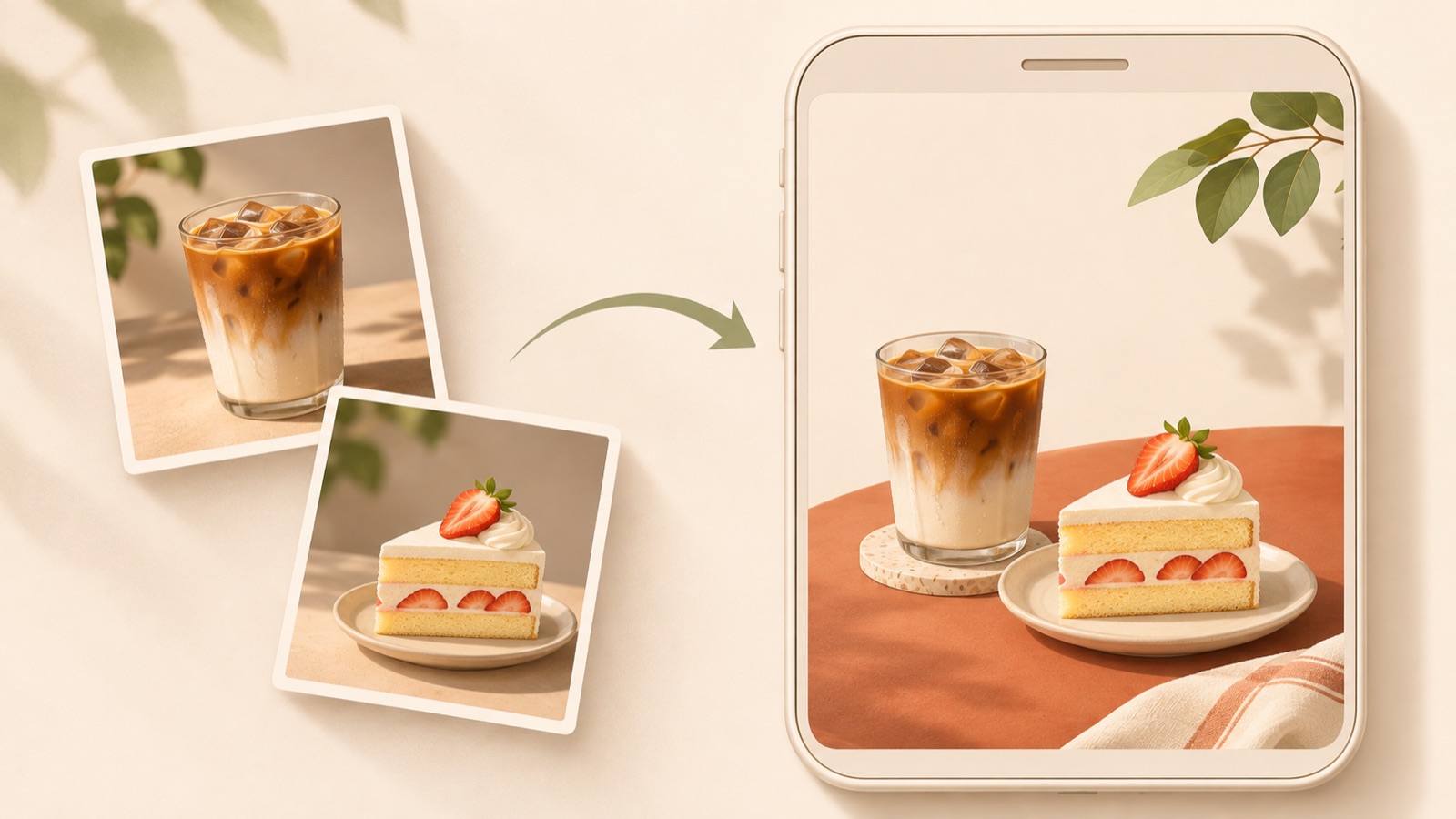
Start creating your café image ad by choosing one signature menu item and one reason to visit. Deciding whether to feature a large drink image, pair it with a dessert, or lead with a visit incentive also makes it easier to choose a reference ad. With your own actual photos and accurate menu information ready, you can use a reference layout in AdForge to create three English image ad drafts. Follow the steps below to decide on photos, copy, and placement, then choose the creative to download.
Decide what question your ad should answer before choosing photos
Choose just one thing you want customers to remember from your first ad. Use a menu spotlight to introduce a signature drink, a drink-and-dessert pairing to show something to enjoy with coffee, or a visit incentive to encourage visits at a particular time. These are criteria for setting your creative direction. Trying to fit the entire menu, a café introduction, and a discount announcement into one image makes it difficult to decide what people should read first.
Questions from actual café operators also reflect concerns about designs looking amateurish and the search for tools to improve them.1 Before adding photos to a tool, write down your featured menu item’s name, actual selling price, availability times, and café location in one place. If you are including an offer, confirm the eligible items and offer period as well. Choosing an item with a clear reason to promote it now, rather than simply the item with the best photo, helps keep your English copy and reference aligned.
Prepare menu photos that show what customers actually receive
Choose a main photo in which the drink or dessert stands out from the background. A photo showing the entire cup works well for conveying the appearance of the container and drink, while a cross-section can show a dessert’s filling. Amazon Ads’ coffee advertising guide also covers product imagery and copy structure, making it a useful reference for showing drinks clearly.2 However, do not use its advertising context to predict Instagram performance.
For a pairing ad, prepare photos in which both items you plan to sell together are clearly visible. If you use separate photos, make sure you can check the result for awkward size proportions between the cup and plate. Also check that any logos or price tags in your materials match the café’s current information. AdForge creates image ads using actual product photos, so it is best to first confirm that you have permission to use the photos you upload and that they match what you actually serve.
Plan the reference layout and English copy together
Search for “coffee ads” or a menu item’s name in AdForge’s Meta ad library to find image ads to use as references. You can analyze the layouts and colors of saved image ads. Look beyond attractive colors to examine where the product sits, the space available for a headline, and the placement of prices and calls to action. You can also see how long an ad has been running, but a long run alone does not prove that it is effective.
English copy is easier to organize when you break it into the menu item’s name, a reason to choose it, and the next action. As a hypothetical example, if you are showing a latte and croissant together, you could use “Your afternoon coffee break” as the headline, “Latte + croissant” as the menu description, and “Stop by this afternoon” as the call to action. Use this only if the items are actually sold in the afternoon. Offer wording that accurately reflects the product and the facts is also a useful criterion when drawing on coffee ad layouts.2 If you do not offer a discount or a set price, do not invent one.
Create drafts in AdForge with a reference and your own menu photos
First, choose an image reference you saved in AdForge’s ad library. For a menu spotlight, select a layout that shows one product prominently; for a pairing, choose one that allows you to position two products separately. When entering product information, add the menu item’s name and selling points, then upload actual drink and dessert photos. If you have a product page URL, you can paste it to fill in the information automatically, then check that the menu name and description are correct.
In the message, include the English copy you prepared along with the confirmed price and offer conditions. A hypothetical input would be: “Use photos of an iced latte and croissant. The headline is Your afternoon coffee break. Highlight the two menu items and an afternoon visit message, without discount wording.” When you proceed with image ad creation, AdForge uses your actual product photos to create three drafts following the reference layout. Review the product appearance and copy on the results screen, then choose and download the creative you want to use. Use the reference’s structure without carrying over another café’s name or offers.
- Choose an image reference from the ad library that suits your menu photos.
- Enter product information and selling points, then upload menu photos you have permission to use.
- Enter the English message and actual price and offer conditions.
- Review the three drafts and download the result you want to use.
Choose the draft that shows what customers need to know before visiting
When comparing the three drafts, first check for any differences from your actual menu items. Compare the cup shape, drink color, number of desserts, and toppings with the original photos. Then read the English menu name and price on your phone. Even if the product is recognizable, unclear information about where and when to buy it leaves customers without what they need to decide on a visit. For your first ad, choose the draft that makes the menu item and reason to visit easy to understand quickly, rather than the most decorative option.
Start by running one layout that fits your objective, and decide on one element to change in the next creative to make comparison easier. For example, you could apply menu-name-focused copy and afternoon-break-focused copy to the same latte photo. To register the ad, set up the campaign, run it, and check performance, upload the downloaded creative directly to your existing ad management tool. Then use the response to decide whether to keep highlighting the signature item or expand to a dessert pairing in your next ad.
Key takeaways
Choose one signature menu item and one reason to visit, then select a reference that suits your actual photos. Create three image ad drafts in AdForge with accurate menu information and English copy, then choose the creative that clearly shows the product and information for your first ad.
FAQ
Can I start with just one drink photo?
Yes. Start with a menu spotlight that shows one product prominently. Briefly include the menu item’s name, its actual characteristics, and an action that encourages a visit. If you do not have a dessert photo, choose a reference that suits your existing drink photo instead of a pairing layout.
Do I have to include a price in an English ad?
Choose based on the ad’s objective. If the price or visit incentive is the main message, include the exact amount and conditions. If you are introducing a signature item, you can prioritize its name and features. Do not include sets or discounts you do not actually offer.
Can I try AdForge for free as a café poster creation tool?
Every account starts with 12 free image ads made with your own product photos. No card is required, and the free allowance does not replenish. You can use your menu photos to get started with image ad creation.
Are completed images automatically submitted as Instagram ads?
AdForge does not yet have a feature for automatically running ads through your ad account. Download the completed creative and upload it directly to your ad account. Use your existing ad management tool to set up campaigns, run ads, and check performance.
Related reading
Make your next ad with AdForge
AdForge (ad-forge.io) is an ad remake app: pick an ad you like and rebuild it as a video or image ad for your own product. Find references in the Meta and TikTok ad libraries, let AdForge write the script, AI narration and captions, then review and download. Every account starts with 12 free image ads.