5 Athletic Shorts Video Ad Examples: Using Product Photos and Try-On Footage
Before hiring another creator, try reworking your ads with product detail photos and existing try-on footage. These five examples cover English copy, scene order, and how to build a draft in AdForge.
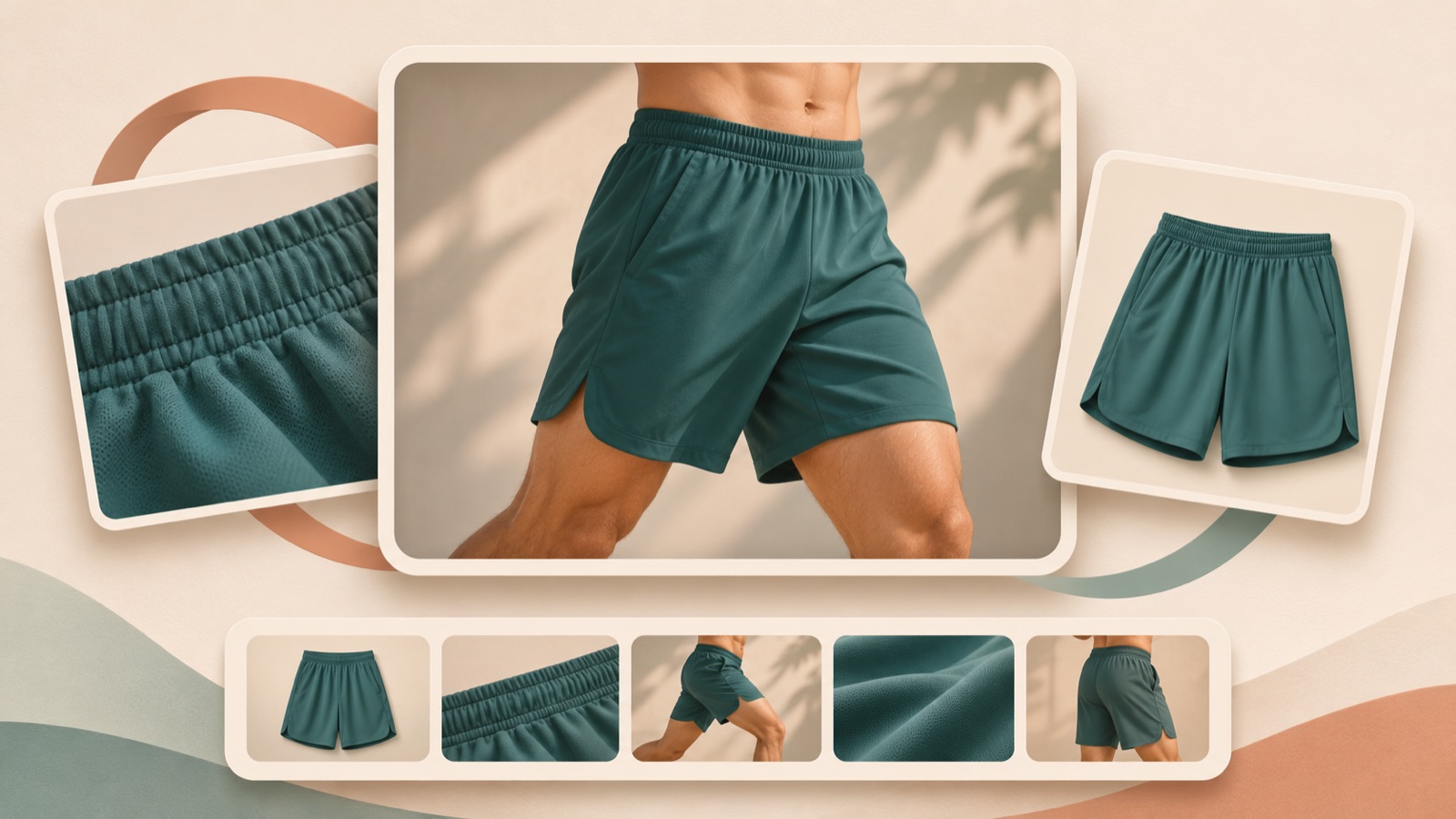
If you’re looking for athletic shorts video ad examples, sort your existing assets into five approaches: product details, fit in motion, use cases, color selection, and offers. Even before hiring new talent, you can draft English ads with different opening scenes and reasons to buy. In one real case, an athletic shorts seller asked about the difficulty of hiring creators and what direction to take with follow-up creative.1 All five examples below are hypothetical. We’ve outlined suitable approaches for different assets, along with the messages to enter in AdForge and the scenes to review.
1. A Product Detail Ad That Opens with the Pocket
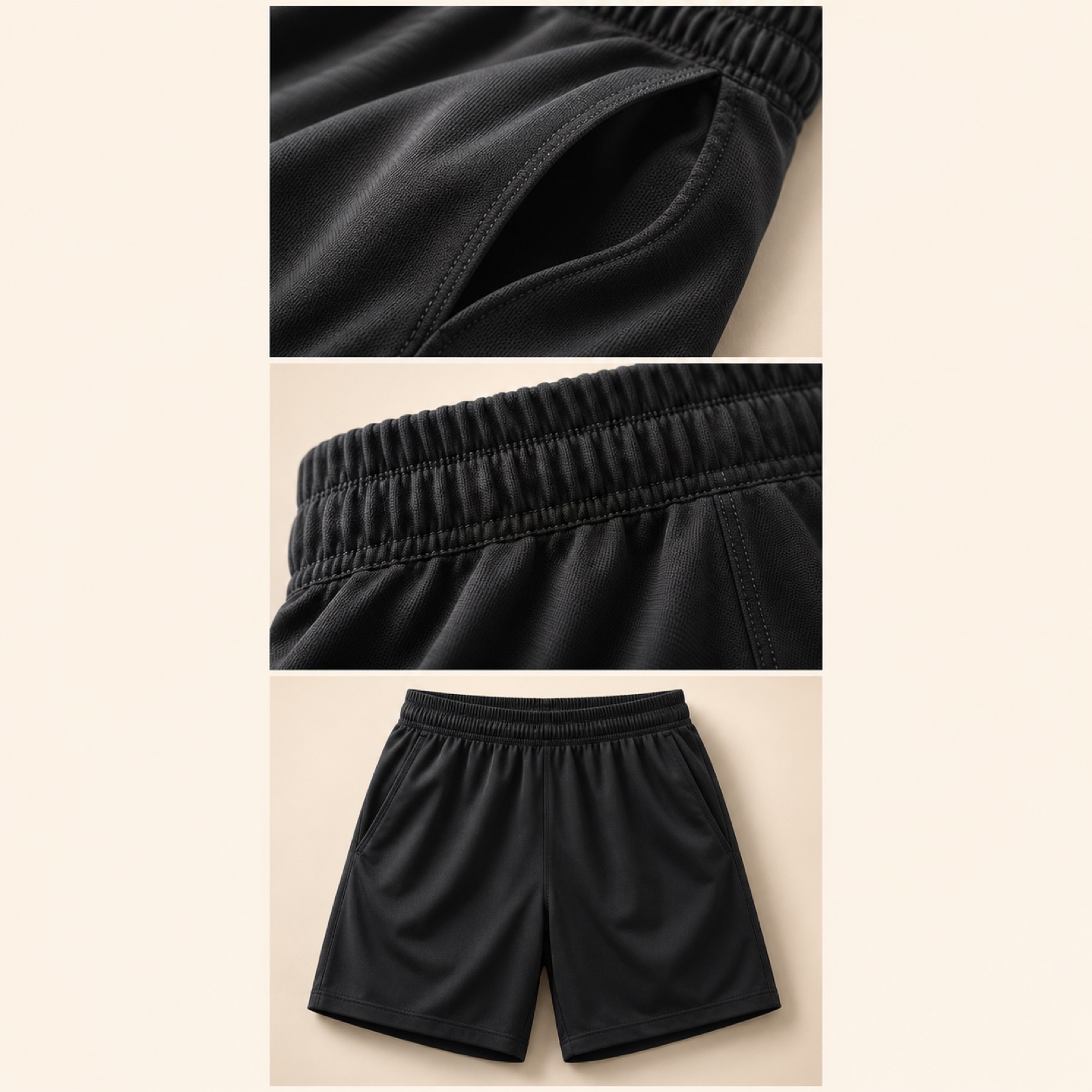
This is a hypothetical example. Open with a full-screen close-up of the pocket opening on a pair of black shorts, paired with the English copy “Look closer.” Follow with photos of the waistband, stitching, and the full pair of shorts, in that order. End with the product name and “Explore the details.” Instead of showing the whole product first, this sequence starts with a small detail and lets viewers discover the overall shape in the next scenes. It’s a good option when you have plenty of detail photos but little try-on footage.
When adapting this for your product, focus on one feature that is clearly visible in the photos. Don’t imply that a pocket without a zipper has a closure, or claim that it securely holds items based on photos alone. In AdForge, choose a reference that zooms in on product details, then add your actual product photos and selling points. Check that the English script and storyboard pair each description with the right photo, then review the output to make sure the pocket shape and stitching match the originals.
2. A Fit-in-Motion Ad That Shows the Full Movement
This is a hypothetical example. Start with a segment of existing try-on footage showing one person performing a lunge. Place “See the fit in motion.” at the top, then continue showing how the waist and hems look before and after the movement. Briefly insert a front-view photo of the same product midway through, and finish with “Find your fit.” There is also a case of a shorts ad targeting the US that used product photos and photos of a model wearing the shorts.2 Here, that combination of assets is extended into a video that lets viewers see the product in motion.
The purpose of this approach is to let viewers observe the fit. Avoid using it to make claims about comfort on their behalf. Choose a segment that shows the beginning and end of the movement, rather than cutting out only the moment when the person bends down. Add try-on footage you have permission to use and photos of the same product to AdForge, and specify that the English script should describe only movements actually visible in the footage. Check the storyboard and output for continuity in the waistline, hems, and product color. To describe performance during another exercise, you’ll need separate assets showing that exercise.
3. A Use-Case Ad That Opens with the Workout
This is a hypothetical example. Add “Ready for your next run?” to a scene from your existing running footage just before the runner sets off. Follow a short running segment with a product photo and show one detail that can actually be verified. End with “Explore the shorts.” Opening with an exercise scenario can help viewers imagine when they would wear the product. TikTok’s official creative guidance also covers moving from an opening hook to the product and its benefits, along with using vertical video and captions.3
When adapting this for your product, start with the exercise shown in your footage. Don’t describe the shorts as a dedicated running product when you only have gym footage, or use a short walking clip to substantiate comfort over long distances. In AdForge, save a reference that moves from a use case to the product, and use the pacing and shot analysis as a guide. Create an English script with your own try-on footage and product photos, then check that the opening question and closing prompt refer to the same use case. Refine the sequence so it still makes sense when viewers read the captions before hearing the voiceover.
4. A Color Selection Ad That Helps Viewers Choose
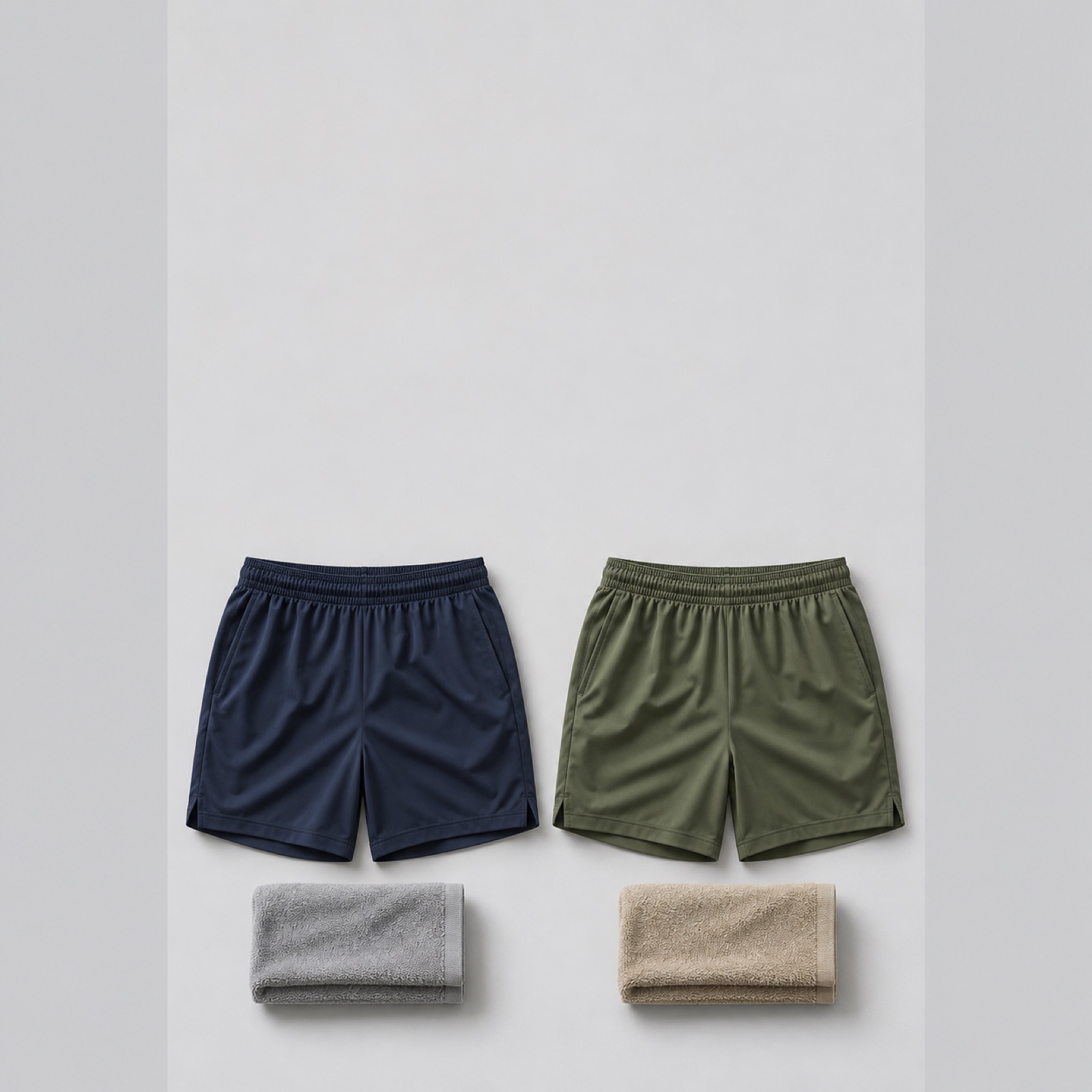
This is a hypothetical example. Place photos of navy and olive shorts taken from the same angle side by side, with “Which color fits your kit?” In the next scene, show each photo individually at a larger size, then move into your existing try-on footage. End with “Choose your color.” This gives viewers a specific question about color selection and a reason to look at the product. It can work when you have product photos for each color but have little scope to add feature explanations.
Use colors you actually sell and their correct names. If the lighting differs significantly between photos, first check whether the colors can be compared side by side. In AdForge, choose a video reference that alternates between products, then add photos of each color, try-on footage, and your English message. Review the photo order in the generated storyboard, and check that the color names match the products in the output. If your try-on footage shows only one color, use copy to identify that product rather than editing the sequence to imply that the other colors were also worn.
5. An Offer Ad That Makes Purchase Terms Clear Up Front
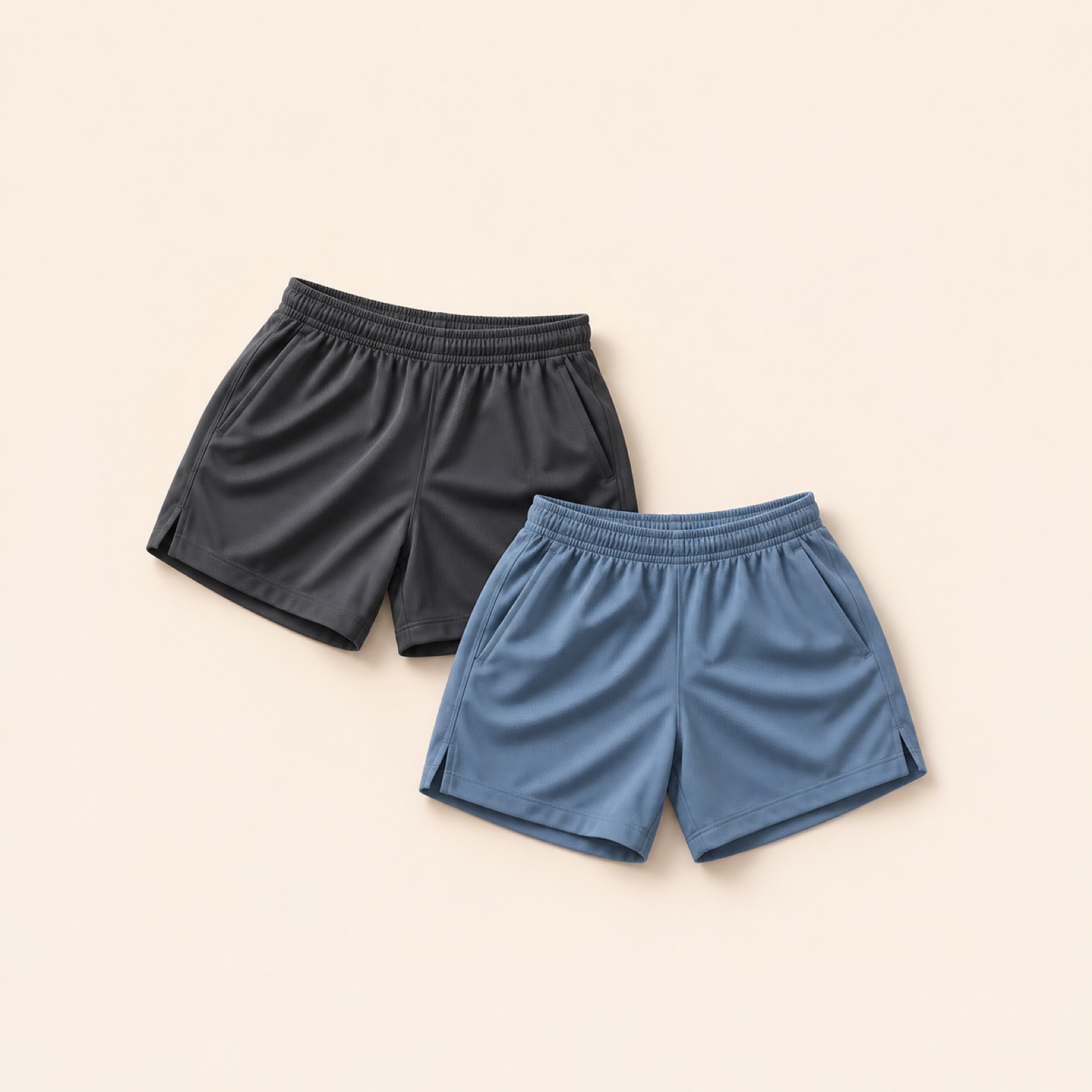
This is a hypothetical example. Assuming the product has an actual bundle offer, place “Buying a pair?” over a photo of two pairs of shorts. In the next scene, display the confirmed bundle price together with the applicable terms, then follow existing try-on footage with “Shop the bundle.” This approach helps viewers understand who can buy and under what conditions, rather than simply emphasizing the size of the offer. If you don’t sell a bundle, don’t force this example to fit; choose the product detail or fit approach above.
In AdForge, search the Meta and TikTok ad libraries for references that explain offers, then review the hook, shot, and caption analysis of your saved ads. At the product information step, enter the product page address to populate the information, then review the actual bundle contents and terms and upload your own photos and footage. Revise the English script and storyboard so the price and terms appear together, and check that the narration and captions match when reviewing the output. Regenerate any scenes that need work, then download the video. Video production is paid, and you register and run ads and check performance yourself in your existing ad management tools.
Key takeaways
Start with a product detail ad if you have plenty of detail photos, a fit ad if the movement is clearly visible, or a use-case ad if the exercise context is clear. Use colors and offers when the actual sales conditions support them. Choose one reason to buy that your existing assets can show, then turn it into an English script and scene sequence to establish the direction of your first draft.
FAQ
Can I create an English video ad with product photos alone?
You can create a video ad by adding product photos and a message to AdForge. If you only have photos, an approach that explains details, colors, or purchase terms is suitable. To show actual movement or performance while worn, you’ll need the relevant assets.
What should I change first if I have just one existing try-on video?
First, choose one reason to buy that viewers can verify in the footage. Even with the same movement, you can open by showing the fit or by asking a question about the exercise scenario. To make later comparisons easier, keep the product and purchase terms the same and start by changing the opening message.
Can I edit the English script and captions in AdForge?
You can create an English script, narration, and captions, and directly edit the AI-generated script and storyboard. Refine the product name and selling points in the script, then check that the narration and captions in the output convey the intended message.
Where do I assess which example works better?
First, choose an approach that lets you communicate the message fully with your existing assets. Download the finished creative and upload it directly to your ad account, then manage campaign settings and check performance in your existing ad management tools. The production method alone does not guarantee ad performance.
Related reading
Make your next ad with AdForge
AdForge (ad-forge.io) is an ad remake app: pick an ad you like and rebuild it as a video or image ad for your own product. Find references in the Meta and TikTok ad libraries, let AdForge write the script, AI narration and captions, then review and download. Every account starts with 12 free image ads.