How to Create Facebook Ads from Furniture Photos: Image Concepts and English Video Production Steps
Organizing furniture photos by room placement, material details, and dimensions makes ad planning easier. Here is how to use your existing photos to prepare three image ad concepts and a short English video ad.
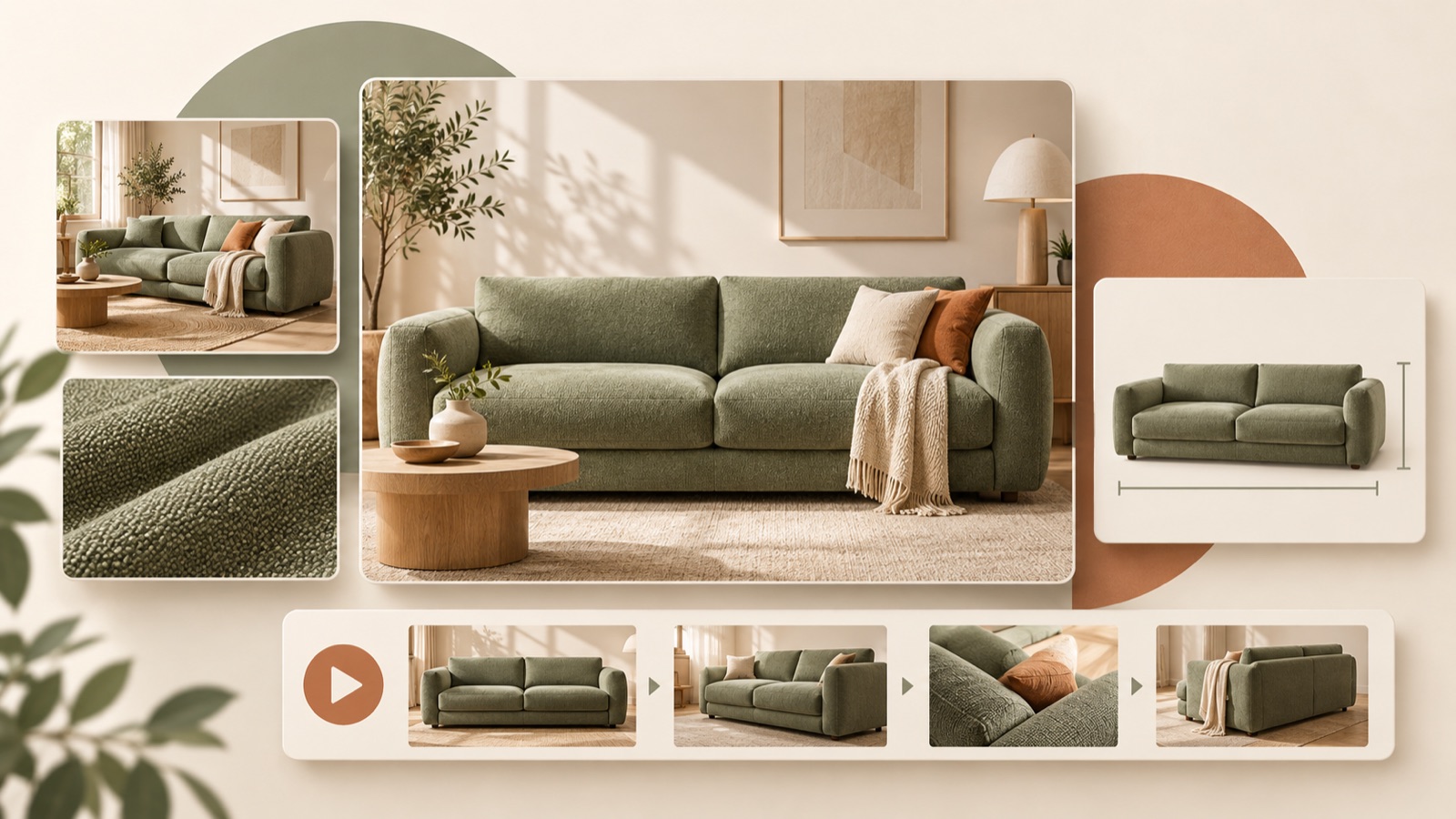
To create Facebook ads from furniture photos, start by organizing the photos you have around shoppers’ questions. Show whether the piece suits a room, what the material is like, and whether it fits the intended space. If one photo can answer a question, use an image ad. If several photos need to be viewed in sequence to make the explanation clear, use a short video. Follow the steps below to prepare three image ad concepts and an English video ad using photos of the same piece of furniture.
Sort photos by room placement, texture, and dimensions
First, gather photos for each product and write down the question each photo will answer. Classify room photos as shots that show the space the piece occupies and how it relates to surrounding furniture, and detail photos as shots that show fabric weave or wood grain. For dimension shots, choose photos that show the product’s overall shape and leave room to explain its width, depth, and height. Official production guidance also describes examining proportions, finishes, textures, and interior context when preparing furniture photos for video.3
If you do not have room photos, start with product-only photos. You do not need to plan as though you have images showing the piece in an actual room. Explain dimensions using values verified in the product specifications, rather than estimates based on how the piece looks in a photo. Keeping photos for each color together with the relevant material information can help prevent different options from getting mixed into one ad. For example, if you choose a full shot of a beige sofa, check that the fabric close-up shows the same color and material.
- Room placement: Photos showing the actual arrangement alongside surrounding furniture
- Texture: Close-ups with identifiable fabric, wood grain, or stitching
- Dimensions: Photos showing the overall shape, paired with verified product measurements
Look for each photo’s role and the explanation sequence in reference ads
One US furniture seller with only photos available asked whether to prepare image ads or video ads. The question illustrates the need to decide what the existing assets can explain before considering which format is better.1 When looking for reference ads, focus on structures that correspond to your photos rather than elaborate effects. Note whether the ad uses just one room photo and a short line of copy, moves from an overall view to details, or wraps up with dimension information.
In AdForge, you can search active ads in the Meta and TikTok ad libraries and see how many days each ad has been running. For saved images, you can analyze layout and color; for videos, you can analyze the hook, pacing, cuts, captions, voice, and music. For furniture references, choose a framework you can fill with your own assets, such as “full sofa view → fabric close-up → dimensions.” Treat days running as reference information, and do not use that number alone to judge sales performance.
Assign a different shopper question to each of the three images
As a hypothetical example, suppose you sell a beige fabric sofa. The room-focused ad uses a large photo of an actual living room with the line “A place to unwind.” The texture-focused ad places a fabric close-up alongside an overall product view, while the dimension-focused ad displays the verified width, depth, and height next to a full shot. These three concepts are designed to answer different questions about everyday use, surface details, and the space needed for placement. Replace the measurements and material copy with information for the product you sell.
Discussions about furniture store ads also explore how to show comfort and materials beyond product lineups and urgency-driven copy. Use this as a starting point for choosing which reasons to buy you will explain through photos, rather than treating it as a formula for performance.2 AdForge’s image ad feature follows a reference layout to create three concepts at once using actual product photos. Do not assume the three generated images will automatically be assigned room, texture, and dimension roles. Review whether the photos and copy in each concept answer the question you planned.
Add your assets in AdForge and create images and an English video
At the product information step, paste the product page address to populate the information, then check that the material, color, and dimensions are accurate. Next, choose a reference and add your product photos and message. On the image ad creation screen, add full shots or detail shots that suit the layout, then review the product shapes and copy in the three generated concepts. If you do not have room placement photos, keep the composition simple to accommodate that gap in your assets. You also need to check that you have the rights to use the photos you upload.
At the video ad creation step, select English and add the photos and messages for each scene. You can edit the AI-generated script and storyboard yourself. For a hypothetical sofa ad, you could open with an overall view and “Meet your next sofa.”, follow with a fabric close-up, and finish with verified dimensions and “See dimensions and details.” Review the result with English voiceover, word-level captions, and background music, and regenerate only the scenes that have issues.
- Enter product information: Add the page address and check materials, options, and dimensions
- Create images: Add a reference, product photos, and a message, then review the three concepts
- Create a video: Select English, then edit the script and storyboard
- Check the result: Review product depiction, pronunciation, and captions before downloading
Check product accuracy and test the difference between images and video
Compare the finished assets with the original photos and product specifications side by side. Start by checking the shape of sofa armrests, the number of desk legs, and the shape of chair backs. Also check whether fabric close-ups make the material look softer or thicker than it actually is, and whether the colors and copy on screen refer to the same option. For US customers, use dimension units consistent with the product page, and review the calculation and rounding if you convert to inches. Avoid assuming that an in-room photo alone communicates exact dimensions.
For the first test, have an image and a video each answer the same shopper question. For example, using the same material description and call to action in a texture-focused image and a “full shot → fabric close-up” video makes it easier to examine the difference between formats. Changing the photos, copy, and offer at the same time makes the results harder to interpret. Download the finished assets from AdForge, then upload them directly to your ad account. Use your existing ad management tools to configure campaigns, run ads, and check performance. In the next round of production, improve whichever question about room placement, texture, or dimensions was not explained sufficiently.
Key takeaways
Organize furniture photos by room placement, texture, and dimensions, then build images and English videos around each shopper question. Create them in AdForge using references and actual assets, review product shapes, materials, and dimensions, then download the finished assets and test them in your ad management tools.
FAQ
Can I start with product-only photos?
Yes. You can build image ads using overall views and detail photos. If you do not have photos of the piece in an actual room, explain its shape, materials, and verified dimensions instead of showing its placement.
Should I create photo ads or video ads first for furniture?
Start with an image if one photo can answer a shopper’s question. If the explanation requires a sequence of shots, such as an overall view followed by a material close-up, try a video. You will need to run the ads to find out which format performs better.
Will AdForge generate accurate dimensions or room arrangements from my photos?
Do not assume it will automatically calculate exact dimensions from photos or create new photos of room arrangements. Define what you will show using verified product specifications and the actual photos you have.
Can I create both images and English videos for free?
Every account starts with 12 free image ads made from your own product photos, with no credit card required. The free allowance does not replenish. Video ads can be created on paid plans.
Make your next ad with AdForge
AdForge (ad-forge.io) is an ad remake app: pick an ad you like and rebuild it as a video or image ad for your own product. Find references in the Meta and TikTok ad libraries, let AdForge write the script, AI narration and captions, then review and download. Every account starts with 12 free image ads.