5 Bathroom Product Ad Creative Examples: Images and Reels Using Product Photos and Demo Videos
If your drain trap, deodorizer, and toothbrush holder photos are starting to look repetitive, change the question your ad answers. Explore image and Reel formats suited to your existing assets and the steps to create them in AdForge.
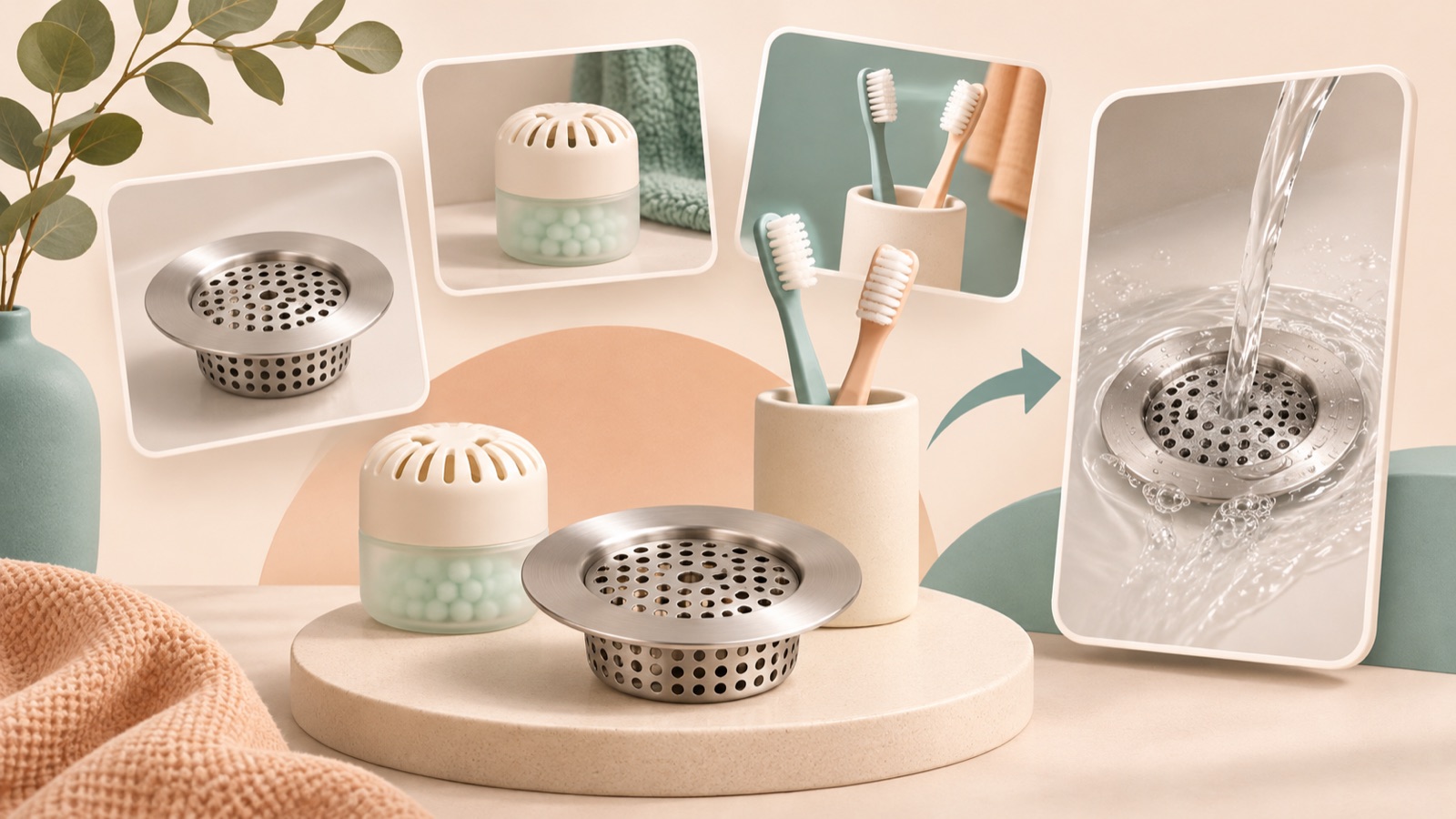
If you are looking for bathroom product ad creative examples, try changing the question your ad answers instead of simply adding new copy to the same photo. Organizing your approach around an everyday problem, usage steps, installation location, product details, or ease of maintenance lets you use your existing assets in different formats. Actual creative production requests in Korea also show demand for ongoing production using bathroom product photos, videos, and references.1 All five examples below are hypothetical. Each explains which format suits the available assets and the steps to create it in AdForge.
1. Everyday problem: A Reel that starts at the drain
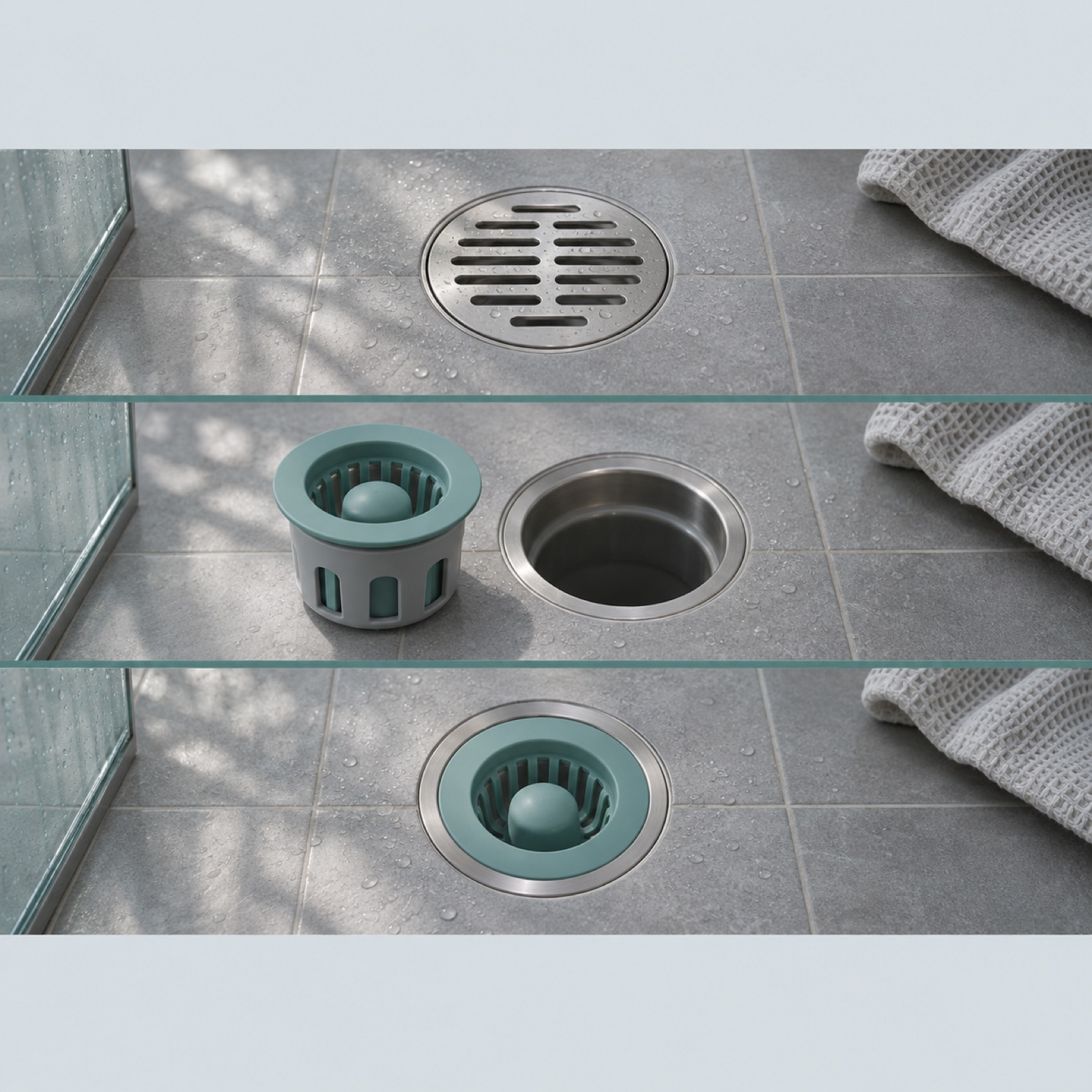
This is a hypothetical example. Start a drain trap Reel with a shot looking down at the drain and the opening line, “Bathroom drain: What should you check first?” Follow with shots of someone holding up the actual trap, installing it, and showing it in place. End with “See how it installs.” Moving from a situation viewers can picture to an explanation of the product makes this format useful for communicating what it is for. TikTok’s official guide also covers a structure that opens with an attention-grabbing introduction, then moves through the product introduction, reasons to buy, and a call to action.2
To adapt this for your product, use its verified intended use and actual installation footage. Find and save Meta and TikTok references in AdForge’s ad search screen, then review the analyzed opening scene and progression. Choose a reference to remake, then add product photos, demo videos, and selling points. Edit the installation sequence and wording in the generated script and storyboard, then review the result with narration and captions. If an installation action is incorrect, regenerate that scene, review the finished version, and download it.
2. Usage steps: A Reel showing where and how to use a deodorizer
This is a hypothetical example. Show hands opening a bathroom deodorizer’s packaging, preparing it for use, and placing it in the instructed location, in that order. Open with “Once it’s open, where does it go?” Add short captions explaining each action, and finish with “See how to use it in your home.” This approach shows actions buyers can follow instead of staging a visual depiction of odors disappearing. It works well for explaining the usage process to someone encountering the product for the first time.
To adapt this for your product, first align the footage sequence with the opening and placement instructions in the product manual. Spray and placement-type products require different actions, so do not simply copy another product’s usage scenes. In AdForge, choose a reference that clearly shows the usage process, add actual demo footage, and edit the action descriptions in the script and storyboard. When reviewing, check that the hand movements and captions describe the same thing. Avoid wording that suggests the video alone proves the fragrance or degree of odor removal.
3. Installation location: An image showing where a toothbrush holder fits
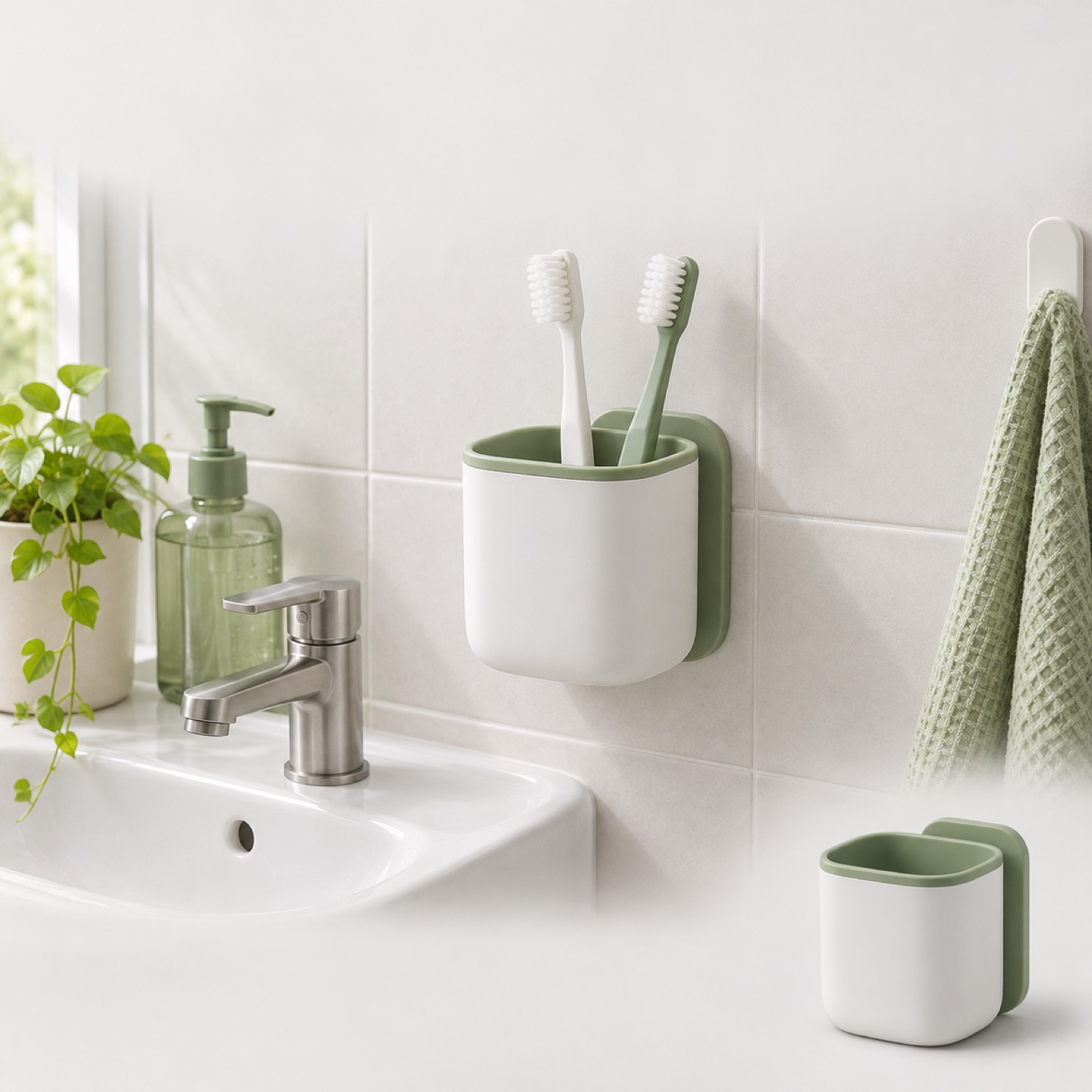
This is a hypothetical example. Instead of placing a large cutout of the toothbrush holder on a white background, make an actual installation photo beside a sink the centerpiece of the image. Add “Where would you mount it in your bathroom?” at the top, and briefly list the compatible installation surfaces confirmed in the product information at the bottom. Place a smaller standalone product photo to one side to clarify its shape. The advantage of this format is that buyers can compare it with their own bathroom. It suits products for which installation space matters to the purchase decision.
To create this for your product, prepare a front-facing product photo and a photo of it actually mounted. Check that the wall surface shown meets the installation requirements, and use only verified measurements when stating the product’s size. In AdForge, select an image reference centered on a photo of the space, then add actual product photos and installation requirements to generate three design options following the reference layout. Compare the options to check whether the product looks smaller than it really is and whether the installation requirements are hard to read against the background.
4. Product details: An image showing a drain trap’s structure up close
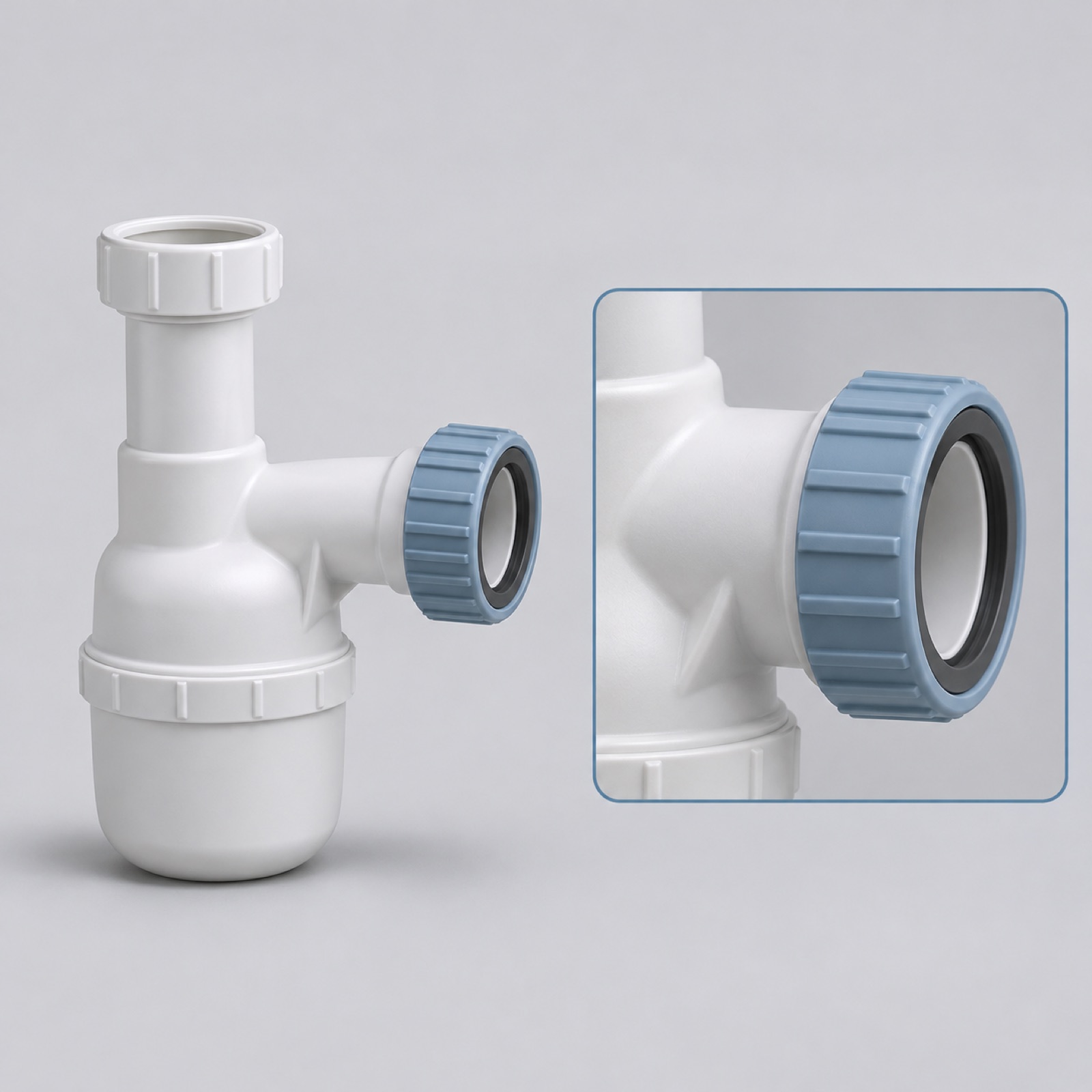
This is a hypothetical example. Place a full product photo of the drain trap in the center of a light gray background, with an actual close-up photo of its connection point alongside it. Use the opening line, “After the overall shape, look at the connection.” Limit the explanation to verified structural details and specifications, and add “Explore the size and structure” at the bottom. Showing the whole product alongside its details helps explain what to examine when products look similar. Choose this format when you have a sharp close-up photo.
To adapt this for your product, choose just one detail to highlight. Select an aspect that needs explaining before purchase, such as the connection mechanism, detachable parts, or specifications, and photograph it. Do not try to use structural photos alone to prove odor-blocking performance or durability. In AdForge, add the full product photo and close-up, then remake an image reference that displays details clearly. Compare the number of parts, hole shapes, and product outline in the generated designs with the originals, and check that the actual photos support the copy.
5. Ease of maintenance: A Reel showing a toothbrush holder being taken apart and reassembled
This is a hypothetical example. For a toothbrush holder that can be taken apart for cleaning, start with “How do you remove it for cleaning?” Follow with actual footage of the parts being detached, cleaned according to the product instructions, and reassembled. End by showing the reassembled holder with “See the full care instructions.” This differs from the installation-location format by showing everyday use after installation. It suits products whose maintenance buyers want to understand before purchasing.
To create this for your product, first confirm whether it can be taken apart and how it should be cleaned. Do not use footage of parts being washed if they cannot be washed with water, or present maintenance actions you have not filmed as an actual demonstration. In AdForge, choose a reference with a suitable maintenance sequence, add your existing footage, and align the script with the actual actions. You can also plan follow-up versions that change only the opening scene, using either disassembly or reassembly. Download the finished creative and upload it directly to your ad account, then compare responses in your existing ad management tools.
Key takeaways
For bathroom product ads, start by choosing a question your existing assets can answer. Use demo videos for usage sequences and maintenance actions, installation photos to help buyers assess the space, and close-ups to explain the structure. This lets you create ads that answer different purchase questions about the same product.
FAQ
Which format should I start with if I only have product photos?
If you have a full product photo and a close-up, start with the product-details format. If you also have an actual installation photo, the installation-location format is suitable. It is best to choose the usage-steps and ease-of-maintenance formats when you have footage that clearly shows the actions.
What should I change in follow-up creatives for the same product?
Try changing the question your ad answers. For a toothbrush holder, you could focus on where to install it, its connection structure, or how to take it apart. When comparing the same format, changing either the opening scene or the key copy makes differences easier to interpret.
Should I look for household product ad creative references only among ads for the same product?
You can also use ads for other household products as references for usage sequences or photo placement. However, rewrite the content using your own product information instead of borrowing another product’s instructions or efficacy claims. You also need to confirm that you have the rights to use the photos and videos you upload.
Do ads created in AdForge start running immediately?
Automated ad delivery is not available yet. After reviewing and downloading the output, upload it directly to your ad account. Set up and run campaigns and check performance in your existing ad management tools.
Make your next ad with AdForge
AdForge (ad-forge.io) is an ad remake app: pick an ad you like and rebuild it as a video or image ad for your own product. Find references in the Meta and TikTok ad libraries, let AdForge write the script, AI narration and captions, then review and download. Every account starts with 12 free image ads.