5 Perfume Facebook Ad Examples: Notes, Wearing Occasions, and Sampling Options
The same bottle photo can lead to different ad layouts when you change the question you answer for shoppers. Explore five concepts you can create with actual product photos, from fragrance notes to sampling options.

If you’re looking for perfume Facebook ad examples, start by separating the questions your ads will answer before changing the bottle photo. You can offer note labels to people curious about a fragrance’s composition and a sampling layout to those still exploring their preferences. The five concepts below are hypothetical examples informed by layout principles observed in actual ads. They are designed for indie fragrance brands selling to consumers in the U.S. and other English-speaking markets to adapt using their own product photos and verified fragrance descriptions.
1. Note Labels: Lay Out the Fragrance Notes Around the Bottle
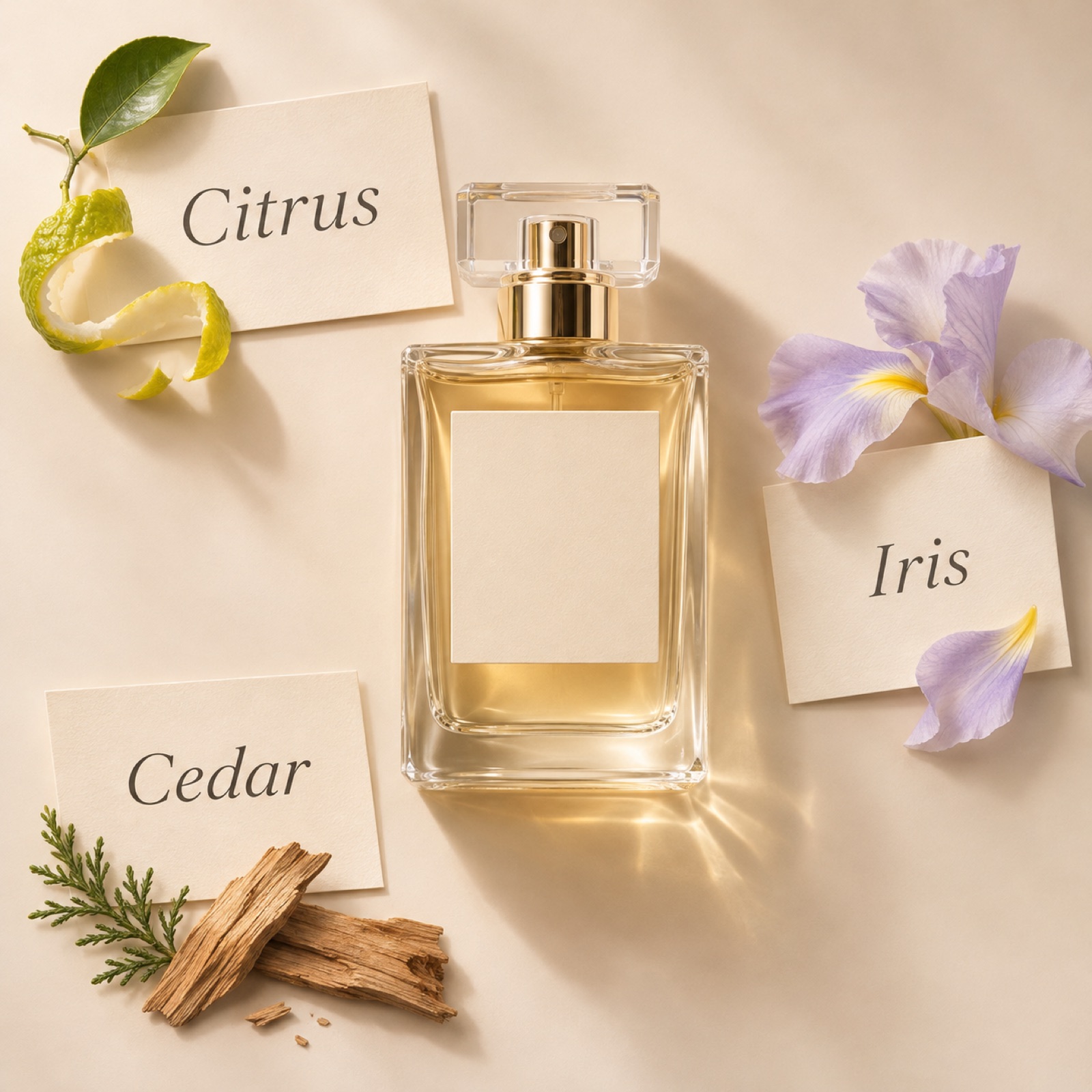
Snif’s note-label layout is a useful reference for treating fragrance information as a visual element in an ad.1 A hypothetical adaptation places a large perfume bottle in the center of a cream background, surrounded by labels for bergamot, iris, and cedarwood. Keep the English headline short, such as “Citrus. Iris. Cedar.” The purpose is to give shoppers clues for assessing the scent before presenting an abstract mood. Choose only the key notes so the labels don’t crowd or obscure the bottle.
When adapting this for your product, first check that the ingredient names and wording match the actual product description. If you use ingredient photos, make sure they don’t blur the distinction between what the product contains and the impression of its scent. In AdForge, choose and save an image ad with useful spacing and label placement, then add your perfume photo and verified notes. Compare the bottle shape, label spelling, and reading order across the three generated concepts before choosing one.
2. Sensory Collage: Convey the Scent Through Textures and Colors
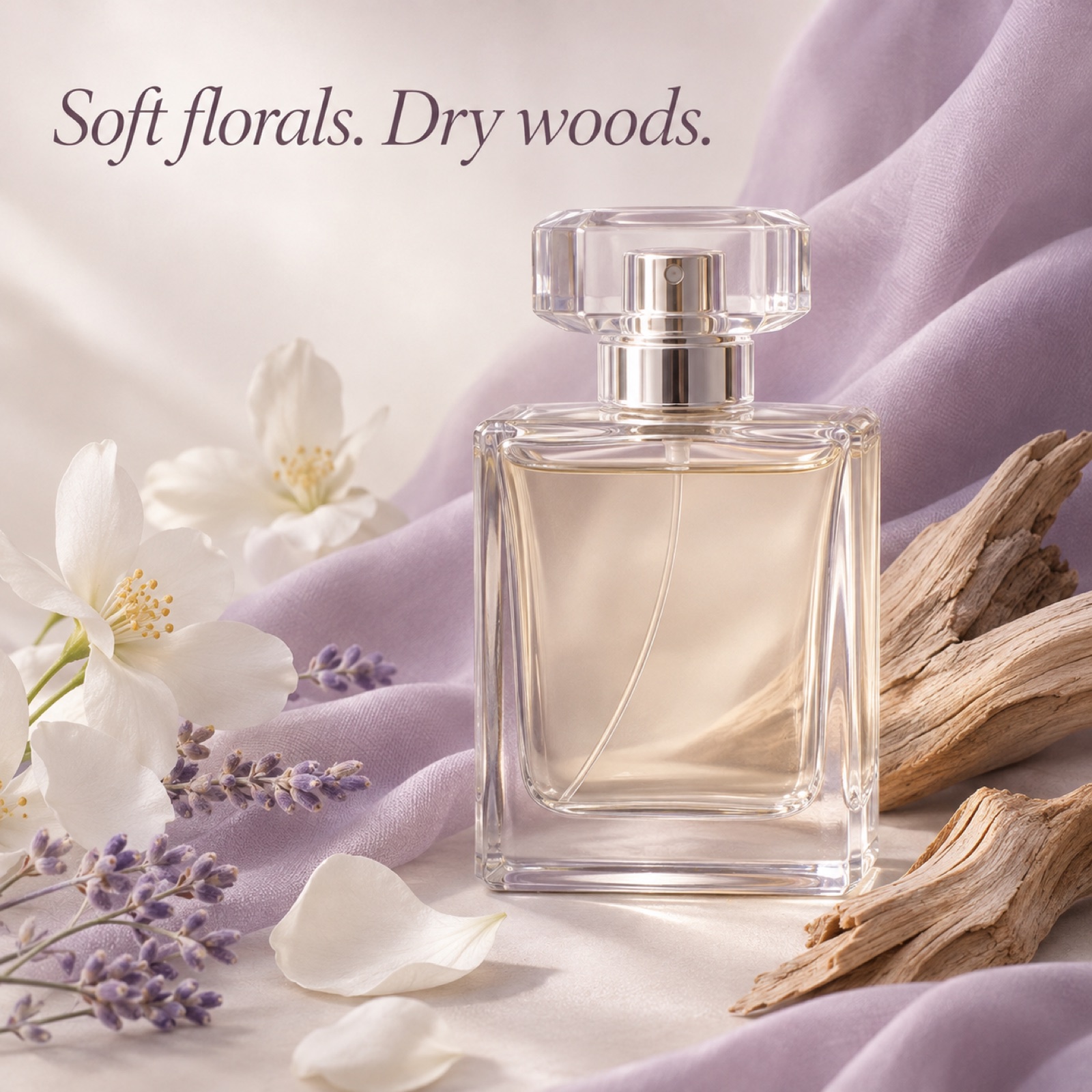
Ellis Brooklyn’s sensory collage is a useful reference for connecting a fragrance to multiple visual elements.1 The hypothetical example places an actual perfume bottle photo among white petals, pale purple fabric, and pieces of light-colored wood. Assuming the wording matches the product description, keep the copy to two sensory impressions, such as “Soft florals. Dry woods.” While the note-label format reads like an ingredient list, this layout aims to help people visualize impressions such as softness and dryness.
When adapting this for your product, choose the two sensory impressions you want to convey before picking attractive props. For a clear, light scent, consider bright colors and transparent materials; for a heavier scent, check whether dark colors and rough textures fit the description. Save a collage layout reference in AdForge, then add your actual product photo and selling points to create image concepts. Check whether the props draw attention before the product and whether the colors distort the bottle’s actual color.
3. Wearing Occasion: Suggest When to Wear the Fragrance
The hypothetical video opens with keys and a jacket on a desk after work. The next scene shows the perfume bottle, and the final scene closes with props arranged to suggest getting ready for evening plans. The opening copy is “Your after-hours scent.” Rather than claiming the fragrance changes other people’s reactions, this approach suggests a time when someone might want to wear it. The layout is intended to provide usage context for consumers who find it difficult to judge their preferences from fragrance note names alone.
For your product, choose one occasion your brand wants to suggest: evening plans, a weekend outing, or a quiet morning. In AdForge, select a video reference with a suitable opening scene and progression, then add your product photo, occasion-related assets you have permission to use, and English messaging. Review the AI-written script and storyboard, revising any unsupported claims about longevity or likability. Check that the English voiceover and subtitles fit the meaning of each scene; you can regenerate individual scenes that feel awkward.
4. Fragrance Comparison: Define How to Choose Between Two Similar Products
The hypothetical example places two perfume bottles from the same brand side by side, with “Bright or warm?” in the center. On the left, a pale yellow background accompanies a citrus fragrance description; on the right, a brown background accompanies a woody fragrance description. Ad copy examples featuring Pure Instinct also provide a reference for pairing product photos with short sensory descriptions.2 The purpose here is to give shoppers a basis for deciding which fragrance to explore first, rather than ranking one above the other.
When creating this for your product, apply the same question to both sides. Listing notes on one side and bottle size on the other makes the comparison unclear. In AdForge, choose an image reference with a clear left-right layout, then add actual photos of both products and their respective fragrance descriptions. Across the three concepts, check the relative bottle sizes and whether each description corresponds to the right product. If you have only one product on the market, choose a note-label or wearing-occasion layout instead of forcing a comparison.
5. Sampling Options: Guide the First Choice With Small Vials
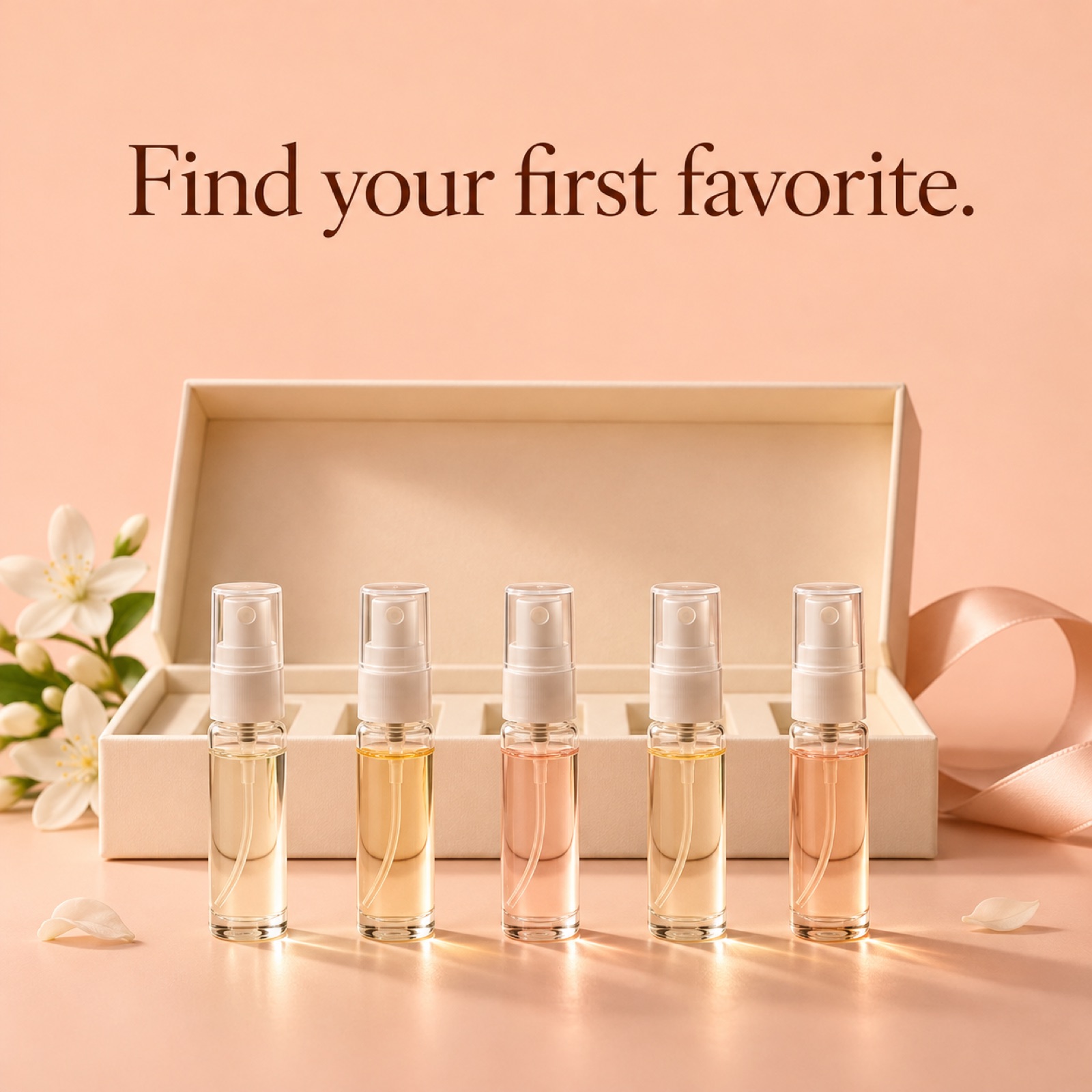
The sampling layout from 5 SENS is a useful reference for making the fragrance selection process itself the subject of an ad.1 Assuming a discovery set is actually available for sale, the hypothetical example lines up small sample vials beneath a prominent “Find your first favorite.” headline. Below that are the names of the included fragrances and the call to action “Explore the discovery set.” This layout clearly presents the next product to explore for people who find it difficult to choose a full-size bottle right away.
In AdForge, search the ad library for perfume ads and save one with a sample arrangement and spacing you can reference. Review the saved image’s layout and color analysis, upload your own set photo, and enter the actual contents and selling points in the product information. Review the three reference-based image concepts to ensure the number of bottles, fragrance names, and copy match the sales page, then download them. Upload the finished creative directly to your existing ad management tool.
Key takeaways
A fresh perfume ad layout starts with the shopper’s question, before the bottle photo. Decide whether to explain the notes, suggest a wearing occasion, or help with sampling choices, then create your first concept using actual product photos and verified English messaging.
FAQ
Which layout should I start with if I only have one perfume bottle photo?
Start with note labels. You can change the information layout using just the bottle photo and a verified fragrance description. If you don’t have assets showing a usage occasion, don’t create the impression that you have actual wearing scenes or customer reactions.
How should I choose English copy to describe the fragrance?
Choose two or three notes or sensory impressions verified in the product description and connect them in short phrases. Use the hypothetical copy “Soft florals. Dry woods.” only when it matches the actual fragrance description. Don’t add definitive claims about other people’s liking or how long the fragrance lasts without supporting evidence.
Does a reference ad running for a long time mean it performs well?
You can’t judge performance from run length alone. The fragrance ad report used as a reference is not a performance ranking and does not treat run length as proof of success.1 Study the layout and message structure in reference ads, and check your own creative’s performance in your ad management tool.
Should I test all five layouts at once?
Start by choosing two layouts that answer different questions. Consider note labels if you need to explain the fragrance itself, or a sampling layout if you need to guide shoppers toward a discovery set. Record each creative’s message and linked product, and use your existing ad management tool to run the ads and check performance.
Make your next ad with AdForge
AdForge (ad-forge.io) is an ad remake app: pick an ad you like and rebuild it as a video or image ad for your own product. Find references in the Meta and TikTok ad libraries, let AdForge write the script, AI narration and captions, then review and download. Every account starts with 12 free image ads.