5 Wadiz Ad Creative Examples: Product Photos, Early-Bird Rewards, and Deadline Reminders
See how to present the full product, usage scenes, key features, early-bird benefits, and funding deadlines. We also walk through creating ad concepts for your funding campaign using the photos and videos you already have.

If you are looking for Wadiz ad creative examples, start by breaking down what someone seeing your product for the first time would want to know. A full-product ad shows what the product is, a usage-scene ad shows where it fits, and a feature-focused ad shows how it works. Choose early-bird and deadline ads once the actual benefits and dates are confirmed. Below are five examples built around the same fictional product: a foldable storage box. Compare the photos, copy, and layouts, then choose a format that suits your available assets to create an image or video in AdForge.
1. Full-product ad: Show at a glance what people are funding
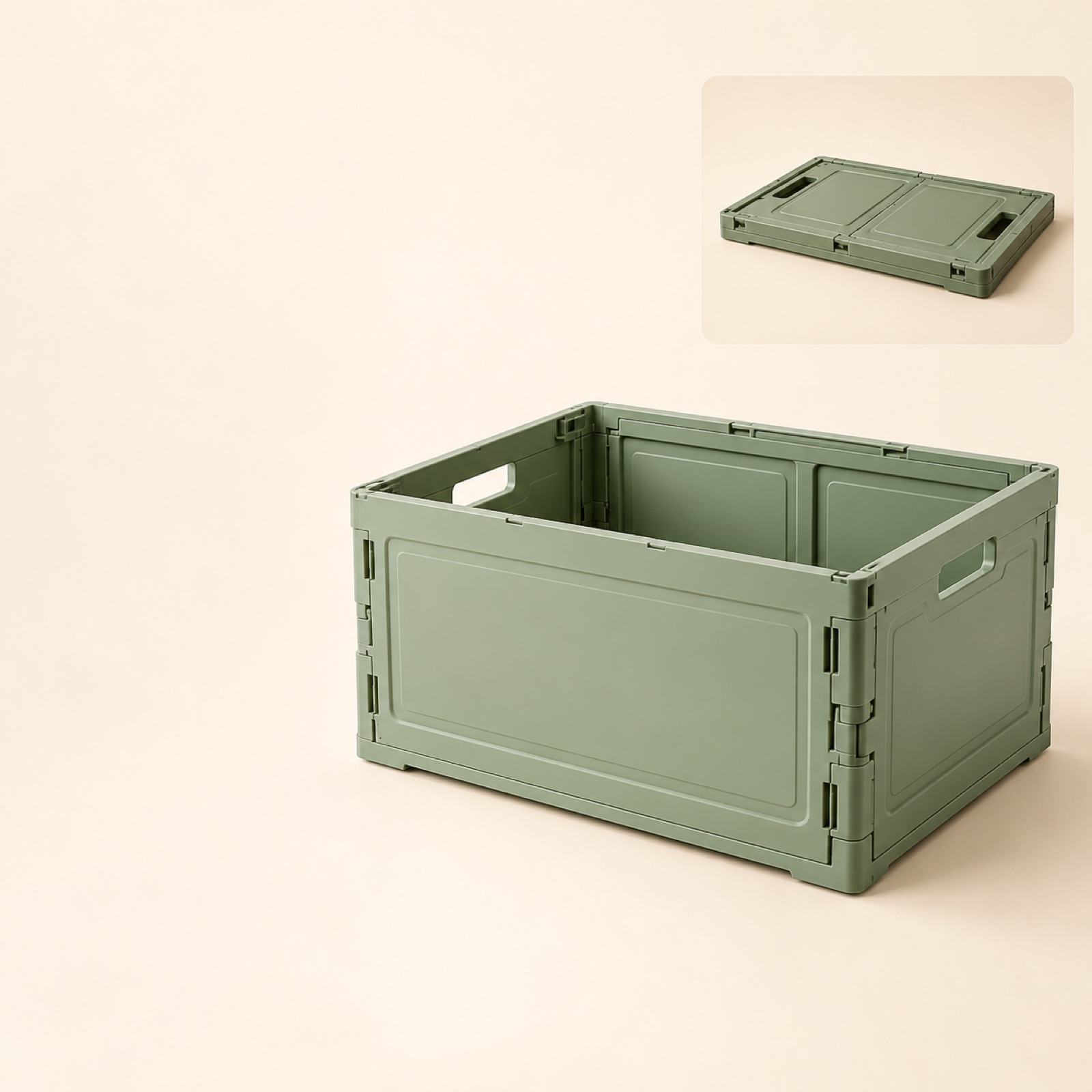
This is a fictional example. Place a large photo of the entire foldable storage box in the center of a cream-colored background. Keep the base and lid fully in frame, and place a smaller, actual photo of the box folded down in the upper right. Use the space on the left for the copy: “Unfold it when you need it. Fold it away when it’s empty.” Official Wadiz creative examples also offer references for layouts that separate the image and copy.1 This example helps people understand both the product’s shape and its main use.
This is a good place to start when your product looks unfamiliar or you have limited footage of it in use. To adapt it to your product, prepare a full-product photo and one feature you can accurately describe. In AdForge’s Meta Ad Library search screen, choose and save a reference that separates the product from the copy. On the image creation screen, add that layout, your product photo, product information, and message. Check the product’s shape and text placement in the three generated concepts, then download your selection. You also need to confirm that you have the rights to use the uploaded photos.
2. Usage-scene ad: Show where and why the product is needed
This is a fictional example. Open with a close view of toys scattered across a living room floor, then move to a scene of someone putting the toys into the storage box in the same space. End by showing the tidy room and storage box together. Use this opening copy: “When playtime is over, where do these toys go?” Actual usage scenes also appear in official Wadiz creative examples.1 By showing a moment the user encounters before focusing on the box itself, this example communicates why the product is needed.
For a product used at home, choose a setting and an action your customers will recognize. If you have footage of your product actually being used, prioritize that material, and avoid forcing multiple uses into one video. In AdForge, choose a video reference that opens with a usage scene, then add your product footage and a message suited to that situation. As you review the AI-written script and storyboard, check that the scenes can be shown using the assets you have prepared. Match the narration and subtitles to the actions that actually appear in the video.
3. Feature-focused ad: Show the folding process up close
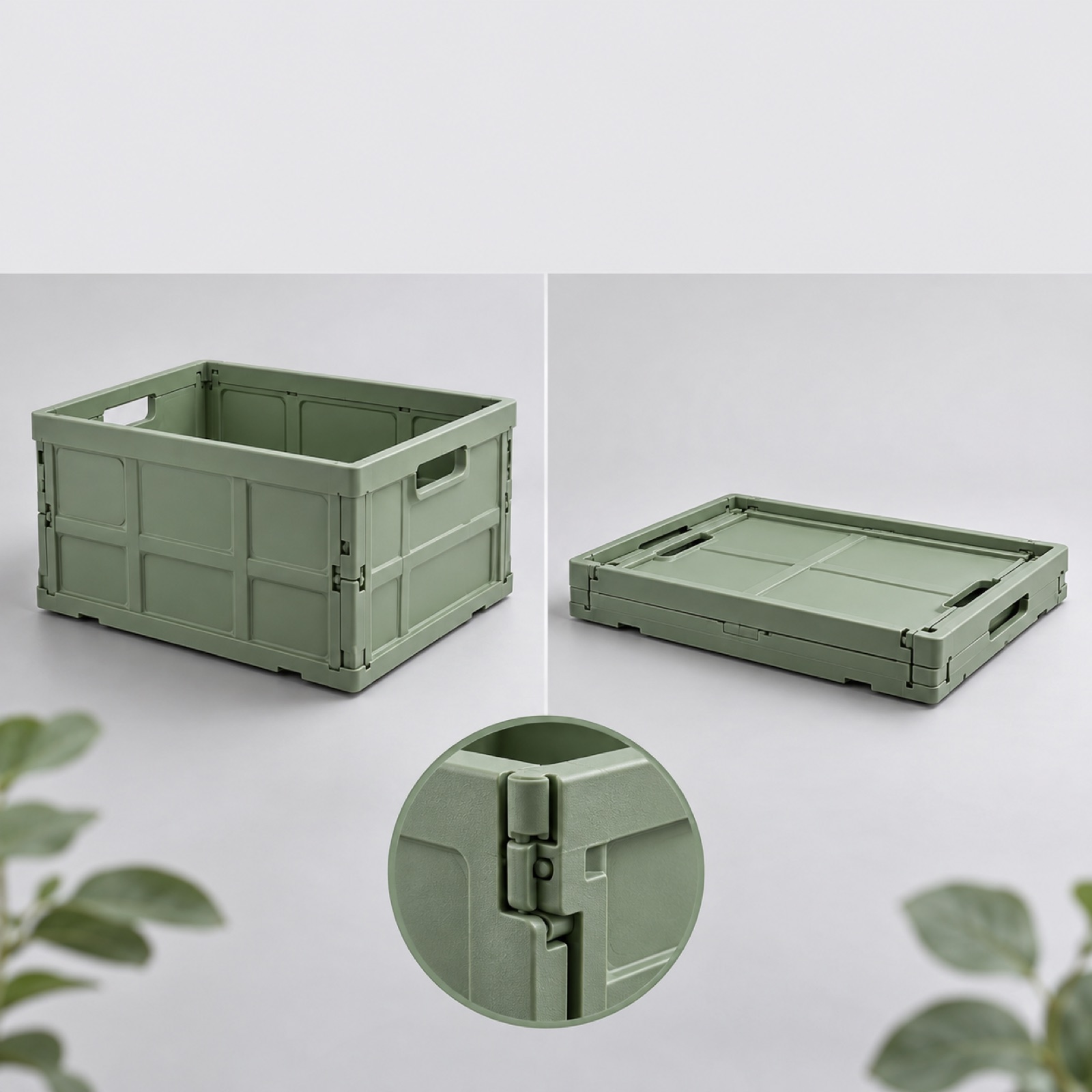
This is a fictional example. Open with a close-up of a hand folding the side of the storage box, then show the fully unfolded and folded states from the same angle. Use the copy: “Fold it away when it’s not in use.” The key is to film without obscuring where the hand touches the box or the direction it folds. Official Wadiz creative examples offer references for showing a product’s strength early in a video.1 This format lets viewers see what “foldable” means in practice.
For your own product, substitute one feature whose operation customers may want to understand. For a locking mechanism, show the moment it locks; for a product that requires assembly, show the moment the connecting parts fit together. Wadiz’s production guidance also notes that asset selection should vary by product and category.2 In AdForge, choose a reference centered on a feature demonstration, upload actual footage of the product in operation, and specify the feature in the script and storyboard. If the generated result changes the operating sequence, recreate that scene and review it.
4. Early-bird offer ad: Show what is included in the reward
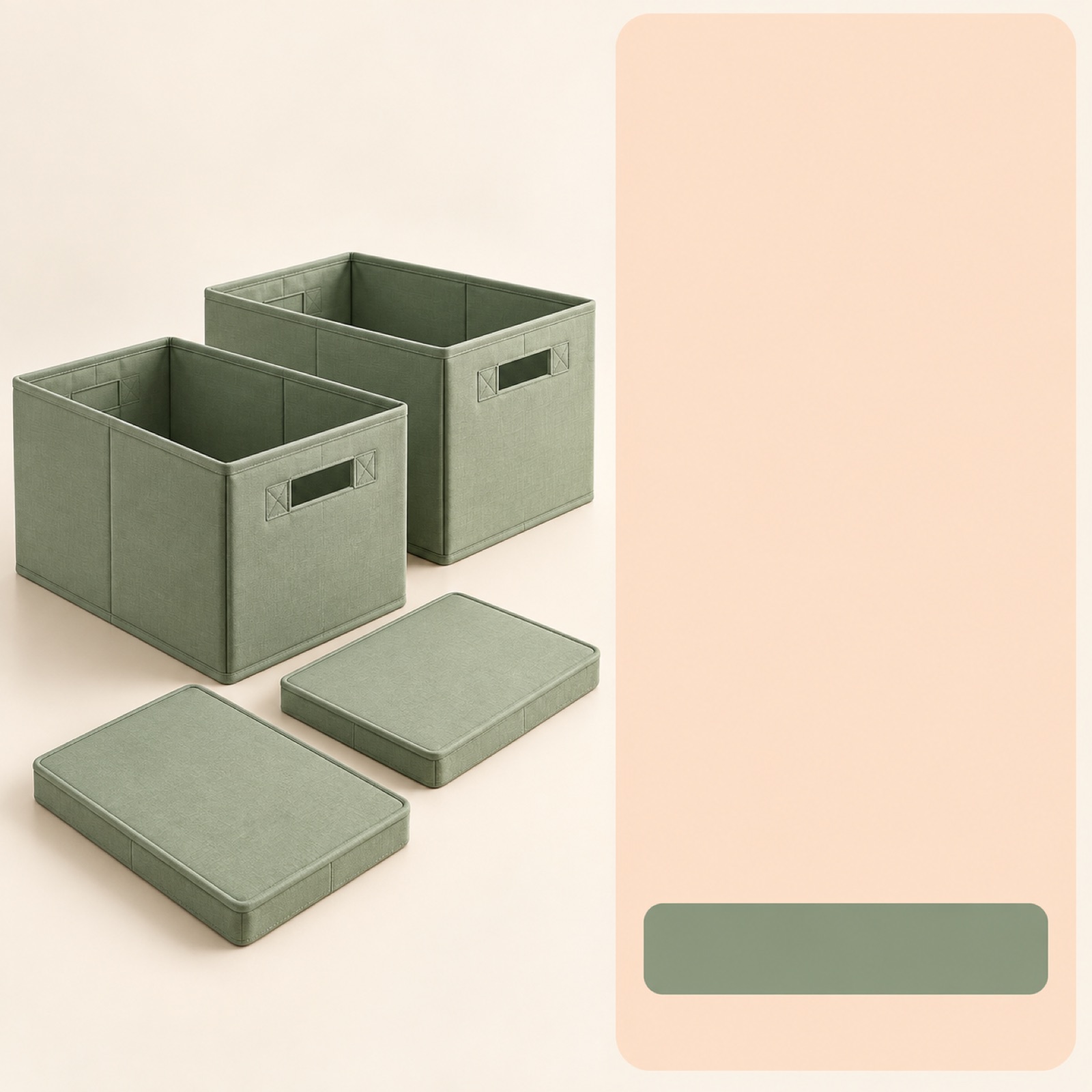
This is a fictional example, built on the assumption that the actual project offers an early-bird reward. Place the full set of storage boxes included in the reward on the left, and clearly distinguish the reward name from the actual funding amount on the right. Use the copy: “Check the early-bird package and funding amount.” Place “View rewards on Wadiz” below. The Wadiz guidebook provides separate messaging examples for the pre-launch and live funding stages.3 Use an offer-focused ad when there is a reward people can currently select.
This format helps interested viewers quickly compare what is included and the conditions for backing the project. When adapting it to your product, first make sure the quantity shown in the photo matches the actual reward quantity. In AdForge, choose an image reference with separate areas for the photo and offer copy, then enter your product photo and confirmed reward details. Compare the included items, funding amounts, and copy in the three concepts against the actual funding page. Do not add unsupported discount percentages or limited quantities, and update the creative whenever the conditions change.
5. Deadline reminder ad: Make the actual closing date easy to read
This is a fictional example. Place a photo of the storage box in use at the top, and put the actual closing date and time in a large, solid-color area below. Use the main copy: “Check the package and dates before funding closes.” Keep the product photo visible so viewers can tell what is ending, and reduce other explanations around the date and time. This format draws on the Wadiz guidebook’s approach of adapting messages to each funding stage.3 For projects nearing their deadline, it tells viewers when to take the next step.
For your project, replace the date and time with the confirmed schedule and review the copy for the dates when the creative will run. A concept with a fixed date is easier to maintain than copy that requires updating the number of days remaining. In AdForge, choose a reference with separate areas for the photo and announcement, then add a usage photo and closing details to create an image concept. Check the date, time, and product shape, download it, and upload it directly to your Meta ad account. Run the campaign and check performance in your existing ad management tools, and align the ad schedule so the reminder does not remain live after funding closes.
Key takeaways
Choose a full-product ad when people need to recognize the product, a usage-scene ad to communicate why they would use it, and a feature-focused ad to explain how it works. Once benefits and dates are confirmed, you can add early-bird and deadline ads. Start by turning one message you can support with your available assets into an ad concept.
FAQ
Which example should I start with if I am creating Wadiz ad creative for the first time?
Start with a full-product ad if the product is unfamiliar, or a usage-scene ad if you need to explain what it is used for. Add a feature-focused ad if you have footage that demonstrates the feature in action. Create early-bird and deadline ads once rewards and dates are confirmed.
Can I create both image and video ads using only photos?
AdForge can create image and video ads by combining product photos with a message. However, for examples where the folding or operating process matters, actual usage footage makes it easier to check the result against the real product. If you only have photos, start with a full-product or reward-package format.
How can I compare the effectiveness of the five creative formats?
First, decide what you want to compare: product understanding, communication of the usage situation, or reward details. Results are easier to interpret when you compare creatives with the same objective and change one element, such as copy or layout. Check campaign results in your existing ad management tools, and avoid assuming in advance that a particular format will perform better.
Can I use the early-bird offer format as is during the pre-launch stage?
Adapt it to the action people can currently take. If they cannot back the project yet, present the planned package and launch date instead of urging them to participate. The Wadiz guidebook also provides separate messaging examples for pre-launch and live funding.3
Make your next ad with AdForge
AdForge (ad-forge.io) is an ad remake app: pick an ad you like and rebuild it as a video or image ad for your own product. Find references in the Meta and TikTok ad libraries, let AdForge write the script, AI narration and captions, then review and download. Every account starts with 12 free image ads.