How to Create Dropshipping Video Ads: From Your First English Ad to Follow-Up Creatives
You can prepare your first English video ad with just product photos. This guide walks you through organizing your assets, adapting the structure of a reference ad, and creating your first video and follow-up creatives with different messages.
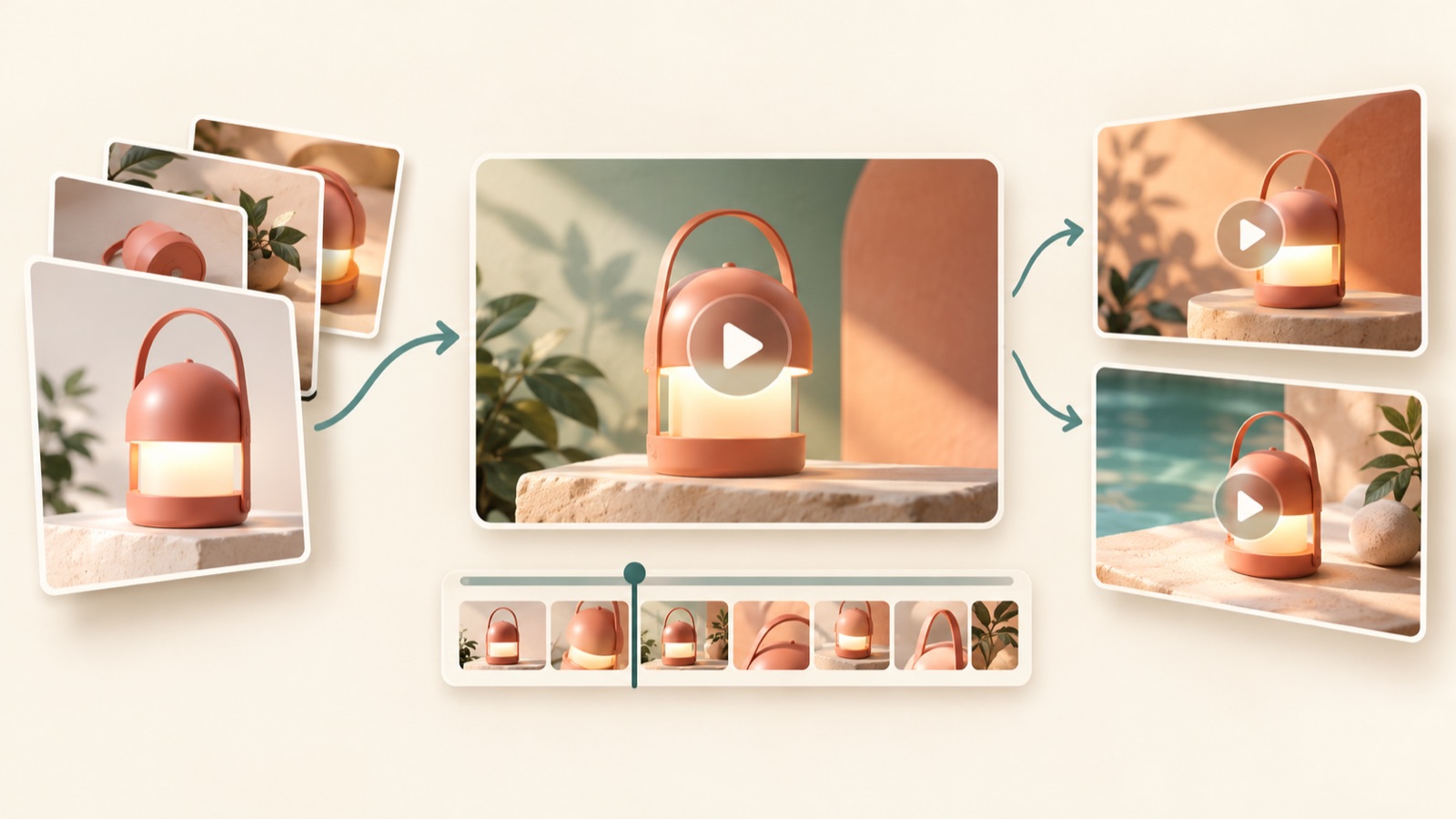
If you’re unsure how to create dropshipping video ads, start with an English video that uses your existing product assets to answer one customer question. Your first ad can address a question customers have before buying, and the next can focus on a different customer concern or use case. Follow the steps below to prepare your assets and create your ad in AdForge. Even without filming or editing experience, you can produce a first video to review and decide on a direction for follow-up creatives. Since video creation in AdForge is paid, this guide also clarifies what you can do for free.
Start with facts your product assets can show
First, gather your product photos, existing videos, and product descriptions in one place. Check that you have permission to use each asset, including whether materials from your supplier can be used in ads. Choose photos that show the overall shape, provide a sense of size, and highlight key details. If you have videos, note which actions they actually demonstrate. Avoid presenting mechanisms or durability that photos alone cannot verify as though the ad has proven them.
This article uses a hypothetical travel organizer pouch as an example. If you only have an overall product photo and a photo of the internal compartments, your first ad could answer, “How can I keep small travel items separate?” If you have no waterproof test materials, however, don’t plan a demonstration that involves pouring water on it. In your preparation notes, include the product name, verified features, the customer’s question, and the photos you will use. These notes will serve as the basis for the product information and message you enter in AdForge.
Adapt the opening scene and explanation sequence from a reference ad
Before learning editing techniques from scratch, decide on the order in which your video will explain the product. Questions from actual beginners running ads also cover both how to make a first video and how to make the next ad different from the previous one. This article addresses them as two tasks: creating the first ad and planning follow-up creatives. The question and comments illustrate production difficulties; they are not evidence of the performance of any particular tool or advertising approach.1
Break down a reference ad into “What does the opening scene ask?”, “What does the middle show?”, and “What action does the ending ask viewers to take?” TikTok’s official materials also recommend a hook, body, and call-to-action structure.2 For the hypothetical pouch ad, you could open with a photo of scattered small items, use a photo of the internal compartments to explain how to organize them, and end with a prompt to check the detailed layout. Instead of copying the reference ad’s wording and scenes, adapt its question-to-explanation sequence to your own assets.
Create your first English video ad in AdForge
In AdForge, open the reference selection screen and search for ads from the Meta and TikTok ad libraries. Choose and save an ad whose content you can explain with your existing photos and videos. Review the analysis of the saved ad’s hook, pacing, cuts, captions, voice, and music. Then, in the remake workflow, upload your product photos and existing videos, and enter your product information and selling points. If you used a product page address to fill in the information automatically, read it through and correct it to match what you actually sell.
Select English during video creation, then review the AI-generated script and storyboard. For the hypothetical pouch, you could ask for a brief statement of a verified feature, such as “Small essentials, separate compartments.” You can edit the generated script yourself, and the video includes AI narration, word-by-word captions, and background music. Review how the product looks and what the text says in each scene, and regenerate only the scenes that contain errors. Once you have checked the final result and downloaded it, your first creative is ready.
- Choose a reference: Check whether your assets can support its sequence.
- Enter assets and messaging: Add actual product photos and verified features.
- Review the English script and storyboard: Revise unsupported claims and unnecessary sentences.
- Check and download the result: Make sure the product visuals, voice, and captions match.
Check the English copy and visuals, then upload the ad yourself
Watch the finished video without sound first, then watch it with sound on. With sound off, check whether the captions make the product type and reasons to choose it clear. With sound on, listen for whether the narration reads the product name and features correctly. TikTok’s official production guidance also covers leaving space for platform UI in vertical videos and using narration and music.2 Check the view in which the ad will actually appear to make sure captions and important parts of the product are not obscured.
Refine the English copy into short descriptions of facts visible in the scene, rather than lengthy translations from Korean. If you show the hypothetical pouch’s internal compartments while claiming it “solves every travel problem,” the claim goes beyond what the visuals show. Describe the compartments or the items they can hold in specific terms instead. Download the reviewed creative and upload it directly to your ad account. AdForge does not automatically run ads through ad accounts, so use your existing ad management tools to set up campaigns, run ads, and check performance.
Give follow-up ads a different question about the same product
Before changing only the background color for your second ad, write down the question your first ad answered. If the first ad for the hypothetical pouch answered, “How can I keep small items separate?”, the next could shift to a use case: “Where can I find what I need when I arrive at my accommodation?” Another version could show internal photos and verified dimensions to answer a purchase decision question: “Will my things fit?” These are all hypothetical concepts. Use only content you can show with actual assets.
In AdForge, reflect the new customer question in your product messaging and create a follow-up video with assets that address it. If you only want to compare opening scenes, you can narrow the scope by keeping the rest of the message and editing that scene. If you change the customer concern, review the body and call to action to ensure they also fit the new question. Include the question and version in the filename. This makes it easier to pick up where you left off next time, knowing what you have already explained and which purchase questions remain.
Key takeaways
Build your first English ad around one customer question that your existing product assets can answer. Add a reference and your assets in AdForge to create it, then review and download it yourself. For follow-up ads, shift to a different customer concern or use case.
FAQ
Can I create dropshipping video ads in AdForge for free?
AdForge offers video ad creation on paid plans. Every account starts with 12 free image ads made from your own product photos, with no credit card required. This allowance does not replenish and does not include free video creation.
Can I get started with only product photos and no footage I filmed myself?
You can create video ads by adding product photos you have permission to use and your product message. AdForge creates the script and storyboard, so you do not have to write a script, film, or edit the video yourself. You do need to check that the generated video does not show features or usage results that the photos cannot verify.
What should I change if I want to make new ads every week?
First, write down the customer question addressed by your previous ad. Then change one element: the concern, use case, or reason to choose the product. Distinguishing between comparing opening scenes and changing the explanatory direction of the entire ad makes it easier to decide how much to revise. Define the question you want the next creative to explore before setting a fixed schedule.
If a reference ad has been running for a long time, can I copy it as it is?
AdForge lets you see how many days an ad has run, but that information alone cannot tell you its sales or profitability. Use structural elements such as the opening scene and explanation sequence as references. Create new content using your own product information and assets you have permission to use, then review the result.
Make your next ad with AdForge
AdForge (ad-forge.io) is an ad remake app: pick an ad you like and rebuild it as a video or image ad for your own product. Find references in the Meta and TikTok ad libraries, let AdForge write the script, AI narration and captions, then review and download. Every account starts with 12 free image ads.