5 Christmas Gift Ad Examples: Build Around the Recipient and the Moment of Use
Show who the gift is for and why they would want it before adding decorations or discount messaging. Explore five image and English-language video ad examples you can create with product and packaging photos.

If you’re looking for Christmas gift ad examples, start by showing who the gift is for or when the product will be used in the opening frame. The same product becomes a different gift for a coffee-loving friend, a host who has invited you over, or yourself at the end of the year. All five examples below are hypothetical. Choose an approach that fits your existing product and packaging photos, then follow the steps to turn it into an English-language ad draft in AdForge.
1. A Mug for a Coffee-Loving Friend

This is a hypothetical example. Place a large mug product photo on the right side of a cream-colored background, with “For the friend who loves slow mornings” in the upper left. Below, add a packaging photo and “Make their morning a little warmer.” Leading with the recipient’s preferences gives shoppers a cue to picture a particular friend. This approach of connecting a gift set with its recipient also appears in holiday ad examples published by creative agency Biddyco.1
In AdForge, search the ad library for gift-focused image references, save them, and review the analyzed layouts and colors. When entering product information, upload the mug and packaging photos and use “a gift for a friend who loves slow mornings” as the selling point. Review the product’s shape and the copy in the three image remake concepts, then download them. When applying this approach to your own product, update the recipient’s specific preferences along with the product itself.
2. Notebook Gifts That Let Shoppers Choose by Personality
This is a hypothetical example. Arrange three notebooks with different interior pages side by side horizontally, labeling them “For the planner,” “For the dreamer,” and “For the list maker.” Keep the headline short: “Which one feels like them?” This layout helps shoppers choose based on the recipient’s habits rather than color alone. TikTok’s official holiday advertising guide also presents videos organized by gift recipient and wish lists as seasonal creative approaches.2
When adapting this to your own products, show only items shoppers can actually choose and identify one distinguishing feature for each. For notebooks, use differences visible in the photos, such as scheduling pages, blank pages, or list-making pages. Enter actual product photos and each item’s features in AdForge, then remake an image using a reference with a comparison layout. Check that each product is paired with the correct description and that the result does not look like a bundle you do not sell.
3. A Tea Set to Bring to a Holiday Party
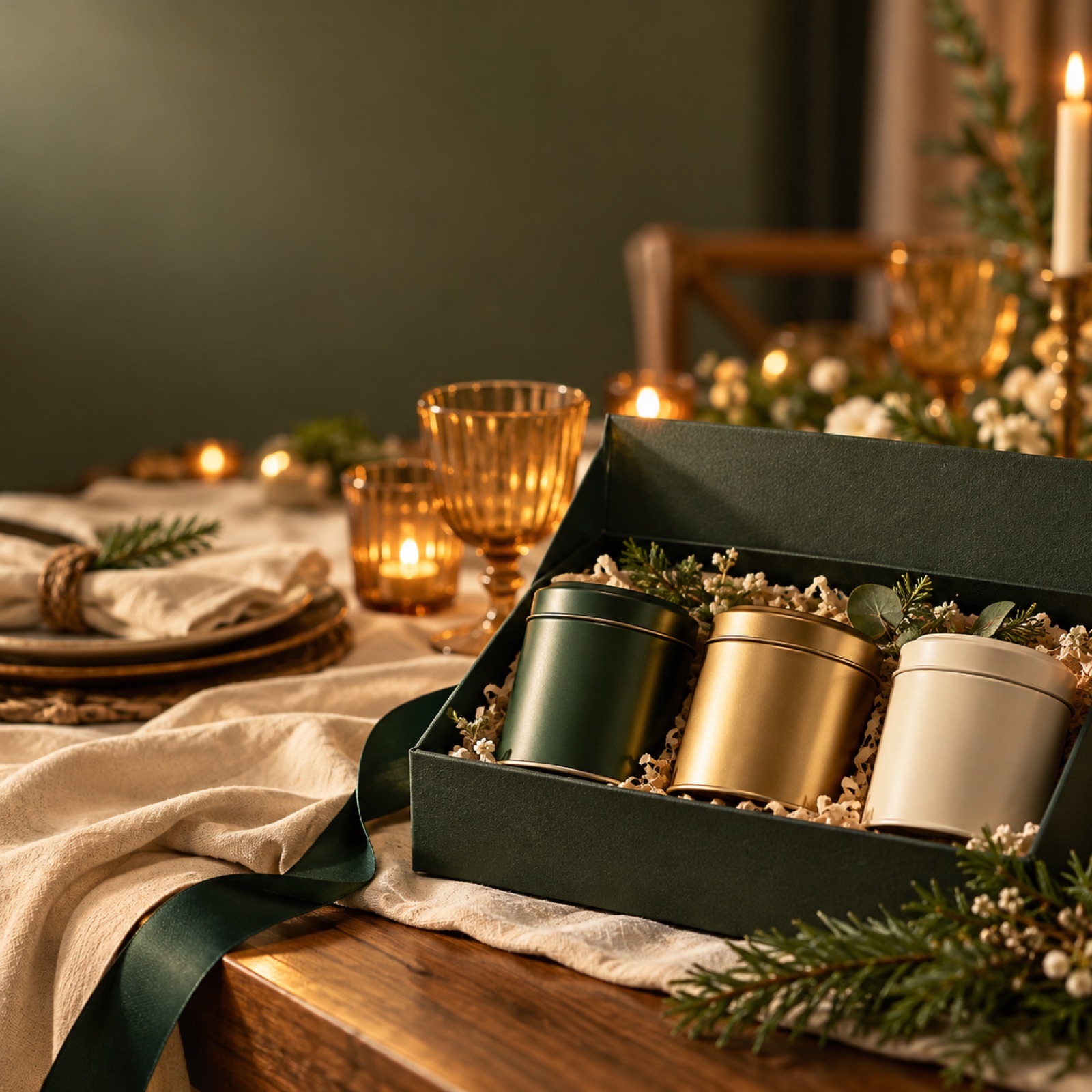
This is a hypothetical example. Open the video with a packaged box on a table and the text “Invited to dinner?” Follow with shots of the box being opened, a close-up of the tea products, and the product beside the dining table, in that order. End with “Bring something for the host.” Showing the invitation scenario before explaining the product makes the reason to bring a gift clear. Biddyco’s published examples offer a reference for this approach of suggesting a product to bring to a holiday party.1
When adapting this to your product, look through your actual materials for a reason it would be suitable to bring to a gathering. If you can show the packaging or included items, prepare those photos and any existing footage. In AdForge, choose a video reference with a similar sequence of events, then add your product information and assets to create an English script, narration, and subtitles. Check how the invitation scenario, packaging, and product introduction connect in the storyboard, and revise the dialogue as needed. Regenerate any scenes where the box size or included items look different from the product you actually sell.
4. A Stationery Set That Shows the Unboxing Moment
This is a hypothetical example. Show only a closed gift box and “What will they unwrap?” in the opening frame. In the next shot, the lid opens to reveal pens and notebooks, followed by a final overhead shot of all the included items. This approach is useful for answering a question shoppers may have: what will the recipient actually get? TikTok’s official guide covers unboxing and lifestyle scenes as approaches to holiday video creative.2
Consider this example first if you have actual packaging photos and unboxing footage. Add those assets and accurate details of the included items to AdForge, then remake a video based on a reference with an unboxing sequence. You can review and revise the box-opening sequence and product introduction in the AI-generated script and storyboard. If you sell a single item, avoid scenes that suggest multiple products are included. If you do not have packaging photos, an image ad focused on introducing the included items using your existing product photos is a more suitable choice.
5. A Reading Lamp as a Year-End Gift to Yourself

This is a hypothetical example. Place a reading lamp and an open book against a deep navy background, using warm yellow only where the light falls. Use the copy “A little gift for your quiet evenings.” Showing an evening spent using the product instead of a tree or ribbon suggests a reason to buy yourself a gift. Self-gifting also appears as an angle in Biddyco’s published holiday ad examples.1
To apply this to your own product, turn the idea of “a reward I need” into a specific usage scene rather than abstract happiness. For a reading lamp, that might be evening reading; for slippers, time spent relaxing at home. Add actual product photos and a selling point connected to that scene in AdForge, then create image concepts using a reference that emphasizes the usage occasion. When comparing this with a recipient-focused ad, keep the product and purchase terms the same and change the message. Download the finished creative, upload it directly to your ad account, and use purchase-related metrics in your existing ad management tools to decide on the next creative.
Key takeaways
You can plan Christmas gift ads around the recipient’s preferences, product selection, party invitations, the unboxing experience, or your own time using the product. Choose the situation your existing assets show best, create an AdForge draft with actual product information, then review the English copy and visuals to prepare creative for testing.
FAQ
Can I create Christmas gift ads with product photos alone?
Yes. Start with the first example, which highlights the recipient’s preferences, or the second, which helps shoppers choose a product. AdForge creates three concepts based on actual product photos and the layout of an image reference. If you do not have packaging assets, check that the results do not show a gift box that differs from the actual packaging.
Where should I start with English copy for US customers?
Start by defining either the recipient or the usage occasion. Narrowing the audience from “a great Christmas gift” to “for a friend who loves slow mornings” makes it easier to decide on both the opening copy and the photos you need. Create an English script, narration, and subtitles in AdForge, then review the wording for consistency with your product information.
Which example should I test first?
Choose an example that lets you show the product accurately with the assets you already have. Product photos suit recipient-focused ads, photos of several products suit ads that help shoppers choose, and packaging and unboxing footage suit unboxing ads. Starting with a comparison between recipient-focused and usage-focused ads for the same product can help you decide which message to change in your next concept.
Can I use the exact copy and scenes from a reference ad?
Use the structure as a reference, such as how the opening frame poses a question or how the products are arranged, and create new content using your own product information and selling points. Users also need to review AdForge remake results. Confirm that you have the rights to use the photos and videos you upload, and use only results that match the actual product, included items, and packaging.
Make your next ad with AdForge
AdForge (ad-forge.io) is an ad remake app: pick an ad you like and rebuild it as a video or image ad for your own product. Find references in the Meta and TikTok ad libraries, let AdForge write the script, AI narration and captions, then review and download. Every account starts with 12 free image ads.