5 Facebook Book Ad Examples: How to Arrange Covers, Genre Keywords, and Excerpts
Compare layouts that spotlight the cover, genre keywords, or a single sentence from the book. Explore five hypothetical book ads and the steps for creating image ad concepts with your own book materials.
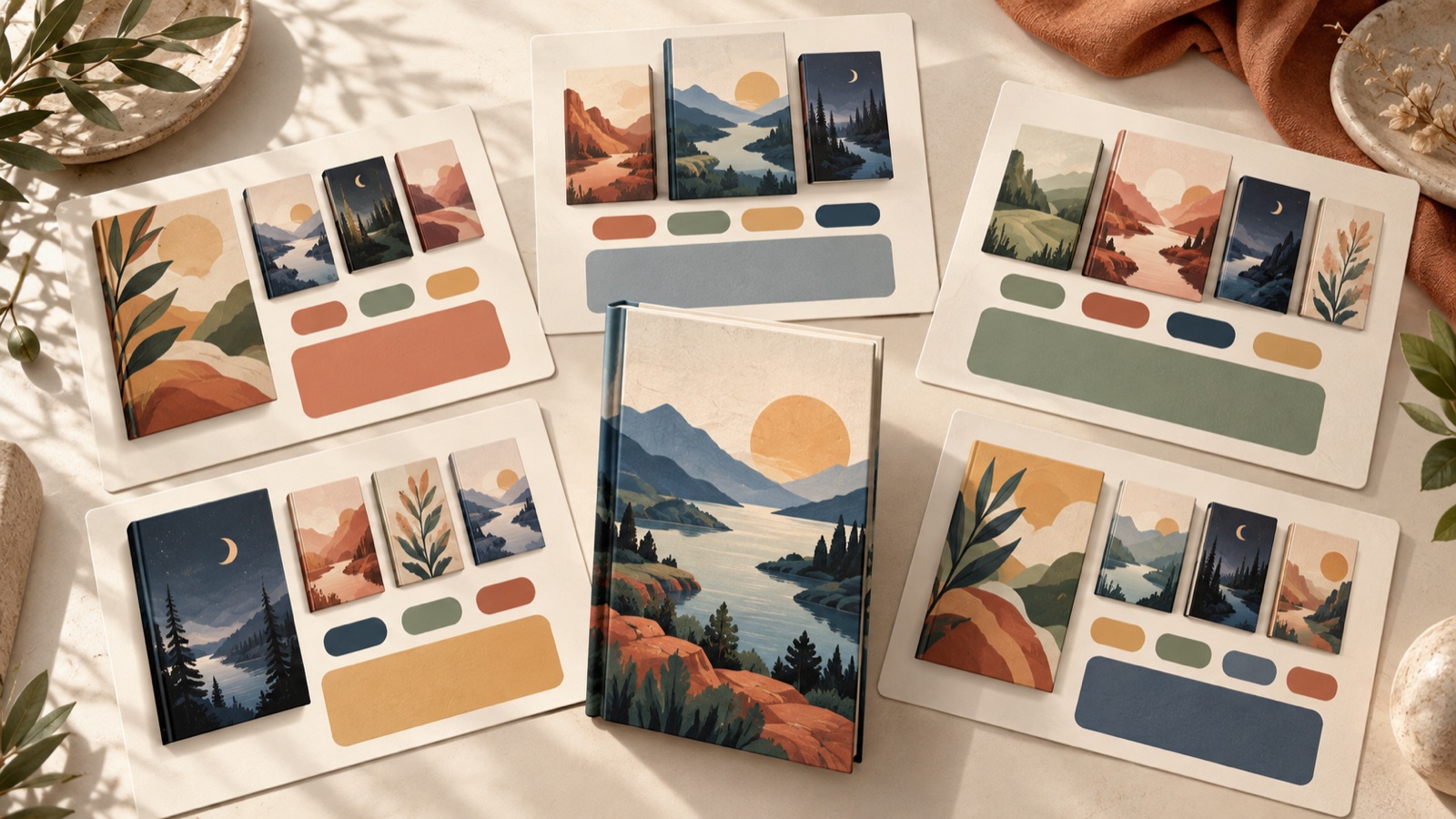
If you’re looking for Facebook book ad examples, start by comparing cover-led, genre keyword-led, and excerpt-led layouts. Use the cover to convey the book’s identity, genre to appeal to readers’ tastes, and an excerpt to showcase the writing style and the story’s appeal. All five examples below are hypothetical. Once you decide what to make prominent and what to leave out in each layout, you can prepare three English-language image ads to review using your own book materials.
1. Cover-led: Make One Book the Star
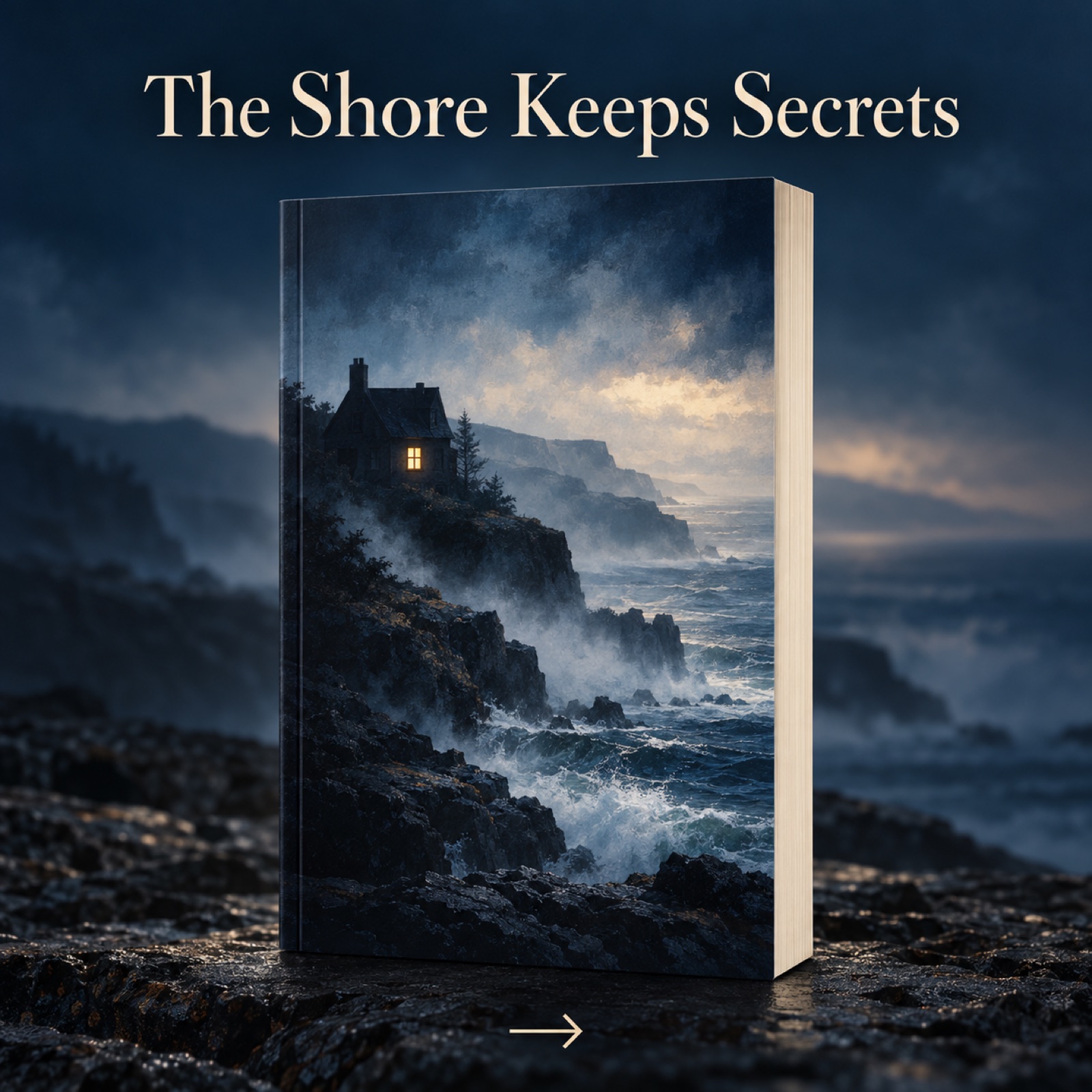
This is a hypothetical example. Place the cover of a mystery novel set in a coastal town prominently in the center of the image. Use a deep navy drawn from the cover for the background, with the original line “A quiet town. One missing guest.” above it. Place a smaller “Discover the mystery” below. The layout guides the eye from the cover to a story clue and then to the call to action. The reference material also features cover-led book ads.2
To create one for your own book, first search for book ads in AdForge’s Meta Ad Library and save references that put the cover front and center. Review the layout and color analysis of the saved images, then select the reference in the image ad creation tool. Upload a cover image or a photo of the physical book that you have permission to use, and enter the genre, plot, and key message you want to communicate in English. Check the spelling of the title, the cover’s proportions, and the copy hierarchy in the three generated concepts before downloading them.
2. Genre Keywords: Lead with the Kind of Story Readers Love
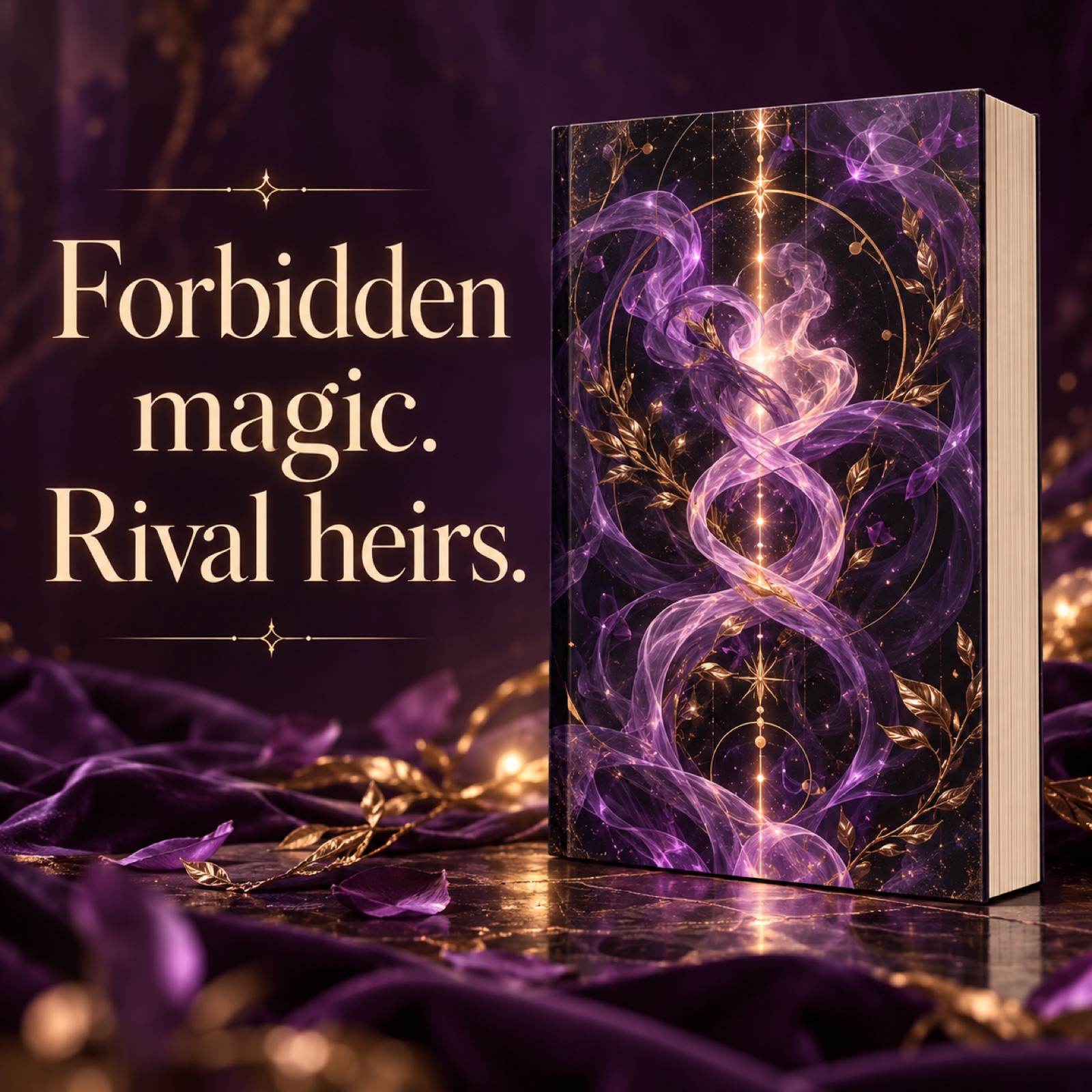
This is a hypothetical example. Place the cover of a fantasy romance novel on the right, with “Forbidden magic”, “Rival heirs”, and “Slow-burn romance” stacked on the left. Use a dark plum background and light cream keywords. The layout helps readers judge whether the book suits their tastes without having to read the small subtitle on the cover. A reference article for authors also explains an approach to planning ads around genre, emotion, and story hooks.1
Adapt the keywords to the story elements actually in your manuscript, rather than choosing words simply because they are popular. If romance is secondary to the book, don’t make romance keywords the most prominent element. In AdForge, choose an image reference with a large keyword area, then enter your cover photo and the book’s actual genre elements as product information and selling points to create new concepts. Check that the keywords don’t obscure the book title in the three results. When comparing this layout with a cover-led version, it’s easier to assess the difference if you keep the same book and core promise and change only the order of emphasis.
3. Excerpt-led: Show the Writing Style in One Sentence
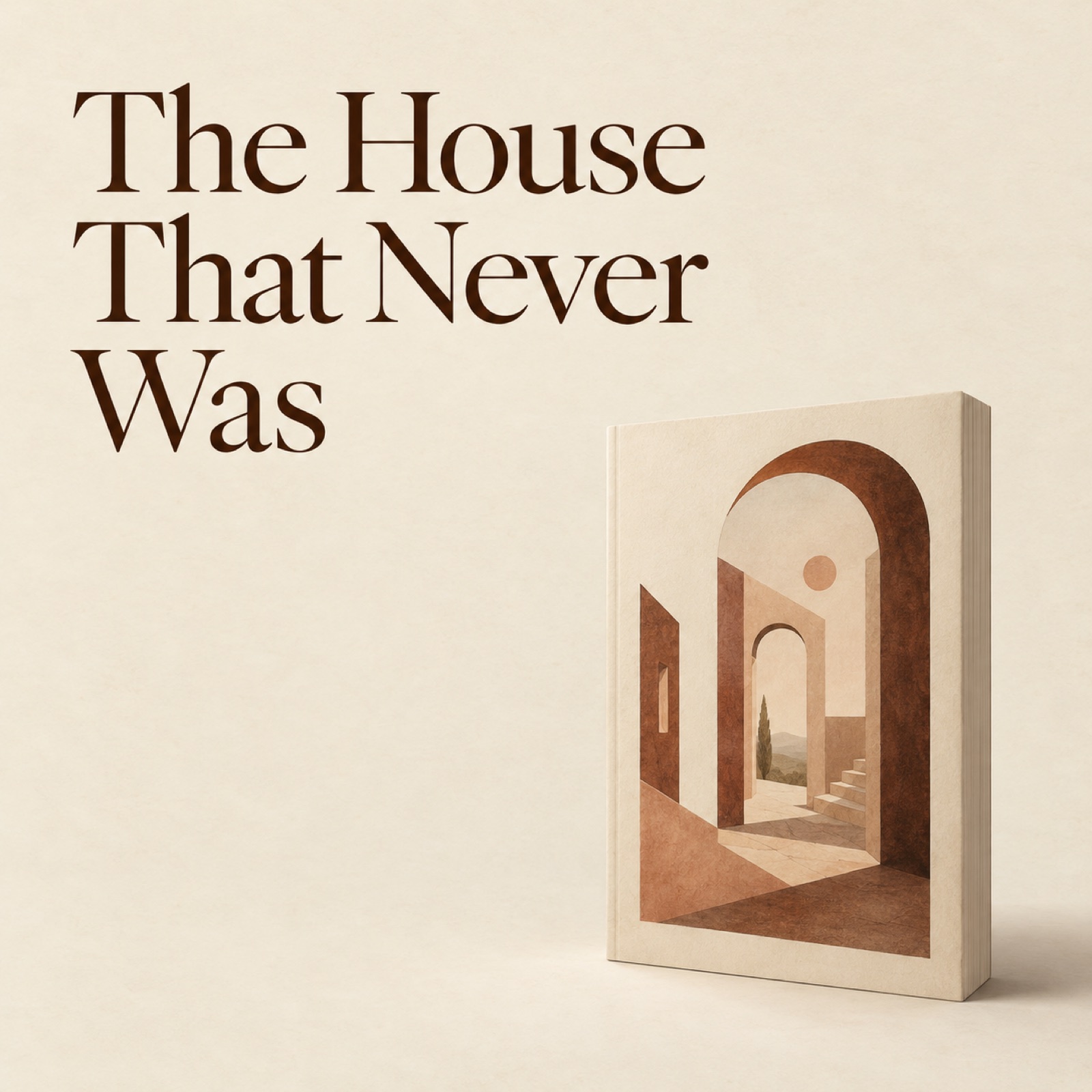
This is a hypothetical example. Place the fictional line “My mother left me a key to a house that never existed.” in large type at the upper left of an ad for a literary novel. Put a smaller cover image at the lower right, and add the book title and author’s name below the excerpt. A warm ivory background and dark brown text create a reading atmosphere. The creative hypothesis is that, because the sentence itself raises a question, it can introduce the starting point of the story without explaining the entire plot.
For your own book, choose a short passage that makes sense out of context and represents the actual writing style. If you’re selling a translated edition, using the English text from that edition in the ad will help align expectations. Select a reference with a large copy area in AdForge, then enter your cover photo, excerpt, and book information to create an image ad. Check quotation marks, punctuation, line breaks, and fidelity to the source text in the results. Make it clear that the text is an excerpt from the book, and avoid arranging it to look like a reader review.
4. Reading Scene: Show the Right Moment for the Book
This is a hypothetical example. Photograph a cozy mystery on a wooden table, with only a mug and part of a folded blanket visible beside it. Make the book prominent in the lower part of the image, and place “Your next rainy-weekend mystery” in the open space above. Use beige and light gray while keeping a clear distinction between the cover and the background. This layout suggests when and in what mood to read the book, as well as what it contains. If the props draw more attention than the book, they aren’t serving the purpose.
This example works well when you have a photo of your physical book. For a high-tension thriller, choose a photographic setting that matches the book’s mood rather than copying the cozy props. In AdForge, choose a reference that uses a physical product photo, then add a book photo you took yourself or have permission to use, along with a message about the reading occasion. Once the three concepts are generated, check that the actual cover and the book’s shape have been preserved. Prepare a photo that already contains the scene you need, without assuming that new props or a scene will be created for you.
5. Sample Offer: Give Readers a Reason to Read Before Buying
This is a hypothetical example. Place the cover of a practical guide on the left and the core message “Plan a calmer writing week” on the right. Add “Read a sample chapter” below only if the destination page actually offers one. Use teal blocks on a white background to separate the book from the instructional copy. The reference material also features book ads offering samples.2 This layout works well when you want to show the book’s promise and then suggest a next step that lets readers explore its contents.
When adapting this for your own book, first check whether there is a page where readers can access a sample. If there isn’t, replace the sample prompt with an action they can actually take. In AdForge, select a reference that separates the cover from the instructional copy, then enter your cover photo, the book’s core benefit, and details of the sample you actually offer to create concepts. Review the results, download them, and upload them directly to your ad account. For the initial comparison, select three layouts from the cover-led, genre keyword-led, and excerpt-led options and review them with the same audience and under the same conditions. Use your existing ad management tools to run the ads and check performance.
Key takeaways
Start by deciding whether your book’s strongest asset is its cover, genre elements, or writing style. Preparing three English-language ads that use the same book materials but emphasize them in different orders gives you a concrete way to compare which layout to develop further.
FAQ
How large should the book cover be?
Decide what the ad needs to do before choosing a fixed ratio. Make the cover large if you want readers to remember it, or smaller than the excerpt if you want to showcase the writing style. Reduce the ad to the size it will appear in an actual feed and check that the book title and key copy are distinguishable.
Can I just shorten the book description for English ad copy?
Rather than compressing the entire plot, leave readers with one reason to choose the book. Focus on a genre element, a question raised by the story, or a sentence from the actual text, and check that it matches the contents of the edition you’re selling.
How much of a reference ad’s design can I use?
Take inspiration from its design approach, such as the relative sizes of the cover and copy, the order in which the eye moves, and the color scheme. Don’t use another book’s cover, illustrations, or copy as materials for your own ad. Build the content afresh using materials for your own book that you have permission to use.
How do I decide whether to make the ad myself or hire a designer?
If your cover and copy are ready and you want to compare layout directions, you can create concepts yourself. If you need a new cover, illustrations, or refined typography, commissioning design work is the better fit. When briefing a designer, include your chosen layout and the copy you want to emphasize.
Make your next ad with AdForge
AdForge (ad-forge.io) is an ad remake app: pick an ad you like and rebuild it as a video or image ad for your own product. Find references in the Meta and TikTok ad libraries, let AdForge write the script, AI narration and captions, then review and download. Every account starts with 12 free image ads.