How to Reduce Product Distortion in AI Ad Images Using Product Photos and Ad References
If AI ad images change the shape of your product, start by separating the roles of product photos and references. This guide covers preparing your assets and comparing three AdForge concepts with the originals.
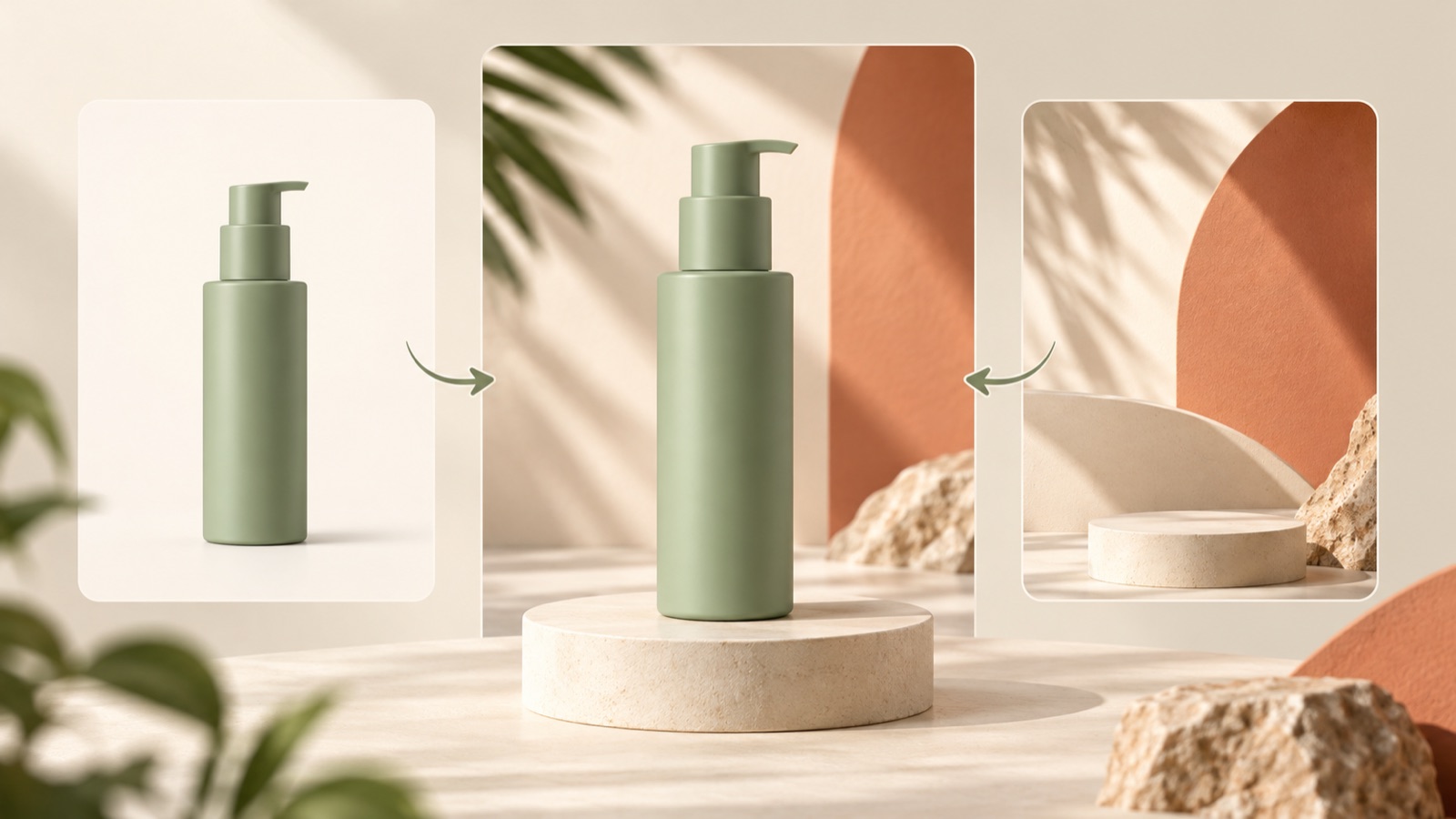
To create natural backgrounds and ad designs while preserving your product’s appearance, prepare actual product photos as the standard for the product and references as the standard for the layout. Then check the product’s shape and the ad composition separately in the generated concepts. This article explains how to prepare your assets, create three image concepts in AdForge, and compare them with the originals to identify product distortion and choose a usable result. The aim is to pinpoint what needs reworking without assuming perfect shape preservation.
Separate the Roles of Product Photos and References
Start by describing your desired result in two sentences. For the product standard, write, “The container’s shape and label must match the product we actually sell.” For the composition standard, write, “Place the product prominently on the right and the key copy on the left.” A question posted by an ad creator also raised product distortion, designs that differed from the reference, and repetitive compositions together.1 Separating these issues during production makes it easier to decide what to change.
AdForge is our service, and we operate this blog. When choosing a tool, base your decision on the result you want to create and the assets you will provide. Canva describes features for generating images from text and editing parts of generated images.2 AdForge uses actual product photos and a reference layout to create three image ad concepts. The materials provided do not establish which tool preserves products better or which tool is most widely used by practitioners.
Define the Product Standard with Front and Detail Photos
Build your product assets around a full front-facing photo. Prioritize photos that show the entire outline, including the cap and base, without cropping. Capture detail photos of identifying features such as the label or opening. Keeping originals for comparison, separate from the photos you upload for production, also makes it easier to assess the results. Confirm that you took the photos yourself or have permission to use them in ad production, and use the packaging version you will be selling in this campaign throughout.
As a hypothetical example, suppose you are advertising a dark green cleanser in a pump bottle. The product standard is “rounded shoulders, a short pump, and an ivory label.” Use the front photo to check the overall proportions and detail photos to check the pump and label. If the color looks different across product photos, decide which photo will serve as the color standard. These assets provide a basis for evaluating generated results; preparing photos does not mean you can assume every detail will remain unchanged.
Extract Ad Layout Rules from Your References
When choosing a reference, go one step beyond “I like the look.” Note the product’s relative size, copy placement, background color, and density of props separately. For the hypothetical cleanser above, you could write “light background, product on the right, two lines of copy on the left, call to action at the bottom.” The ad layout is what you are referencing. Identify the reference product’s shape and brand copy as elements to replace with your own product information and message.
If you want to break out of repetitive compositions, look at how much the layouts differ across your references. If you choose ads that all center the product and only change the background color, it will be difficult to explain the compositional differences you want. Choose assets with clear differences, such as a layout with the product on one side or one that shows a close-up of a product detail. AdForge analyzes the layouts and colors of saved image ads. You can compare that analysis with your prepared layout criteria to choose a reference to remake.
Add Your Photos and Message in AdForge to Create Concepts
In AdForge, search for active ads in the Meta and TikTok ad libraries and save the ads you want to reference. Review the layouts and colors of the saved image ads, then choose a reference to remake. When entering product information, you can paste a product page address to fill in the details automatically. Check that the populated information matches the product in this ad, and organize the selling points you want to communicate. Finalize your own product description at this stage so you do not simply carry over the reference’s message.
At the image ad creation stage, upload actual product photos and add the message you want to communicate. For the hypothetical cleanser, prepare a description supported by the product itself, such as “a pump-bottle cleanser to keep beside the sink.” AdForge follows the reference layout and uses actual product photos to create three image ad concepts. When reviewing the results, keep the original photos and your earlier layout criteria alongside them. You need to check for yourself whether both the product information and the desired composition are reflected.
- Search for ads and save image references.
- Review the layouts and colors of the saved ads.
- Check the product information and add actual product photos and your message.
- Create three concepts, then compare them with the original photos and layout criteria.
Choose a Layout from the Concepts That Match Your Product
Check product accuracy first across the three concepts. Compare the outline, cap or pump structure, label content, and product color side by side with the originals. If the hypothetical cleanser’s pump becomes longer or the label text changes, it will be difficult to use the concept as it is. Flag any details that need confirmation from the person responsible for the product. Among the concepts that meet the product standard, compare copy readability, product size, and whether the desired layout has been achieved. This gives you a clear basis for your choice.
If none of the concepts is usable, write down specific reasons for reworking them instead of saying, “I don’t like it.” If “the container’s shoulders have become angular,” revisit the product assets. If “the copy overlaps the product,” review the reference layout and message length. Adjust your next inputs according to the issue. Once you choose a result to use, download it and upload it directly to your ad account. AdForge does not automatically launch ads through ad accounts, so campaign setup, ad delivery, and performance review take place in your existing ad management tools.
Key takeaways
To assess product distortion, separate the standard for the actual product from the standard for the ad layout. Prepare front and detail photos along with layout references, then compare the three concepts created in AdForge with the originals. Choose a result with a suitable message and layout from the concepts that match your product.
FAQ
Can product distortion be prevented completely?
This production method does not guarantee perfect shape preservation. You need to create concepts using actual product photos as the standard, then compare the resulting outlines, labels, and colors with the originals to choose a usable concept.
Which AI is best at preserving product appearance?
The provided sources do not establish which tools preserve products better. Canva describes text-based generation and editing parts of generated images.2 AdForge can be used to create three ad concepts from actual product photos and reference layouts.
How should I prepare product photos and references differently?
Product photos let you verify the shape and details of the product you actually sell. References guide the ad layout, including product size, copy placement, and background color. Write down the product elements to preserve separately from the reference elements to draw on.
What should I change if all three concepts look similar?
First decide whether you want a different background color or a different overall composition. If your goal is to vary the composition, choose references with clearly different product positions, product sizes, and copy placements, then create the concepts again.
Related reading
- 3 Ad Reference Sites to Try: From Meta and TikTok Research to Ad Creation
- AI ad creatives: a generation-to-approval workflow
Make your next ad with AdForge
AdForge (ad-forge.io) is an ad remake app: pick an ad you like and rebuild it as a video or image ad for your own product. Find references in the Meta and TikTok ad libraries, let AdForge write the script, AI narration and captions, then review and download. Every account starts with 12 free image ads.