5 Jewelry Facebook Ad Examples: Product, On-Model, and Gift Photo Layouts
Build jewelry ads for US customers around the photos you have and the purchase occasion. Compare English copy and layouts across five hypothetical examples, then learn how to create three image ad concepts in AdForge.
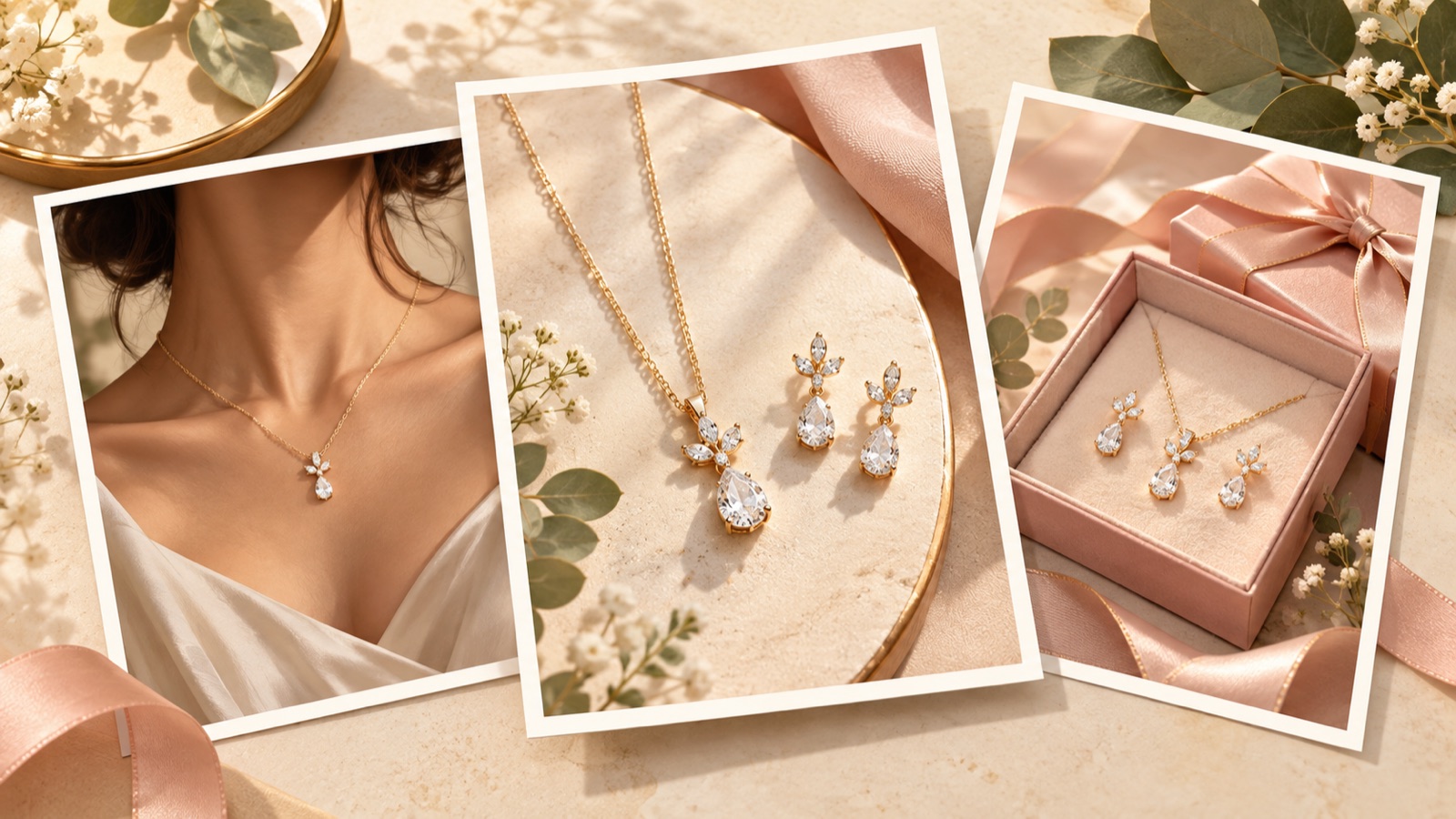
If you’re looking for jewelry Facebook ad examples, start by choosing a purchase question your existing photos can answer. Use product-only shots to show the design, on-model photos to show size and fit, and packaging photos to show the gifting experience. Choose personalization and review formats when you have actual options and customer materials to support them. All five examples below are hypothetical. Compare the English copy and layout of each, then see how to create three image ad concepts using your own product photos.
1. Product-Only: Give Curves and Surfaces Room to Stand Out
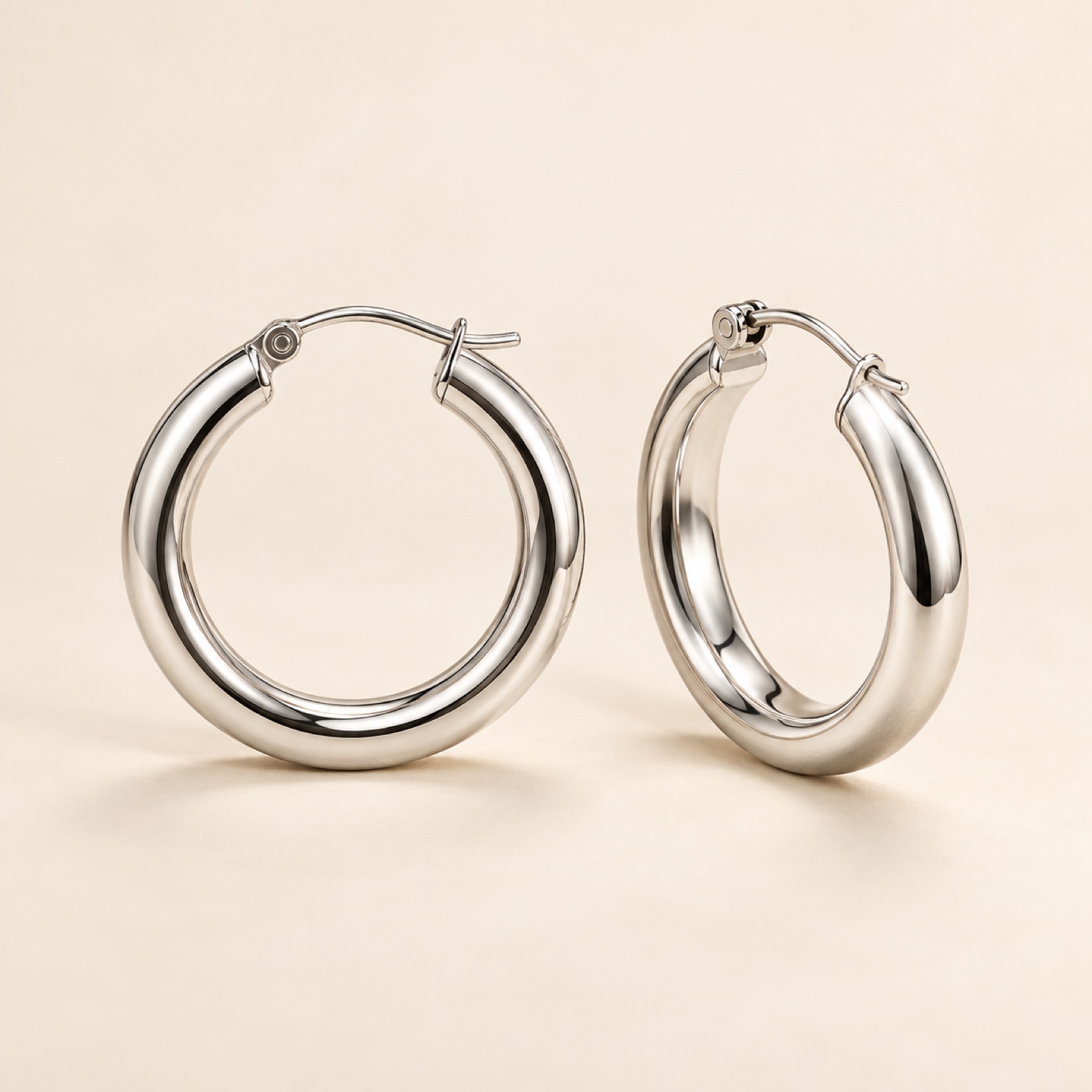
This is a hypothetical example. Place a pair of silver hoop earrings prominently in the center of a cream background. Position one facing forward and the other at an angle to reveal their thickness and clasp. Add “A little curve. Your everyday pair.” at the top and “Explore the collection” at the bottom. Some reference materials also cover product-only images as a layout reference.3 This example keeps decorative elements to a minimum to draw attention to the shape. It’s a good starting point when you have limited on-model assets and clear product photos.
To create this with your own product, choose one feature that shows up clearly. Connect the copy to something visible in the photo, such as the shine, curves, or arrangement of gemstones. Search the Meta Ad Library in AdForge, save an ad with suitable spacing and product placement, and review its layout and color analysis. During image ad creation, add your actual product photo, product details, and English message. If you populated the details using a product page URL, check the materials and options. Review the product shape and copy in the three generated concepts, then download them.
2. On-Model: Show Earring Size and Scale Beside the Face
This is a hypothetical example. Crop an actual photo of someone wearing small gold-tone earrings around the ear and jawline. Choose a photo with a solid-color top, a subdued background, and no hair covering the earrings. Place “Small hoops. See how they sit.” in the empty space on the left, with the verified diameter below. Reference materials also present on-model images as a distinct format.3 This example aims to show how the earrings look when worn, which can be difficult to judge from a product-only shot.
When adapting this to your product, first check how clearly the piece shows against the skin. For necklaces, choose a photo that shows the collarbone and chain length; for rings, show the relationship between the finger and the size of the decorative element. Upload an actual on-model photo you have permission to use to AdForge, and remake the ad using the space around the photo and copy placement as references. Compare the result with the original to check for changes in earring size, chain length, or product color. If you don’t have on-model photos, it’s better to start with a product-only ad and describe the size using verified measurements.
3. Gift Packaging: Show What the Recipient Will Open
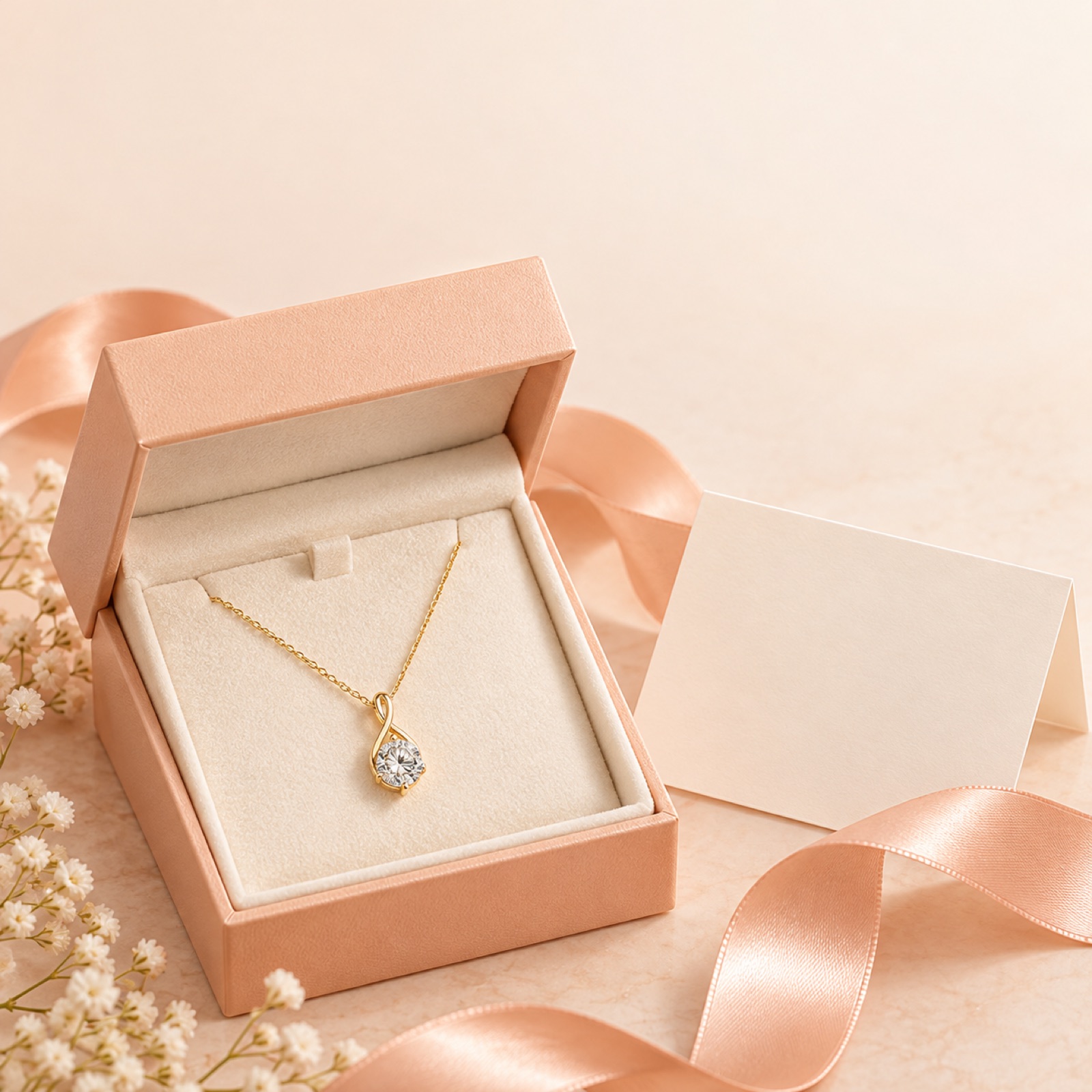
This is a hypothetical example. Place an open jewelry box and pendant against a pale peach background, with a message card you actually provide beside them. Photograph the product so its shape remains visible inside the box. Keep the copy short with “For her next chapter.” and use a card message suggesting a graduation gift as a supporting element. Practitioners’ questions also reflect the challenge of finding specific purchase occasions beyond generic gifting messages.1 This layout introduces the recipient and occasion first, creating a context for choosing the product.
To create this with your own product, choose just one occasion: graduation, a birthday, or a thank-you gift. Use photos of the box and card actually shipped, and don’t suggest separately purchased packaging is included. Use wording such as “Gift-ready packaging” only when the actual offering supports it. In AdForge, refer to the layout of a gifting reference, then rebuild the content using your packaging photos and product details. Check that the product doesn’t get lost among packaging decorations, and make sure the linked product page shows the same packaging options.
4. Personalization: Show the Engraved Result Alongside the Available Choices
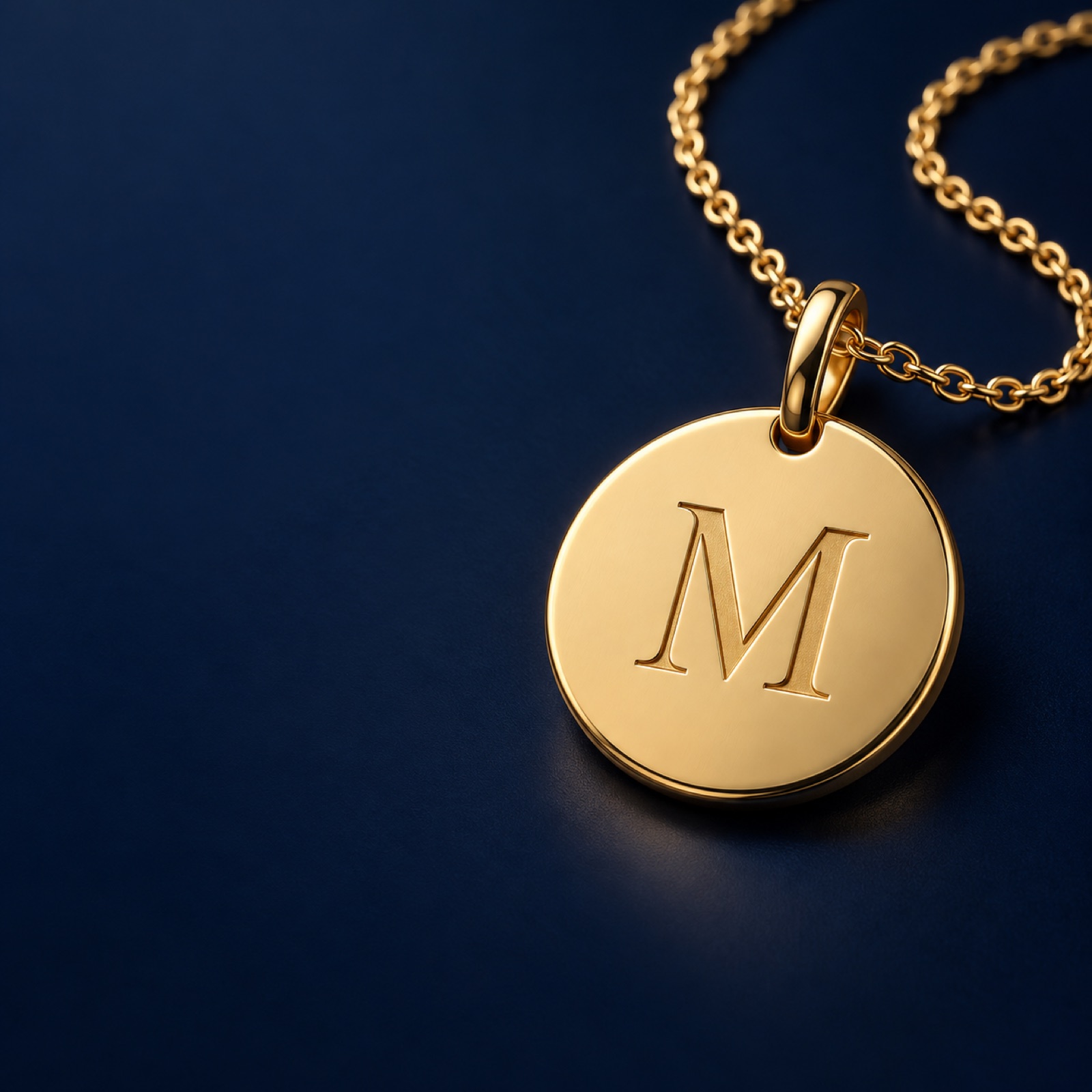
This is a hypothetical example. Assume a pendant brand that offers an actual engraving service. Place a large, actual photo of an initial-engraved pendant on the right side of a dark navy background. Put “Your initial. Your everyday piece.” on the left, with a short description of the available engraving options below. Personalization images are also covered in layout reference materials.3 This example is designed to show the finished piece first while helping shoppers understand what they can choose.
To adapt this to your product, prepare photos of engraving samples you have actually made and the options currently available to order. If you offer only initial engraving, don’t imply that long messages or handwritten engraving are available. Add your sample photo and verified options to AdForge, using the reference only for the layout separating the product from its description. When reviewing the result, compare the engraving’s spelling and placement and the metal surface with the original photo. If your product has no personalization feature, adapt the ad to show gemstone or design choices instead of forcing it into this format.
5. Customer Reviews: Pair a Short Experience With the Relevant Product
This is a hypothetical example. Place a photo of a necklace you actually sell on the left side of a light gray background, with one sentence from a customer review you have permission to use on the right. Fill in the review text using actual material you have. Include a star rating and customer name only when you have verified information. An article covering past jewelry ads includes an example of Holden using customer reviews.2 The reference here is the way the product appears beside the review. It does not indicate whether the ad is currently running or how it performed.
When creating this with your own product, choose a review that addresses something shoppers want to know. Look for specific experiences, such as size, appearance when worn, or the recipient’s reaction to a gift. Add the product photo and approved review text to AdForge, then check that the resulting wording preserves the original meaning. Reviews translated into English should also avoid exaggeration. You can then prepare product-only and review ads using the same product and offer for comparison. Download the finished assets, upload them directly to your ad account, and check performance in your existing ad management tools.
Key takeaways
Build jewelry ads around the purchase information your existing photos can show. Use product-only ads to show design, on-model ads to show scale, and gifting ads to show the purchase occasion. If you have actual options and customer reviews, add personalization and review formats, then create and compare your chosen layouts in AdForge using your own product photos and English messages.
FAQ
Which ad should I create first if I only have product photos?
Start with a product-only ad. Choose a photo that clearly shows the shape, then connect one design feature to a short line of English copy. Don’t make something your photos can’t show, such as scale when worn or gift packaging, the central message.
For US customers, is gifting or buying for yourself the better angle?
The available information isn’t enough to determine which is better. Build gifting ads around the recipient and purchase occasion, and self-purchase ads around the design and appearance when worn. We recommend comparing different purchase contexts while keeping the product and offer the same.
Can I translate the Korean copy directly into English?
First decide which question the photo answers, then write the English copy. For an on-model ad, explain size and fit; for a personalization ad, explain the available options. Details that affect the purchase, including materials, measurements, and engraving limits, must match the product information.
Can I run the three images AdForge creates right away?
First compare them with the actual product photos and review the shape, color, engraving, packaging contents, and English copy. You also need to check your rights to use the uploaded materials. Download the reviewed assets, then upload them directly to your ad account. AdForge does not yet have a feature that automatically launches ads through your ad account.
Make your next ad with AdForge
AdForge (ad-forge.io) is an ad remake app: pick an ad you like and rebuild it as a video or image ad for your own product. Find references in the Meta and TikTok ad libraries, let AdForge write the script, AI narration and captions, then review and download. Every account starts with 12 free image ads.